

If you walked into a physical store, you would instantly recognize your customers. You would spot the locals, the tourists, and the suspicious characters wearing masks. On your website, you are flying blind.
You pay for 1,000 clicks. You expect 1,000 potential customers. The reality? 40% of them are bots. Your budget is gone, your analytics are skewed, and you have zero leads to show for it.
In 2026, competitors, scrapers, and automated bots are constantly draining your ad spend. To protect your ROI, you must move from passive analytics to active defense. By integrating a robust IP lookup tool, you can unmask this invisible traffic and turn anonymous numbers into actionable business intelligence.
What Exactly is an IP Address Lookup API?
A raw IP address (like 192.168.1.1) is just a digital label. On its own, it tells you nothing.
An IP address lookup API acts as a translator. It bridges the gap between raw data and real-world identity. It takes that number, queries a global database, and returns actionable intelligence in milliseconds:
- Geolocation: Precise City, Country, Zip Code, and Time Zone.
- Connection Type: Mobile (4G/5G), WiFi, or Corporate Network.
- ISP & Organization: The internet provider (e.g., “Comcast”) or company owner (e.g., “Google Cloud”).
- Security Risk Score: Flags associated with bots, spam, or known fraud.
Beyond Simple Geolocation: The Move to “Real-Time Analysis”
In the past, marketing tools offered simple geolocation, telling you little more than “Country: USA.” That is no longer enough.
Modern IP analysis tools act as a gatekeeper. They analyze the intent of the user, not just the location. Beyond simply identifying if a connection is a safe residential home or a suspicious data center, these systems detect if a user is masking their presence (VPN) and assign a concrete ‘Risk Score.’
The best part? It happens silently. The analysis executes in under 100 milliseconds, before the page even loads. The visitor never knows they were verified, but you get clean data instantly.
The Mechanics: How IP Analysis Works Under the Hood

To trust the software, it helps to understand that this isn’t magic; it is precise data science. Here is the 3-step technical process:
Step 1: The Lookup (ISP & ASN Checks)
The tool queries global databases to identify the connection source. This is the first filter:
- Is it a Residential Home? (Safe, e.g., AT&T, Verizon).
- Is it a Data Center? (Suspicious). Real humans do not browse e-commerce sites from an AWS or DigitalOcean server; bots do.
Step 2: Proxy and VPN Detection
Sophisticated fraudsters rarely use their own IP addresses. The tool analyzes the connection to detect masked identities. If a user is hiding behind a Tor exit node, a commercial VPN, or an anonymous proxy, the tool flags this as high-risk behavior, as it is often associated with fraud or scraping.
Developers can learn how to implement this technically in our Proxy/VPN Detection API Guide.
Step 3: Behavioral Fraud Scoring
Based on the data collected, the tool assigns a “Fraud Score” to the visitor (e.g., from 0 to 100). This score is based on recent malicious activity associated with that specific IP across the web, such as spamming forms or brute-forcing logins.
3 Critical Business Use Cases
1. Enhancing User Experience (UX) and CRO
Modern customers demand speed and relevance. Using an IP geolocation lookup service allows you to tailor the browsing experience instantly.
- Frictionless Forms with Auto-Fill: “Form Fatigue” kills conversions. Every extra field a user has to fill out increases the chance they will leave. If a user has to scroll through a dropdown menu to find “United States,” you are adding friction. Use an IP API to detect the user’s location and pre-fill these fields automatically. Check the stats: Reducing form fields can improve form conversion statistics by up to 50%
- Localizing Content and Currency: If a visitor lands on your site from Berlin, showing them prices in USD ($) instead of Euro (€) is a fast way to lose a sale. An IP tool allows you to dynamically change currency and redirect to localized versions of your site (e.g., /de/ for Germany).
2. The B2B Advantage: Account-Based Marketing (ABM)

For B2B companies, anonymous traffic is a goldmine waiting to be tapped. Most of your high-value prospects visit your site but never fill out a “Contact Us” form.
- Identifying Corporate Visitors (The “Reverse IP” Trick): Corporate networks have static IP addresses. By using an IP lookup tool, you can identify the company name behind the visitor.
- Example: If you see multiple visits from an IP registered to “Microsoft Corporation,” you know a team at Microsoft is interested in your product.
- Turning Anonymous Traffic into Revenue:
- Identify: Use the IP tool to reveal the company name.
- Enrich: Use 1Lookup to instantly reveal the specific decision-makers (CEOs, Managers) and their LinkedIn profiles.
- Engage: Feed this data into VoiceDrop Multichannel Campaigns to trigger outreach referencing their company’s recent interest.
3. Security & Fraud Prevention: Stopping the Bleeding
(Expanded with File 1) While marketing is about bringing people in, security is about keeping the wrong people out. IP analysis isn’t just a security protocol; it is financial protection.
For a deeper dive into stopping financial attacks, read our guide on IP Intelligence Service for Fraud Prevention.
- Stop Ad Fraud (Click Fraud): Bots click PPC ads to exhaust your budget. IP analysis blocks these non-human signatures before the ad loads, ensuring you only pay for real eyes.
- Prevent Account Takeovers (ATO): If a user normally logs in from New York but suddenly appears in a different hemisphere, the tool triggers a 2FA challenge instantly. Explain how IP lookup for website security triggers a ‘Verify it’s you’ 2FA challenge, effectively preventing account takeover and protecting your users’ data.
- Reduce Chargebacks: Block high-risk IPs at checkout. Stopping a fraudster before the transaction saves you from costly chargeback fees and lost inventory.
To see which tools are best at stopping these threats, check out our comparison: Best IP Lookup for Security: VoiceDrop vs. The Rest.
Key Features to Look for in 2026
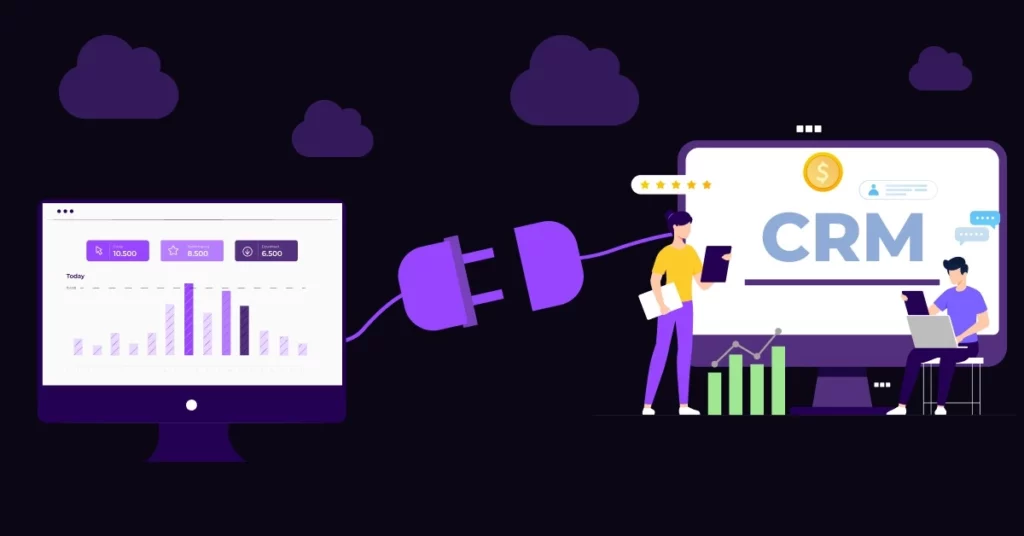
When selecting an IP analysis tool, look for these critical features to ensure you are getting a professional solution.
1. Low Latency API (Speed is King) Speed is critical. The analysis must happen in under 100ms. If the API is slow, it will delay your website loading time, hurting your User Experience (UX) and SEO. If the tool is slow, you might stop fraud, but you will also lose real customers who get tired of waiting.
2. Easy CRM & Form Integration Don’t let bad data enter your pipeline. The tool must connect directly to your lead forms to automatically reject spam signups. Streamline your workflow by using VoiceDrop API Integrations to connect validation directly to your CRM.
3. Granular “Blocklists” Look for tools that allow you to create custom rules. You should be able to set granular blocks, such as “Block all traffic from Russia” if you don’t ship there, or “Block all AWS Data Centers” to stop scrapers.
Step-by-Step Guide to Implementing IP Analysis
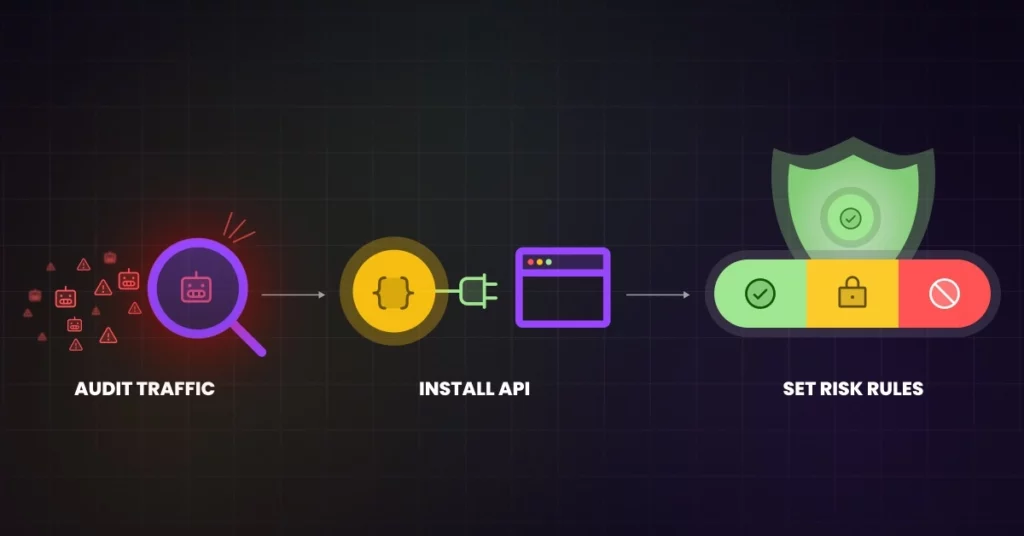
Implementing this technology is easier than it sounds. Follow this practical guide:
Step 1: Audit Your Current Traffic. Before integrating an API, run a spot check. Are you seeing suspicious signups from regions you don’t target?
- Action: Take a sample of your recent leads and run them through the 1Lookup Domain & IP Check. If they flag as “Data Center” or “Proxy,” you have a bot problem.
Step 2: Install the API/Script.t Most tools provide a simple solution. This usually involves adding a small snippet of JavaScript code to your website header or connecting an API key to your backend server. Modern APIs are lightweight and JSON-based.
Step 3: Set Your Risk Thresholds. Do not block everyone immediately. Set logical rules based on the fraud score. For example: “If Fraud Score is > 85, Block immediately. If > 50, require a Captcha.” This balances strict security with a smooth user experience for legitimate users.
Navigating Compliance: GDPR and Data Privacy
With great power comes great responsibility. Handling IP addresses requires strict adherence to privacy laws.
Is IP Tracking Legal? Yes. Under regulations like GDPR, IP addresses are considered “Personal Data.” However, processing them for fraud prevention and network security is classified as a “Legitimate Interest.”
For more details on compliance, refer to the official GDPR IP address compliance guidance.
Always be transparent. Update your Privacy Policy to disclose that you are using fraud detection tools and IP analysis to protect the site and its users. Legitimate interest for security purposes is generally a valid reason for processing this data, but transparency is key.
Conclusion
Operating a website without IP intelligence is like running a shop with the lights off. You can’t see who is buying, and you can’t see who is stealing.
Clean Traffic = Real Revenue. When you remove the noise of bots and fraudsters, your analytics sharpen and your ROI increases. Don’t let “invisible traffic” drain your budget. Stop guessing who is on your site and start verifying today.
Unmask your traffic today. Start your VoiceDrop Demo to see how data intelligence can transform your automated outreach.
FAQ’s
Can a VPN bypass IP analysis?
Not easily. High-quality tools can detect the specific protocols used by VPNs and flag them. While no system is 100% foolproof, advanced tools catch the vast majority of commercial VPN and proxy connections.
Can I use an IP lookup tool to find a person’s name?
No, an IP address identifies a connection (ISP or Company), not a specific individual’s name. However, for B2B, it can identify the Company visiting your site, which is highly valuable for sales teams.
Does IP analysis slow down my website?
No, provided you use a premium tool that utilizes a global Content Delivery Network (CDN). The check typically happens in milliseconds and runs asynchronously, so the user does not notice any delay.
