

Geolocation is Not Security.
If your security stack relies on basic geolocation, you aren’t looking at a map; you’re looking at a mirage. A standard IP lookup tells you a user is in “London, UK.” It doesn’t tell you that the IP is a known Tor Exit Node, part of a Mirai botnet, or hosting a command-and-control (C2) server.
To stop modern attacks, you must move beyond “Where is this IP?” and answer the critical question: “Is this IP dangerous?”
Here is how the best security-focused IP lookups (like 1Lookup) compare to standard competitors across the 3 critical pillars of threat detection.
1. Freshness: Live Feeds vs. Stale Databases
IP reputation is highly volatile. A compromised residential device might be “clean” at 9:00 AM and weaponized in a DDoS attack by 10:05 AM.
- The Competitor Way (Standard Tools): Relies on static, downloadable databases that are updated weekly or monthly. By the time you download the update, the threat data is already obsolete.
- The Security Way (1Lookup): Queries live threat feeds. It ensures you never whitelist an IP based on yesterday’s reputation.
2. Granularity: X-Ray Vision vs. Basic ID
A basic tool sees an IP address. A security tool sees the connection method. You must be able to distinguish between safe remote workers and dangerous fraudsters.
- The Competitor Way: lumps everything under generic “ISP” labels.
- The Security Way: distinguishing clearly between:
- Corporate VPNs: Low Risk (Likely remote employees).
- Residential Proxies: Critical Risk (Often used to bypass firewalls for carding).
3. Velocity: Sub-100ms vs. Latency Lags
Security happens in the checkout flow, not just in post-mortem analysis.
- The Competitor Way: Slow API responses that kill conversion rates or force you to run checks after the transaction.
- The Security Way: Delivers a “Block/Allow” decision in under 100ms, filtering threats instantly without slowing down your genuine customers.
Critical Data Points: The “Must-Haves” Checklist
When comparing IP lookup tools, look for these specific fields in the JSON response. If a tool doesn’t provide them, it’s not ready for security.
✅ ASN & ISP Classification (The Hosting vs. Residential Check)
Attackers rarely use their own home internet; they rent servers.
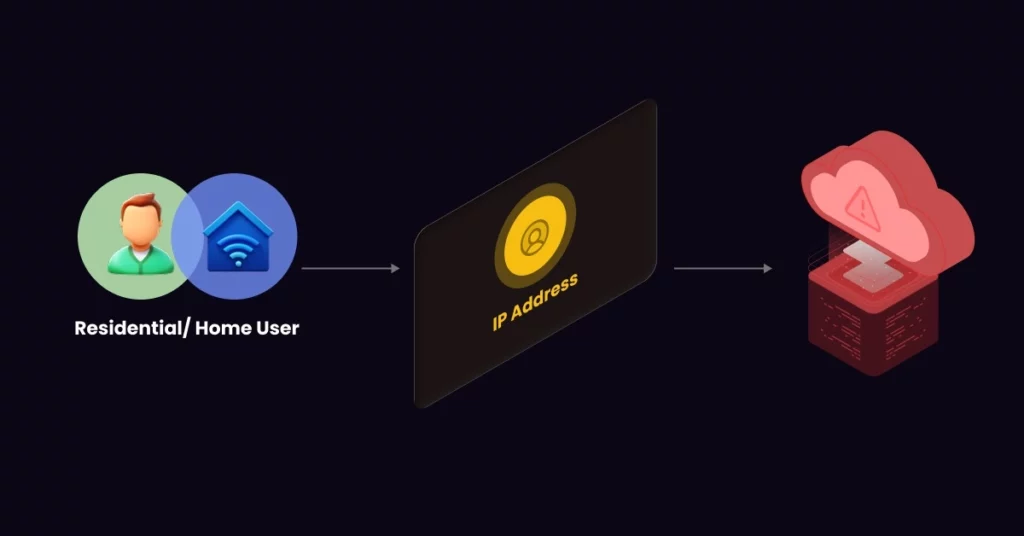
- The Check: Does the IP claim to be a “Home User” (Residential ISP)?
- The Reality: Does the ASN actually belong to a hosting provider like AWS, DigitalOcean, or Linode?
- Why it matters: If there is a mismatch (e.g., a “shopper” connecting from a Data Center), it is almost certainly a bot.
Pro Tip: Don’t guess. Check your own ASN classification and connection type instantly on 1Lookup’s free IP lookup to see how your traffic appears to security filters. 1Lookup is built by the same team as VoiceDrop.
✅ Abuse Velocity & Threat Scores
- The Check: Don’t just look for a “Bad” label.
- The Reality: Look for Abuse Velocity, how frequently has this IP been reported for SSH brute-forcing or spam in the last 24 hours?
- Why it matters: High velocity indicates an active, current infection.
✅ Open Ports & Services Detection
- The Check: Scans for exposed ports (e.g., Port 22 for SSH, Port 3389 for RDP).
- The Reality: The presence of these open ports often indicates compromised devices recruited into adversary infrastructure.
- Why it matters: Identifying these early allows you to block traffic before a connection is even established.
Top Use Cases: High-Fidelity Lookup in Action
1. Accelerating SOC Investigations
- The Problem: A SIEM alert triggers for “Suspicious Outbound Traffic.”
- Instead of manually tracerouting, the analyst uses an enriched lookup to immediately see it’s a known Tor Exit Node. This validates the alert instantly, speeding up compliance with industry standards like the NIST Incident Response Guidelines.
2. Killing Credit Card Fraud (Distance Mismatches)
- The Problem: A user enters a billing address in Miami, FL.
- The Fix: The IP lookup reveals traffic originating from a VPN exit node in St. Petersburg, Russia. The > 5,000-mile distance mismatch triggers an automatic freeze.
The “Human Verification” Layer: Handling Grey Areas

No tool is 100% perfect. You will inevitably encounter “Grey IPs” connections that look slightly suspicious but could be valid users (e.g., a traveler using hotel Wi-Fi).
The Comparison:
| Strategy | Approach | Outcome |
| The Old Way | Hard Block (403 Forbidden) | High User Churn. You block real customers. |
| The Smart Way (VoiceDrop) | Challenge the User | Zero Churn. Bots get blocked; Humans pass. |
The Solution: Instead of an annoying CAPTCHA, use VoiceDrop’s Ringless Voicemail to send a One-Time Password (OTP).
- Bots cannot pick up a phone.
- Humans get a frictionless verification code.
- Result: Automated threats are filtered out while your sales pipeline stays open.
Comparing Free vs. Paid IP Lookups
The Limitations of Free Tools
- Best for: Manual, one-off checks.
- Lacks: Risk Scores, VPN detection, and high-speed throughput.
- Restriction: Strict rate limits (e.g., 5 requests per minute) make them useless for automated security.
When to Upgrade to Enterprise Intelligence
For businesses processing payments or sensitive data, paid tools are essential. They provide:
- Validating threat data sourced from global sensor networks.
- Historical abuse records.
- High-speed throughput is required for enterprise scale.
Conclusion
In 2026, an IP address is no longer just a location; it’s a risk profile.
The “best” IP lookup tool isn’t the one with the prettiest map. It’s the one that gives you the intelligence to differentiate between a customer and a criminal in milliseconds. Stop relying on guesswork and stale blocklists.
Get your Free API Key from 1Lookup today and start automatically filtering malicious traffic with sub-100ms precision.
This comparison focused on high-security tools. To understand the complete basics of IP data, read our Ultimate Guide to IP Lookup Tools & APIs.
