Signing a 12-month software contract is terrifying if you haven’t tested the product. You don’t want to be locked into a tool that drops calls or sounds robotic. You need to validate the tech before committing your budget.
Fortunately, you don’t need a credit card to validate your sales stack. We rounded up the best tools that let you start an auto-dialer free trial instantly. Plus, we’ve included a “Zero-Dial” strategy to test alongside them to maximize your outreach.
Additionally, we have included a “Zero-Dial” alternative strategy that you can test alongside these traditional tools to maximize your outreach efficiency.
The “Try Before You Buy” Necessity (The VoIP Trap)
A free trial is not just a marketing gimmick; it is a technical necessity for any VoIP-based software. While saving money is important, the primary goal of a trial period is to validate the technology. Without hands-on testing, you are flying blind on call quality and software stability.
Testing Call Latency
You must test for lag. If you say “hello” and there is a two-second delay, that awkward silence kills conversion rates instantly. Free trials are the only way to catch this before you pay.
CRM Sync Check
Integration claims on landing pages don’t always match reality. Verify if the dialer actually logs calls to HubSpot or Salesforce. Sales technology trends prove that automated data logging is the backbone of successful sales teams.
Ease of Use
If your sales reps can’t figure out the interface during the 7-day trial, they won’t use it later. A complex UI is a silent revenue killer.
Preparing for Your Trial: The “Pre-Flight” Checklist
Don’t waste your limited 7-day access fixing your internet. Run this checklist before you click “Start”:
- Clean Your Data First: Don’t burn trial minutes on disconnected lines. Use 1Lookup to validate your numbers instantly. Every saved minute is a potential sale.
- Check for Jitter: VoIP requires low latency. Review standard VoIP speed test requirements to ensure your network won’t cause robotic voice issues.
- Hardware Audit: Ensure headsets are noise-canceling. Cheap mics make even expensive enterprise dialers sound unprofessional.
What to Look for When You Start a Free Trial

Not all free trials are created equal. Some offer full access, while others are glorified demos. Here is a list of criteria to help you avoid signing up unthinkingly.
“No Credit Card” Requirement
You should prioritize trials that do not ask for payment information upfront. This helps you avoid the “forgot to cancel” trap, where you are automatically billed for a year simply because you missed an email notification.
Full Feature Access
Ensure the trial isn’t “crippled” by missing features. For instance, check if it allows call recording and live transfers during the test phase. If you cannot test the features you actually need, the trial is essentially useless.
Minutes vs. Days
Be aware of how the trial limits you. Some trials give you 7 days of access, while others offer 100 free minutes. If you are a heavy dialer, a time-based trial (7 days) is usually better than a credit-based one (minutes).
Top 7 Auto Dialers with Free Trials (Ranked)
We have analyzed the market to find the most accessible tools. Here are the top picks with free trials, ranked by trial terms and ease of access.
1. JustCall
Best For: Teams who need SMS automation.
The Trial: JustCall offers a generous 14-day window. Unlike other trials, this one lets you test robust SMS features alongside calling, giving you a full 2 weeks to evaluate the ecosystem.
2. Kixie (Instant Setup)
Best For: Speed and Chrome users.
The Trial: Focused on their Chrome Extension, Kixie lets you start “click-to-call” dialing directly from your browser in under 5 minutes. Perfect for rapid testing.
3. Aircall (The Team Trial)
Best For: Sales Managers.
The Trial: Ideal for testing “live coaching” and “whisper” features. Use this trial to see how easy it is to onboard multiple agents at once.
4. CloudTalk (Quality Focus)
Best For: International sales.
The Trial: If your leads are global, use CloudTalk’s trial to stress-test international call clarity and local number availability.
5. RingCentral (The Enterprise Test)
Best For: Unified Communication (Video + Phone).
The Trial: A robust, enterprise-grade test. It requires more setup time, but it is necessary if you need to combine video meetings with your dialer.
6. PhoneBurner (The Power User)
Best For: High-volume cold calling.
The Trial: Unique for its “unlimited” dialing periods. Use this to burn through a massive list and test pure efficiency.
7. Dialpad (AI Features)
Best For: AI transcription.
The Trial: The go-to for testing real-time sentiment analysis. (Check other Best auto dialer software reviews to compare AI accuracy).
The “Integration Test”: Does It Play Nice With Your Stack?
A dialer is useless if it doesn’t log data accurately. This is perhaps the most crucial part of your trial, as manual data entry will kill your team’s productivity.
Two-Way Sync
If you update a contact in the dialer, does it update in the CRM as well? You must test this immediately by changing a contact’s status and checking your database. If the sync is one-way or delayed, it will cause data hygiene issues later.
Automated Logging
Ensure the trial automatically records the call duration, outcome, and recording URL. Your reps should never have to type “Left Voicemail” manually after a call.
Workflow Triggers
Can a finished call trigger an automated email sequence? Advanced setups rely on these triggers. To understand why this matters, read about the Benefits of CRM integration and how it affects long-term ROI.
The “Free Trial” Trap: Hidden Limitations
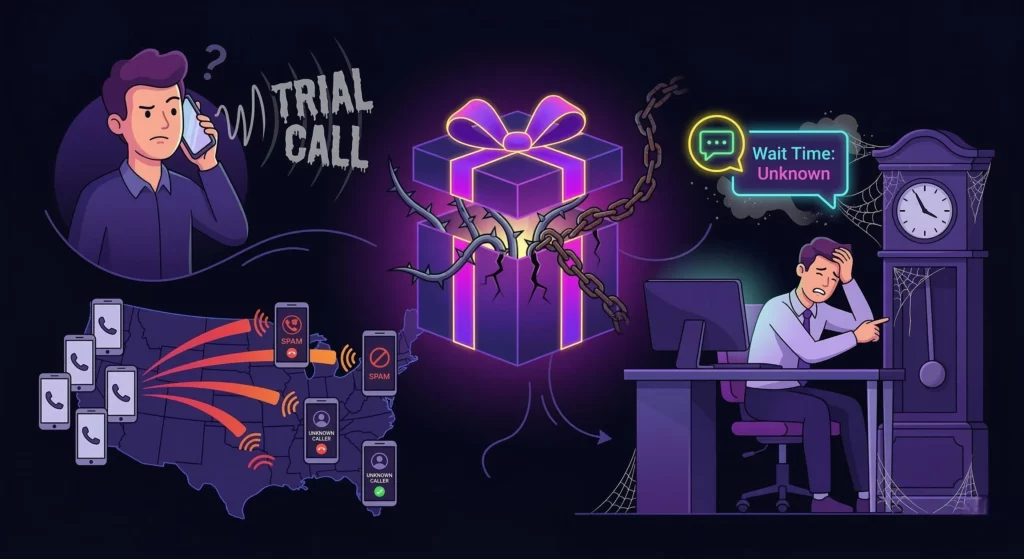
While free access is great, you must be an honest advisor to your future self. There are often hidden “gotchas” in these trials that can skew your results.
Be an honest advisor to your future self. Watch out for these common trial restrictions:
- The “Watermarked” Audio: Some tools play a pre-recorded “This is a trial call” message to your prospect. This immediately destroys credibility. Avoid these at all costs.
- Number Restrictions: Free trials often assign random toll-free numbers rather than local area codes. Be aware that this may lower your pick-up rates during the test.
- Support Gates: If you encounter a bug, note how long it takes for support to reply. Trial users are often deprioritized as a preview of their service culture.
The “Zero-Dial” Pivot: Why Smart Teams Test RVM Instead
If you are hunting for a free trial, your goal is to be efficient. Why dial manually when you can automate the outreach? Smart teams use VoiceDrop as the ultimate efficiency hack.
Skip the Live Call
Don’t waste trial minutes talking to voicemail boxes. Test a system that drops audio directly to the recipient’s server without ringing their phone. It bypasses the gatekeeper entirely.
Compare the “Callback” Rate
Run a standard dialer trial vs. a VoiceDrop campaign. Ringless voicemail marketing often generates higher inbound call volumes because it is non-intrusive and sparks curiosity.
Scale Without “Seats”
Most dialer trials limit you to one user. VoiceDrop lets you reach thousands of contacts regardless of team size. You don’t need more reps; you need better automation.
How to Build a “Hybrid Stack” (The Challenger Test)
You don’t have to choose one or the other. Here is an actionable strategy to make the most of your 7-day trial alongside RVM.
Step 1: Filter with VoiceDrop
First, blast your cold list with a ringless voicemail to identify hand-raisers. This filters out the uninterested leads without wasting a second of your sales team’s time.
Pro Tip: You cannot send SMS or ringless voicemail to a landline. Use 1Lookup’s mobile finder to ‘skip trace’ your list and identify direct mobile numbers for your prospects before you launch the campaign. 1Lookup is built by the same team as VoiceDrop.
Step 2: SMS Follow-Up
Next, automate a text message to those who listened to the voicemail. By using Mass text messaging, you ensure that your message is seen even if the voicemail was ignored.
Step 3: Dial the Warm Leads
Finally, use your free-trial minutes only for leads who replied to the RVM or SMS. This saves your limited trial credits for high-value calls that require a human conversation.
Protecting Your Startup: Compliance & Spam Laws
Cheap tools or free trials often ignore laws, leaving the liability on you. It is crucial to protect your startup from fines while testing these tools.
Respecting the DNC (Do Not Call)
You must scrub your lists to avoid fines. Ensure the trial software has a feature to check numbers against the federal Do Not Call registry before you dial.
Number Rotation
You need a tool that rotates numbers to avoid carrier blocks. If you make 100 calls from the same trial number in an hour, carriers will likely flag you as “Spam Likely.”
Opt-Out Management
Always provide a way for leads to say “Stop.” Managing these requests is a legal requirement. For a detailed guide on staying safe, review the TCPA compliance guidelines.
Handling the Volume: When the “Cheap” Strategy Works Too Well
What happens when 50 people call back at once? If your trial is successful, you might face a volume issue.
- Routing Calls to Mobiles: Ensure your dialer forwards to your cell phone if you are out of the office. You cannot afford to miss the callback momentum your campaign generates.
- Using AI Agents: If you can’t answer, let an AI agent qualify the lead for you. Modern AI voicemail can handle the initial conversation and book appointments while you focus on closing deals.
- Speed to Lead: The importance of calling back within 5 minutes cannot be overstated. Automation ensures no lead goes cold, drastically increasing your conversion rates.
Conclusion
Don’t buy unthinkingly. Use the free trial to stress-test for latency, integration, and ease of use.
But if you want to see results without manually dialing at all? Skip the trial limitations and get a free demo of VoiceDrop today. Stop dialing and start connecting.
FAQs
Can I get a free auto dialer for iPhone?
Yes, most trials have mobile apps (such as Aircall and JustCall) that work seamlessly on iOS, allowing you to test from your mobile device.
Do free trials include unlimited calling?
Usually no. They are typically capped by minutes or days to prevent abuse of the system.
How do I cancel a Dialer free trial?
Always check the cancellation policy before signing up. Set a calendar reminder one day before the trial ends to avoid credit card charges.
Can I use an auto dialer without a CRM?
Yes, most support Excel/CSV uploads for quick testing, meaning you don’t strictly need a CRM to get started.