
Add a free voicemail button to your website.
Let visitors tap a button on your site and leave you a message in their own voice. Pick how it looks, try it on a sample site, and paste one snippet to add it.
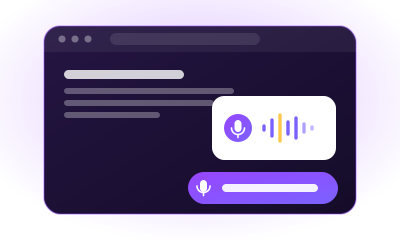
Messages arrive in your VoiceDrop account and by email, with a written copy. The button is free with any VoiceDrop account. Get your key in your VoiceDrop dashboard, under Integrations > Website voicemail button, or create an account first.
Try it on a sample site.
Click the button to recordCopy this code onto your site.
Paste it into any page or HTML block, just before the closing </body> tag.
<script src="https://www.voicedrop.ai/widget/voicemail-button.js" data-key="YOUR_SITE_KEY" data-text="Leave us a voicemail" data-color="#7b62ff" data-corner="right" async></script>
<a href="https://www.voicedrop.ai/tools/voicemail-button/">Voicemail by VoiceDrop</a>
Paste your site key above and it appears in the code. Until then the code shows YOUR_SITE_KEY.
On WordPress? Skip the code and download the free plugin. Upload it under Plugins, Add New, then paste your key in Settings, Voicemail Button.
Callers who won't fill in a form or pick up the phone still leave a message.
A voice says more than a form field.
In ten seconds you hear who is calling, what they need and how urgent it is. You also get a written copy, so you can skim it before you listen.
Nobody has to wait for you to pick up.
Evenings, weekends or a busy lunch rush, the message waits for you and the visitor leaves with their question asked.
It goes on any site with one paste.
Paste one small script and a link, or install the free WordPress plugin. There is nothing else to set up on your site.
Here is how to add the button to your site.
- 1
Pick the text, color and corner above.
- 2
Sign in to VoiceDrop, or create a free account, and copy your site key from Integrations > Website voicemail button. There you can also write your greeting.
- 3
Paste the key above, copy the code and paste it into your site just before the closing body tag. On WordPress, install the free plugin and paste the key in its settings instead.
- 4
Save the page and open it: the button sits in the corner you chose.
Your visitor taps the button, records up to 2 minutes, listens back and sends it. Messages arrive in your VoiceDrop account and by email, with a written copy.
Here are answers to 12 questions about the voicemail button.
Answer every message with a voicemail of your own.
VoiceDrop sends ringless voicemails and texts straight to the phone, so you can answer a message with one of your own.
Keep your outreach sharp
Every tool runs free in your browser, with no signup and no limits.
Phone Number Formatter
Clean, dedupe, and validate a whole phone list in your browser. E.164 or (xxx) xxx-xxxx, with state tagging.
Voicemail Greeting Generator
Professional voicemail greeting scripts for any situation. Pick a use case and tone, then copy or listen.
SMS Character Counter
Live segment calculator with GSM-7 vs Unicode detection. See exactly which character doubles your SMS cost.
TCPA Calling Hours Calculator
Enter a number or pick a state. See if you can legally call right now, with federal and state windows.
Best Time to Send
Paste a list and get one send time per time zone: 5 pm their time, from VoiceDrop call data, checked against state calling hours.
SMS Spam Checker
Paste your text message and get a carrier-filtering risk report with flagged phrases and fixes.
Ringless Voicemail Cost Calculator
The Callback Math for your list: delivered voicemails, callbacks, and cost per callback on VoiceDrop's real per-unit pricing.
Ringless Voicemail Script Generator
Sales voicemail-drop scripts by industry, with a pacing meter that keeps you in the 15-30 second sweet spot.