If you have been scouting for a modern, AI-driven business phone system, Dialpad is undoubtedly on your list.
Renowned for its “Voice Intelligence” and real-time call transcription, it is a top contender for teams looking to modernize their communications and ditch clunky desk phones.
But when it comes to Dialpad pricing, is it the smart financial move for your specific needs?
With different tiers and add-on features, knowing exactly what value you receive for your monthly spend is vital.
In this guide, we’ll dissect Dialpad’s pricing model, detail exactly what features are unlocked at each level, and see how it stacks up against the competition.
By the end, you’ll have a clear vision of whether Dialpad aligns with your operational budget and communication targets.
If Dialpad’s pricing feels a bit steep for your startup, there are more budget-friendly options available. Check out these Top-Rated Alternatives to Dialpad that offer similar power-dialing at a fraction of the cost.
What is Dialpad?
Dialpad is a cloud-based business communication platform that combines calling, messaging, and video meetings into a single, cohesive app.
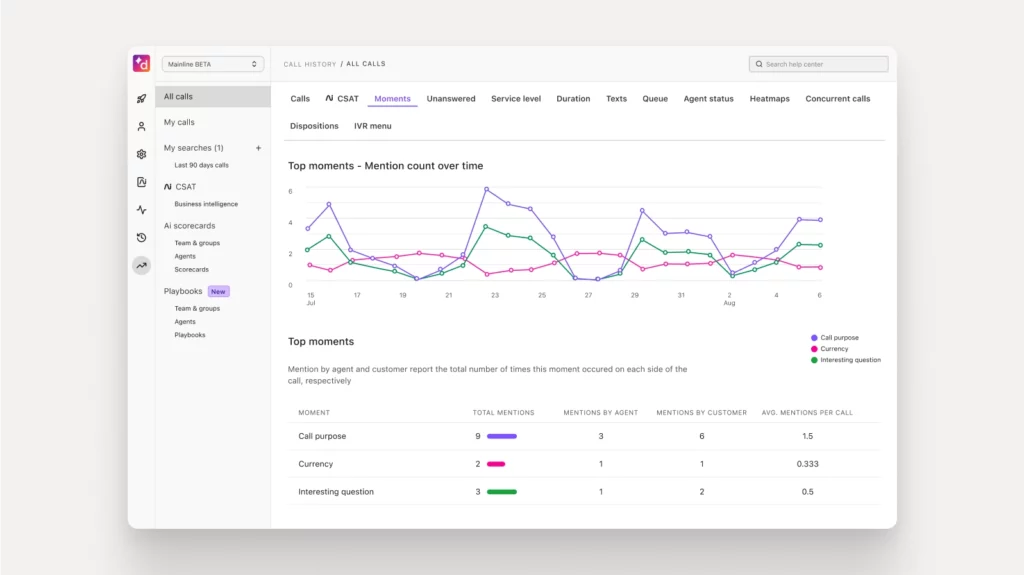
Unlike legacy PBX systems that tether you to physical hardware and expensive maintenance contracts, Dialpad is built entirely in the cloud, allowing your team to work from anywhere on any device.
It is widely adopted by:
- Remote & Hybrid Teams
- Customer Support Centers
- Sales Organizations
- Tech Startups
- Enterprise Operations
- Managed Service Providers (MSPs)
The platform merges VoIP, AI-powered transcription, and team collaboration tools to create a seamless workspace for modern businesses.
Dialpad Pricing Plans Overview
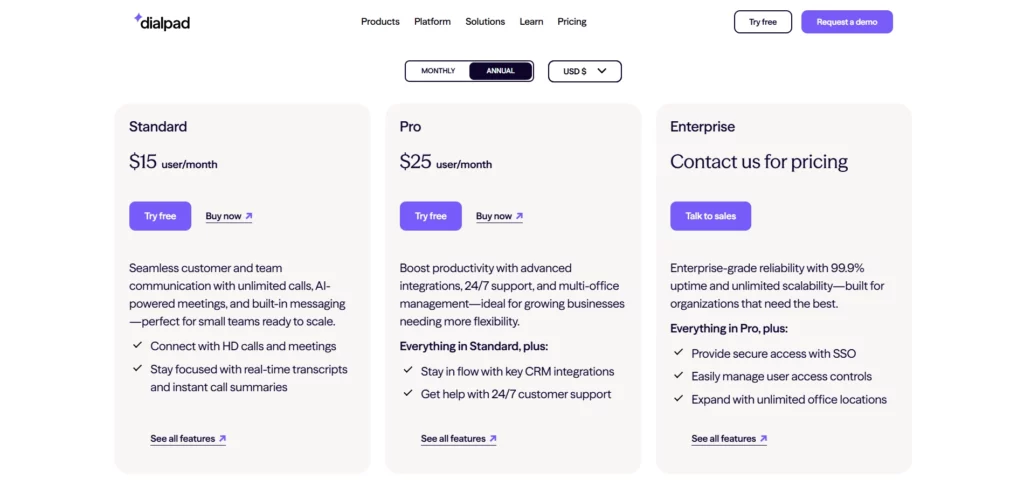
Dialpad primarily categorizes its Business Communications into three tiers: Standard, Pro, and Enterprise.
A few key takeaways before we analyze each tier:
- All plans are priced per user, per month.
- You can select monthly or annual billing (annual contracts typically save you around 20-25%).
- A 14-day free trial is available to test drive the voice intelligence features.
Let’s examine the specifics of each plan.
Standard Plan
Price:
- $15 per user/month (billed annually)
- $23 per user/month (billed monthly)
Free trial:
Yes
Features included in the plan:
- Unlimited calling (US & Canada)
- Unlimited SMS/MMS
- AI-powered call transcription
- Google Workspace & Microsoft 365 integrations
- Custom voicemail greeting
- Call forwarding & transfer
- Video meetings (limited duration)
- 1 local office location
The Standard plan is a robust starting point for small businesses or solopreneurs who need a professional phone presence without the enterprise price tag.
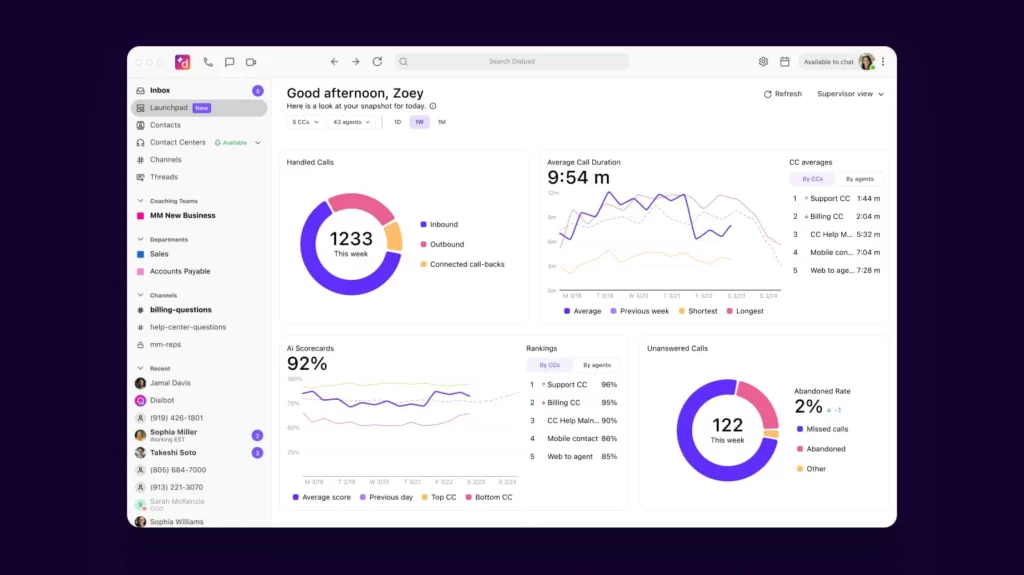
It delivers the core essentials: reliable VoIP calling, business text messaging, and Dialpad’s signature Voice Intelligence. If your primary objective is to separate work calls from personal calls and get automated notes, this tier offers the core Dialpad experience.
However, for teams requiring CRM integration or 24/7 phone support, the ceiling may be somewhat low.
Pro Plan
Price:
- $25 per user/month (billed annually)
- $35 per user/month (billed monthly)
Free trial:
Yes
Features included in the plan:
- Everything in Standard
- CRM Integrations (Salesforce, HubSpot, Zoho, etc.)
- 24/7 Phone Support
- Multiple office locations (up to 10)
- International SMS
- API & Webhooks access
- Hold music customization
- Local number portability support
- Open APIs
The Pro plan is the go-to selection for growing sales and support teams. It opens the door to critical workflow integrations and expanded support hours.
According to industry data on communication efficiency, integrated systems save employees up to 30 minutes per day by reducing app-switching.
Tools like the Pro plan address this by syncing call logs directly to your CRM. With multi-office support and open API capabilities, this tier is engineered for severe business scaling.
The inclusion of “CRM Integrations” enables automated data entry, freeing agents from tedious administrative tasks.
With the ability to manage multiple offices and access round-the-clock support, this tier is built for operations that cannot afford downtime and need centralized management.
Enterprise Plan
Price:
- Custom Quote (Requires contact with sales)
Free trial:
Upon Request
Features included in the plan:
- Everything in Pro
- 100% Uptime SLA
- Unlimited office locations
- Single Sign-On (SSO) integration (Okta, OneLogin)
- Dedicated Customer Success Manager
- Data retention policies
- Priority support line
- Advanced analytics & reporting
The Enterprise plan is architected for large-scale organizations that demand guaranteed reliability and specific security protocols. The primary value here lies in stability and service.
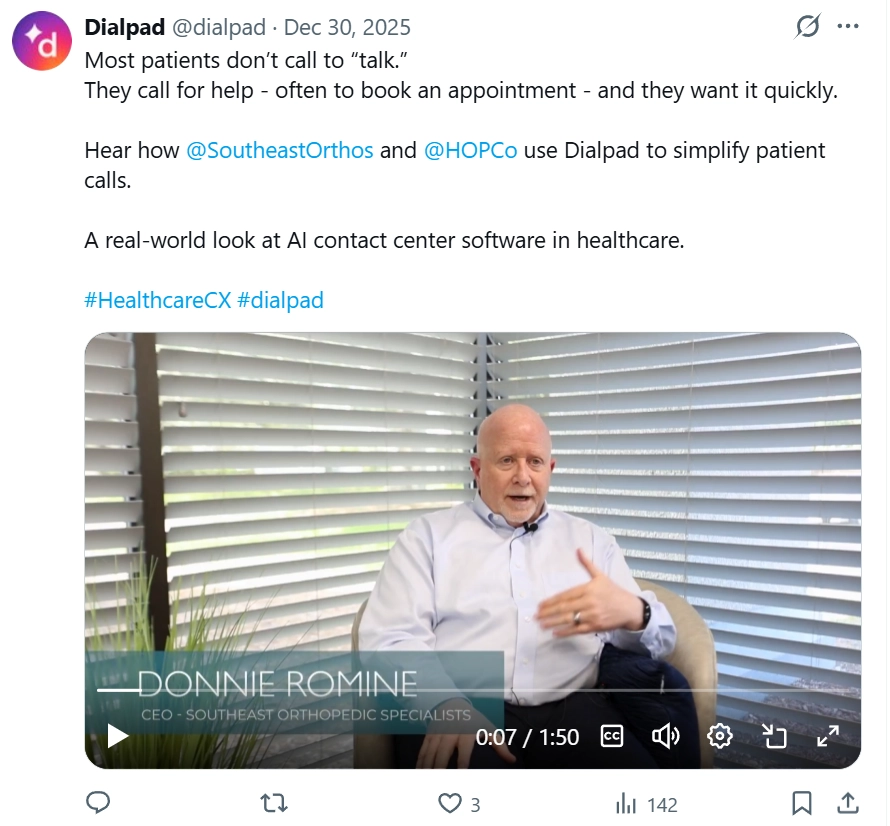
Securing a 100% uptime service-level agreement (SLA) and a dedicated success manager ensures that massive deployments run smoothly and maximize ROI instantly.
If your corporation has strict compliance requirements, needs sophisticated SSO security, or requires unlimited global scalability, the Enterprise plan supplies the necessary infrastructure and white-glove support.
The Overall Pros & Cons
Dialpad is an innovator in the VoIP space, but even AI-driven tools have limitations. Here is a summary of the user experience.
Pros
- Voice Intelligence (Vi): The real-time transcription and sentiment analysis are market-leading, providing instant notes and coaching opportunities.
- Ease of Deployment: Being 100% cloud-based means you can provision new users in minutes without waiting for IT hardware installations.
- Unified App: It combines calling, texting, and video into one sleek interface, reducing “app fatigue” for employees.
- Reliability: The platform is known for excellent call quality and uptime, leveraging Google Cloud Platform for stability.
- Deep Integrations: The Pro plan seamlessly connects with major CRMs, turning phone data into actionable business intelligence.
Cons
- Plan Limitations: To get essential CRM integrations (like Salesforce), you are forced to upgrade to the Pro tier, unlike some competitors, who include them from the start
- Faxing Costs: Digital faxing often incurs extra costs or isn’t as robust as legacy systems, which can be a hurdle for traditional industries.
- Video Limits: The free video conferencing included is limited compared to dedicated tools like Zoom, unless you upgrade specifically for Dialpad Meetings.
- Hardware Dependency: As a softphone, call quality is heavily dependent on your own internet connection and headset quality; there is no desk phone to fall back on if Wi-Fi drops.
- Global Texting: While domestic SMS is superb, international messaging rules and costs can be complex to navigate for global teams.
Higher price tiers offer more features, but are they worth it? See our Full Dialpad Review to see if the AI Voice Intelligence actually justifies the monthly cost.
The best alternative for Dialpad in terms of automated outreach and voicemail marketing
If your primary focus is maximizing outbound reach through ringless voicemails and automated voice campaigns rather than just inbound business communication, Dialpad might be more infrastructure than you strictly require.
That’s where VoiceDrop comes in.
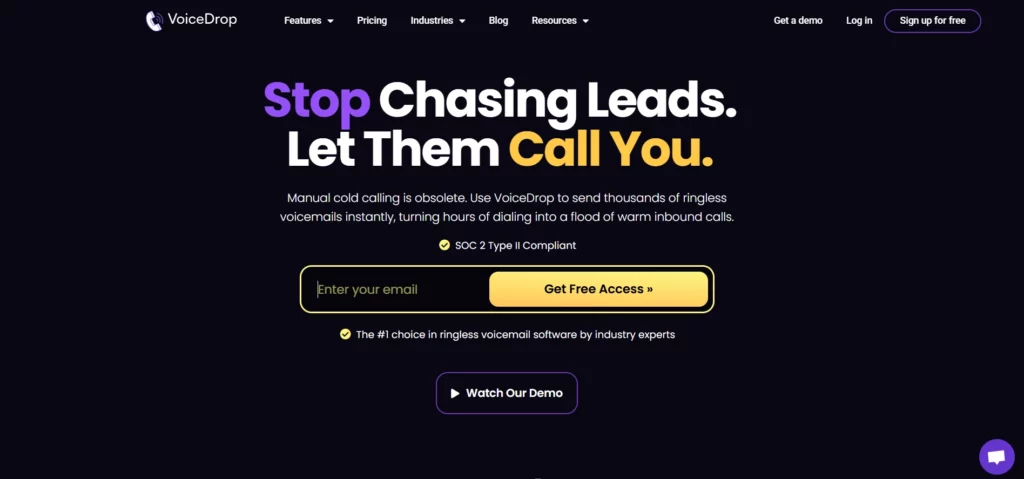
VoiceDrop is explicitly designed for sales hunters, cold outreach specialists, marketing agencies, and recruiters who need to penetrate new markets with scalable, automated voice drops and ringless voicemail.
Starting at $95 per month, VoiceDrop lets you send up to 1,000 ringless voicemails. The ENTERPRISE plan also ensures the most competitive pricing available.
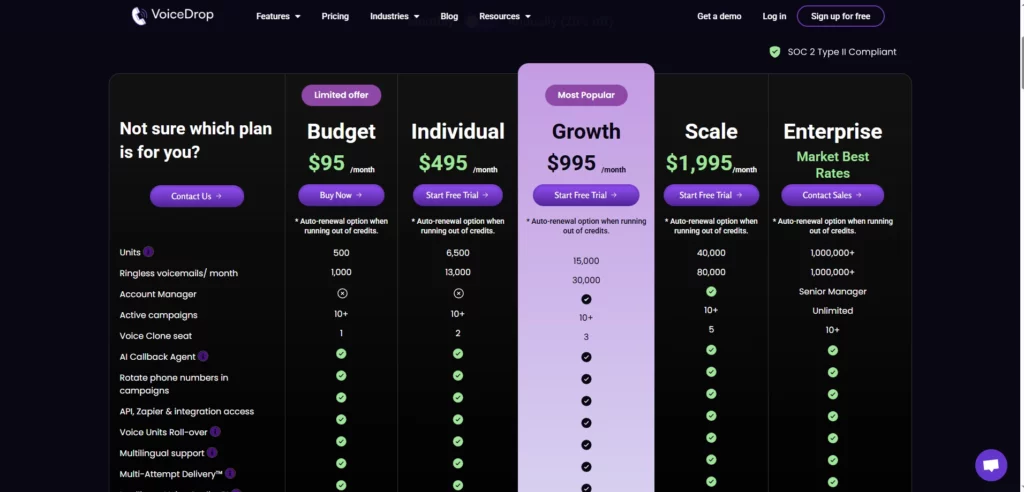
Features of VoiceDrop include:
- Use a phone number you already own
- 10+ active campaigns
- Voice Clone seat(s)
- Rotate phone numbers in your campaign
- Use any phone number you own to send out the RVM
- API, Zapier, Make & DialPad integration access
- Voice Units Roll-over
- Multilingual support
- Multi-Attempt Delivery™
- Intelligent Voice Scaling™
You receive all features found in higher-tier plans, plus a 7-day free trial to understand why VoiceDrop is regarded as the premier choice for ringless voicemail software by growth experts, and how it excels in generating immediate callbacks.
FAQ’s
Is Dialpad free?
No, Dialpad does not have a permanently free business phone plan. However, they offer a 14-day free trial so you can evaluate the call quality and features before paying.
Does Dialpad charge for internal calls?
No, calls between team members within your Dialpad system are free and do not count toward any limits, regardless of location.
What is Dialpad used for?
Dialpad is primarily used as a Unified Communications as a Service (UCaaS) platform. It replaces traditional landlines with a cloud app that handles external client calls, internal team messaging, and video conferencing, all powered by AI transcription.
Is there a setup fee or implementation cost?
For Standard and Pro plans, there are typically no setup fees, as the platform is self-service and cloud-based. Enterprise plans may incur implementation fees based on the deployment’s complexity and required training.