

Imagine your top sales rep staring at a list of 500 raw phone numbers. No names. No company details. Just digits.
They pick up the phone, dial, and pray. This is “blind dialing,” and it is the fastest way to burn out your team and kill your conversion rates. In a world where speed is the currency of sales, you cannot afford to guess.
Integrating a Reverse Phone Lookup API eliminates the guesswork. It instantly transforms a list of “mystery leads” into detailed prospect profiles, allowing your team to stop researching and start closing.
The High Cost of “Blind Dialing” in Modern Sales
Efficiency is the enemy of the “mystery lead.” When your team operates without data, they aren’t just wasting time; they are torching revenue.
The Hidden Cost of Manual Research
Sales reps currently spend nearly 40% of their day Googling phone numbers or stalking LinkedIn profiles instead of selling. That is hours of administrative work disguised as “prospecting.” Every minute a rep spends searching for a name is a minute they aren’t closing a deal.
The “Hello, Who Is This?” Problem
Nothing kills a sale faster than asking, “Who am I speaking with?” It signals a lack of preparation and instantly puts the prospect on the defensive. Modern buyers expect you to know who they are. If you don’t, you’ve lost them before the pitch even begins.
What is a Reverse Phone Lookup API? (The Technical Engine)
For non-developers, the term “API” might sound intimidating. Simply put, it is a software bridge that enables your systems to communicate with vast data networks automatically.
How the API Request/Response Cycle Works
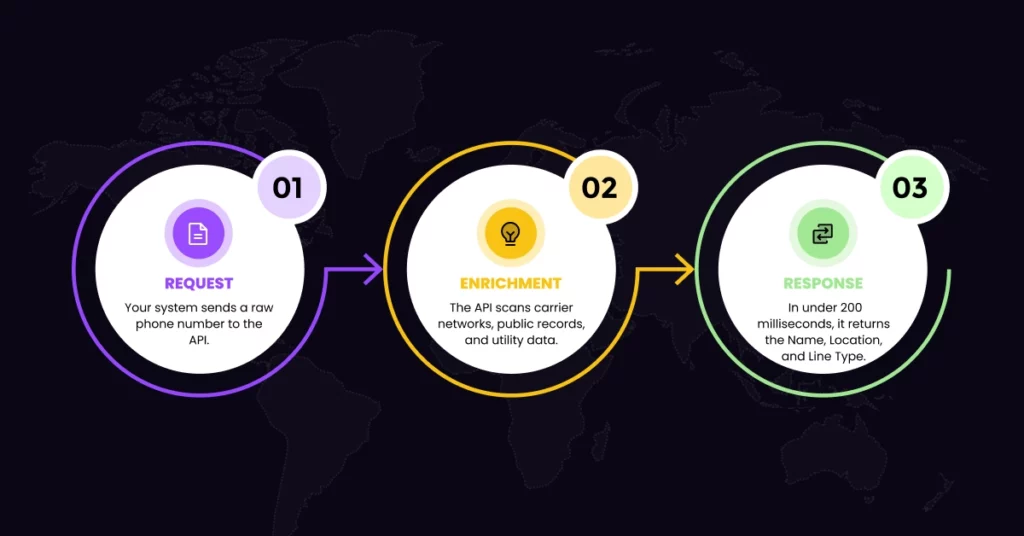
- Request: Your system sends a raw phone number to the API.
- Enrichment: The API scans carrier networks, public records, and utility data.
- Response: In under 200 milliseconds, it returns the Name, Location, and Line Type.
Real-Time vs. Bulk Processing
- Real-Time: Checks a number the instant a lead calls you, giving your agent immediate context.
- Bulk Processing: Cleans and enriches a list of 10,000 old leads overnight, ready for a fresh campaign in the morning.
Critical Data Points You Unlock Instantly
What exactly does your sales team gain? The API delivers specific, actionable intelligence that transforms a raw number into a human being.
- Caller ID (CNAM): Knowing the prospect’s name before you say hello changes the dynamic of the call. It turns a cold pitch into a warm greeting.
- Line Type Intelligence: Is it a mobile or a landline? You cannot text a landline. Knowing this prevents you from wasting money on undeliverable SMS campaigns.
- Carrier & Location: Identifying the carrier helps verify if the number is real, while location data ensures you aren’t waking a prospect up at 6 AM in a different time zone.
💡 Pro Tip: Not ready for full integration? You can manually verify line types using a Free carrier lookup tool to ensure your data is accurate before you dial. 1Lookup is built by the same team as VoiceDrop.
Top Use Cases: How Sales Teams Use This Data
The true power of an API lies in its application. Here is how high-performing teams use this data to dominate the field:
Inbound Call Screen Pops
When a prospect calls, the API triggers a “screen pop” on your agent’s dashboard. Before they even pick up, they see: “John Doe, CEO, Calling from Austin, TX.” This allows for a hyper-personalized greeting that wows the customer.
Automating Lead Form Fills
Friction kills conversions. Instead of asking for Name, Address, and City, just ask for a phone number. The API works in the background to auto-fill the rest, drastically increasing your form submission rates.
Prioritizing “High-Intent” Mobile Leads
Smart teams filter their lists to prioritize mobile numbers. Once the API identifies these high-intent devices, you can use Voice Messaging strategies to reach them instantly via SMS or Ringless Voicemail.
Comparing Manual Search vs. API Automation

To understand the return on investment (ROI), we must compare the old way with the new automated approach.
Speed and Latency
A human researcher takes about five minutes to vet a single lead. An API does it in 200 milliseconds. In the time it takes your rep to sip their coffee, the API has enriched 500 leads.
Once verified, you can immediately deploy Ringless voicemail software to follow up without lifting a finger.
Accuracy and Match Rates
Manual Google searches often yield outdated results; however, APIs access carrier-grade data, which is often more accurate than search engines.
Integration Guide: Plugging Data into Your CRM
Implementing this technology is easier than it sounds. You do not need a massive engineering team to get started.
Connecting to Salesforce, HubSpot, and Pipedrive
Most modern APIs are designed for easy integration. They work via Webhooks or simple plugins like Zapier. This means you can connect the data stream directly to platforms like Salesforce or HubSpot with just a few clicks.
Trigger-Based Workflows
Once connected, you can set specific rules. For example, “If API says Mobile -> Send Text” or “If API says Landline -> Schedule Call.”
For more details on how to connect data tools directly with your outreach platforms, check out our guide on VoiceDrop integrations.
Compliance: Using Data Responsibly
Great data comes with great responsibility.
- TCPA Rules: Identifying a mobile number doesn’t automatically grant consent to robocall it. Always adhere to FCC Caller ID rules.
- DNC Registry: Before launching any campaign, cross-reference your new data against the National Do Not Call Registry to avoid heavy fines.
🛑 Stop Guessing: Don’t waste budget on disconnected numbers. Run a free carrier lookup on 1Lookup to scrub your list before you upload it to your CRM.
How to Choose the Right API Provider
Not all data providers are created equal. When selecting a vendor, there are two main factors to consider.
Data Freshness vs. Cached Data
You should be wary of cheap APIs that rely on outdated, cached data. Instead, you need a provider that performs “live” carrier queries to ensure the number is currently active.
Pricing Models (Per Lookup vs. Subscription)
Finally, consider the cost structure. Pay-per-successful-lookup is usually the most cost-effective model for sales teams, as it ensures you only pay for the data you actually receive.
Conclusion
Blind dialing is a waste of talent and resources. Your sales team shouldn’t be playing detective; they should be closing deals.
Don’t let your leads remain a mystery. Automate your intelligence today and watch your connection rates soar.
Get a free demo to see how VoiceDrop can streamline your sales process instantly.
FAQs
Is using a reverse phone lookup API legal?
Yes, provided the data comes from public records and is used in compliance with privacy laws like the TCPA.
Can I get email addresses from a phone number API?
Yes, many enrichment APIs can also find the associated email address, though match rates vary by provider.
What is a “Match Rate”?
This refers to the percentage of phone numbers in your list for which the API returns data.
