
Manual data entry is a bottleneck. For developers and product managers in 2025, the goal isn’t just to find data; it’s to integrate it. If your CRM or signup flow relies on human validation, you are introducing unnecessary latency and error.
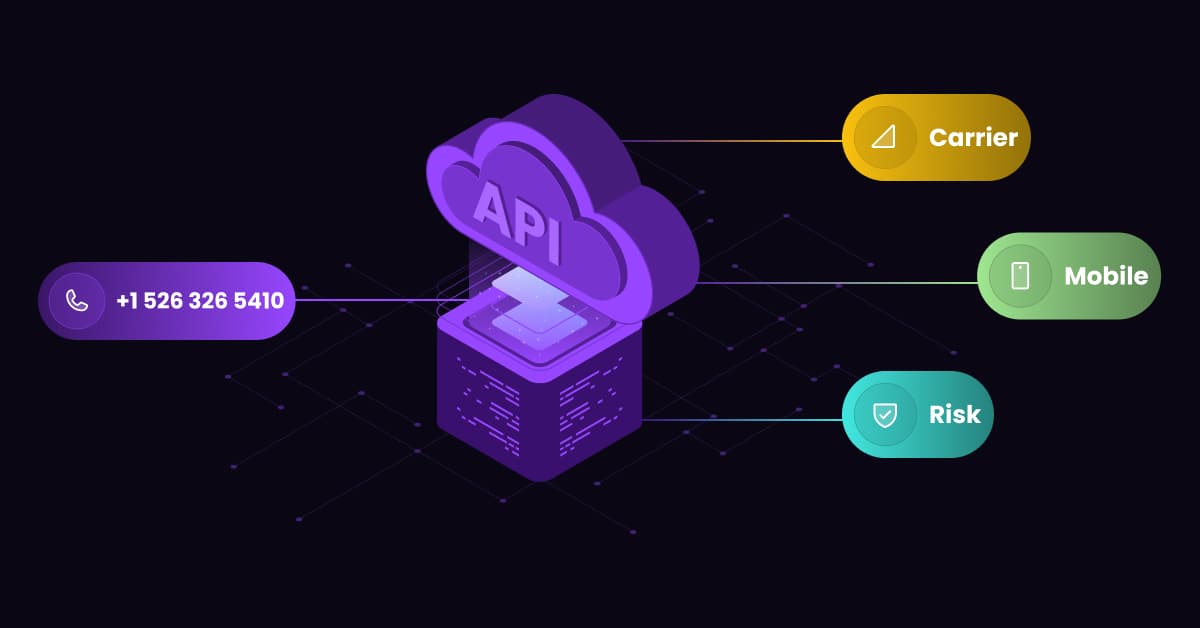
The solution is a Reverse Phone Number Lookup API. Instead of a manual search, this is a programmable interface that accepts a raw phone number and returns a structured JSON object containing carrier details, line type, and risk scores in milliseconds.
Why Use an API? (Manual vs. Programmatic)
Why should a technical team integrate an API instead of using a standard web interface? It comes down to scale and automation.
Scalability & Speed
A human researcher might be able to verify one phone number per minute. An API can handle thousands of requests per second (RPS). For businesses processing high volumes of leads or transactions, an API is the only way to scale verification without hiring an army of data entry clerks.
Real-Time Decision Making
APIs allow for synchronous logic flows. Consider a user signing up for your platform. A lookup API checks the phone number in milliseconds during the registration process.
It can instantly decide if the user requires 2FA (Two-Factor Authentication) or if the number is associated with a high-risk bot that should be blocked immediately.
CRM Hygiene Automation
Bad data destroys ROI. An API can run quietly in the background, systematically cleaning your HubSpot or Salesforce lists without human intervention.
It identifies disconnected numbers or updates carrier information, ensuring your database remains pristine.
Cost Efficiency at Scale
While individual lookups might cost a set fee on a consumer site, API pricing is designed for volume.
The cost per call (CPC) drops significantly as volume increases, making it far cheaper for high-growth businesses to automate the process than to pay for manual credits.
How a Phone Lookup API Works (Technical Overview)
Understanding the mechanics of these tools is essential for effective integration.
The Request (Input)
At its core, the interaction is simple. You send a standard HTTP request (usually GET or POST) to the API endpoint.
The query parameters typically include your API key and the phone number in E.164 format (e.g., sending +15550199 to the endpoint).
The Response (JSON Output)
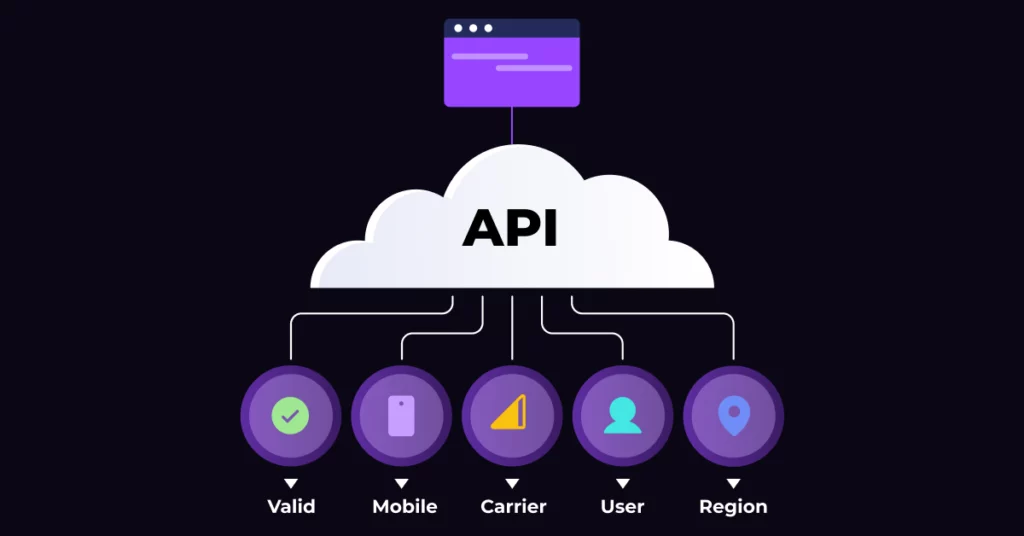
The API returns a JSON payload containing the enriched data. A standard response includes:
- valid: Boolean (true/false)
- line_type: Mobile, Landline, or VOIP
- carrier: The telecom provider (e.g., Verizon, T-Mobile)
- caller_name: The registered owner’s name
- country_code: Geographic origin
Direct Carrier vs. Cached Data
This is a critical distinction. Some cheap APIs return “Cached Data”, old records stored in a database that might be months out of date.
Premium APIs query the live HLR (Home Location Register). This pings the actual mobile network to see if the number is active right now, providing the highest possible accuracy.
Latency & Asynchronous Processing
For single lookups (like a signup form), you need synchronous requests that return data immediately.
For massive bulk jobs (e.g., cleaning 100,000 leads), advanced APIs offer asynchronous processing. You submit the batch, and the API hits a “Webhook” on your server when the job is done.
Top Use Cases for Developers & Product Managers
Onboarding Verification (Fraud Defense)
Fraudsters often use disposable VOIP numbers (Google Voice, Burner apps) to bypass OTP checks. By querying the line_type during the signup process, you can block non-mobile numbers instantly, effectively preventing fraud at checkout before a fake account is ever created.
Intelligent Call Routing
Not all calls are equal. You can use an API to dip into the data before the call is even answered. If the API identifies the number as a high-value client or a returning customer, you can route them to a VIP support agent.
Conversely, you can distinguish between landlines and mobile phones to ensure you don’t try to send SMS texts to a landline.
SMS Delivery Optimization
Sending SMS messages to invalid numbers or landlines is a waste of money. By checking the line_type via API before attempting the send, you can filter out non-mobile numbers. This simple check can save thousands of dollars in failed message fees.
Dynamic Form Autofill
Friction kills conversion. You can improve User Experience (UX) by using the API to auto-fill geographic fields.
When a user types their phone number, the API can return the city and state associated with that area code, populating the fields automatically.
Critical Features for Choosing an API Provider
Latency (Response Time)
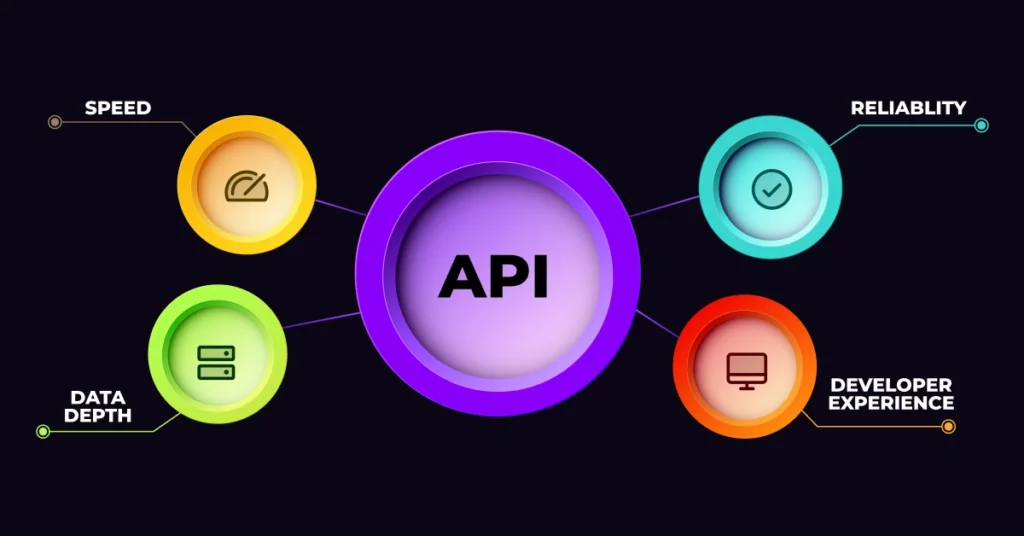
If you are using the API in a user-facing flow (like a signup form), speed is everything. A latency of <500ms is critical to ensure the user isn’t left waiting.
Uptime & SLA Guarantees
If the API goes down, does your signup form break? Look for providers that offer a 99.99% uptime Service Level Agreement (SLA). For business-critical applications, reliability is non-negotiable.
Data Granularity
Check the documentation carefully. Does the API just give you a name? Or does it provide the granular details developers need, such as Carrier, Line Type, Location, and Roaming Status?
Documentation & SDK Support
How quickly can you get up and running? The best providers adhere to modern Web API documentation standards, offering clear examples, sandbox environments, and SDKs for popular languages like Python, Node.js, and Ruby.
Top Reverse Phone Number Lookup APIs Reviewed
1. 1Lookup API (Best for Bulk & Accuracy)
1Lookup is designed for heavy lifting. It stands out for its developer-friendly documentation and high-accuracy HLR lookups. It is particularly strong for businesses needing a Bulk Phone Lookup API to enrich large datasets without breaking the bank. 1Lookup is built by the same team as VoiceDrop.
2. VoiceDrop API (Best for Outreach Integration)
VoiceDrop is built for sales and marketing teams. It is perfect for developers building sales dialers or automated outreach tools because it integrates natively with voicemail drops. You can explore VoiceDrop API Integrations to see how it fits into a broader communication stack.
3. Twilio Lookup (Standard for Devs)
Twilio is the industry standard. It is incredibly reliable and documented perfectly. However, it can be pricier than competitors and may be overkill if you just need simple identification without the rest of Twilio’s communication suite.
4. Abstract API (Good for Lightweight Use)
Abstract offers a simple, lightweight REST API. It is an excellent choice for smaller projects, startups, or MVPs that need basic validation without complex enterprise features.
5. Numverify (Free Tier Option)
Numverify is a great option for hobbyists or testing. They offer a free tier, though the carrier data accuracy is generally lower compared to the premium, direct-to-carrier options listed above.
Implementation: A Simple API Workflow (Python Example)
Integrating a lookup API is usually straightforward. Here is a conceptual workflow:
Step 1: Get Your API Key
First, you need credentials. Sign up with a provider to access your dashboard and Get API Key.
Step 2: Construct the Request
Using a library like requests in Python, you set up your headers (for authentication) and parameters (the phone number).
Step 3: Handle the JSON Response
Once you receive the response, you parse the JSON. You can write logic to trigger specific actions, such as:
Python
if response[‘line_type’] == ‘VOIP’:
block_user()
Step 4: Error Handling
Always build resilience. Ensure your application handles 404 errors (number not found) or timeouts gracefully so your app doesn’t crash if the API has a hiccup.
Pricing Models: What to Expect
Per-Request vs. Subscription
Most providers offer two models. “Pay-as-you-go” charges you a tiny fraction of a cent per request, which is great for fluctuating volume. Monthly subscriptions usually offer a set number of credits at a discount.
Bulk Discounts & Enterprise Quotas
If you are processing over 10,000 requests a month, never pay the listed price. Pricing drops significantly at scale, so look for providers that offer tiered volume discounts.
Legal and Security Considerations for API Data
Data Retention Policies
Be aware of how long you are allowed to store the data you receive. If you are operating in Europe or California, you must adhere to GDPR and CCPA compliance regarding data retention.
Secure Transmission (HTTPS/TLS)
Never use an API that doesn’t use HTTPS. You are transmitting PII (Personally Identifiable Information), and ensuring the API call is encrypted is a basic security requirement.
Acceptable Use Policy
Most providers have strict policies against using their data for harassment. Ensure your use case (e.g., marketing, verification) aligns with their Acceptable Use Policy to avoid getting your API key revoked.
Conclusion: Build Smarter with Data
Build Smarter with Data. Bad data is technical debt. Whether you are filtering fraud or routing calls, automating verification at the “front door” is the smartest architectural decision you can make in 2025.
Final Advice: Don’t just trust the SLA. Run a cURL test to measure latency yourself.
Ready to start? Get your API key and optimize your stack today with VoiceDrop.
FAQ’s
What is the difference between an API and a web lookup?
A web lookup is a manual tool designed for humans to read one by one. An API is a code interface designed for software to “talk” to the database automatically, enabling high-volume processing.
Can I use a phone lookup API for international numbers?
Yes, most top-tier APIs support global lookups. However, you must check if the provider supports “Global HLR” lookups to ensure accuracy across different countries.
Is it legal to store data from these APIs?
Generally, yes, for legitimate business purposes. However, you must comply with local privacy laws (like GDPR or CCPA), which may dictate how long you can retain that data.
How do I handle API rate limits?
If you hit a rate limit (too many requests too fast), you should implement “exponential backoff” in your code, or switch to a provider that offers high-throughput enterprise endpoints.
