
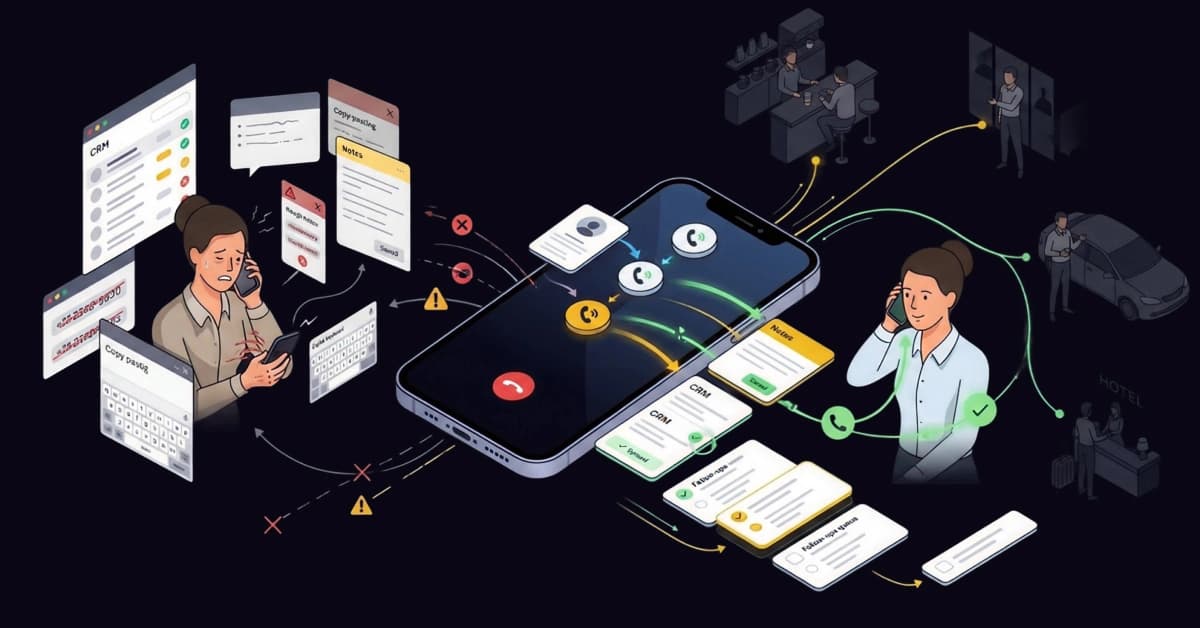
The sales floor isn’t a place anymore; it’s an activity. Whether you are in a parked car, a hotel lobby, or waiting for a coffee, modern sales happen on the go.
But let’s be honest: Cold calling from a smartphone is a nightmare.
Trying to toggle between your CRM and phone app, manually copy-pasting numbers, and typing notes with your thumbs is what we call “Thumb Fatigue.” It’s slow, error-prone, and kills your momentum.
To hit high-volume targets in 2026, you don’t need a harder work ethic; you need a smarter app that automates the “admin” so you can focus on the “ask.”
Consequently, serious closers cannot rely on a standard phone dialer. The best cold-calling apps don’t just make calls; they automate tedious admin work so you can focus entirely on the conversation.
Why Mobile Cold Calling is Essential for Modern Sales Teams
The landscape of sales has fundamentally shifted towards a “hybrid” model in which responsiveness matters more than location. As a result, having a robust mobile infrastructure is critical for hitting targets.
The End of the “Desk-Bound” Sales Rep
Gone are the days when sales teams were chained to their desks from 9 to 5. Currently, field sales representatives, real estate agents, and remote account executives need to operate with the same efficiency on the road as they do in the office.
If your sales stack keeps you tethered to a desktop computer, you are effectively losing hours of productive time every week. Therefore, mobile dialers have transitioned from a luxury add-on to an absolute necessity for competitive teams.
Speed to Lead: Calling from Anywhere
Timing is everything in sales. Specifically, data shows that contacting a new lead within five minutes of their inquiry can increase conversion rates by up to 900%. You simply cannot achieve that speed if you have to wait until you return to the office to make a call.
By using mobile apps, you ensure you catch prospects when their interest is at its peak. For more insights, check the latest lead response time statistics, which highlight exactly why immediate action is non-negotiable.
Critical Features to Look for in a Mobile Dialer App
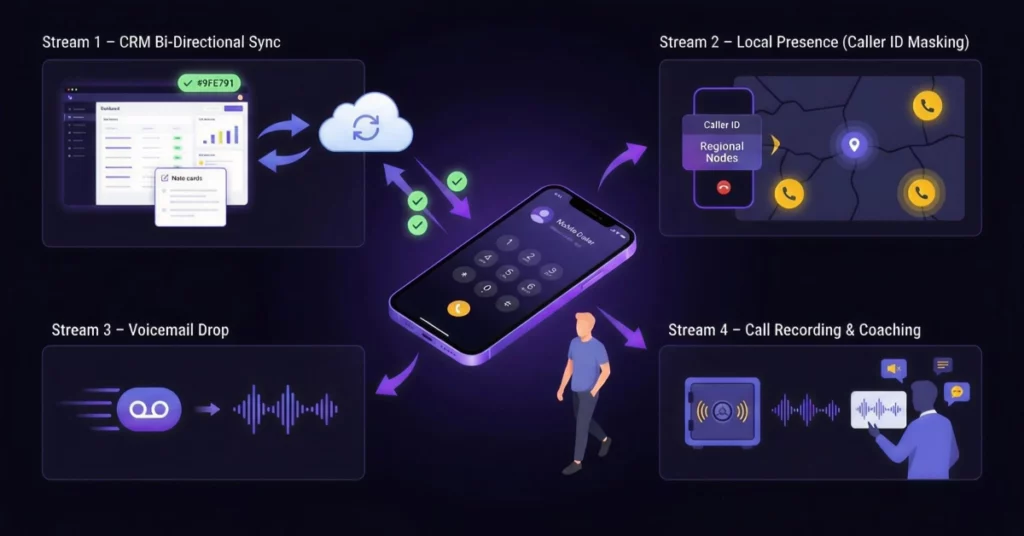
Before you download the first app you see in the store, it is important to understand that not all dialers are created equal. While some are merely glorified contact lists, others are powerful sales engines. Here is what you should look for.
CRM Bi-Directional Sync (HubSpot/Salesforce)
This is arguably the most crucial feature. If the app does not automatically log the call details, duration, and outcome back to your CRM, it is effectively useless. Agents should never be forced to type detailed call notes on their phones with their thumbs while walking down the street.
Instead, a professional app will sync this data in the background, keeping your Salesforce or HubSpot records up to date.
Local Presence (Caller ID Masking)
Trust is the first hurdle in any cold call. Even when calling from a mobile device, displaying a local area code is vital for increasing pickup rates.
If you call a prospect in New York using a cell number with a California area code, they are significantly less likely to answer. Therefore, top-tier apps automatically adjust your caller ID to match the prospect’s region.
Voicemail Drop Capability
Leaving voicemails manually is a repetitive and time-consuming task. The ability to leave a pre-recorded, perfect message with a single tap is the biggest time-saver for mobile reps. This feature allows you to move on to the next lead instantly while the app leaves the message for you.
Call Recording & Coaching
Just because a call happens on a mobile phone doesn’t mean it should be exempt from quality assurance. Managers need to hear mobile calls just as much as desk calls to provide effective coaching. Consequently, the best apps automatically record conversations and upload them to the cloud for review.
Top 5 Cold Calling Apps for iPhone & Android (Ranked)
After testing for mobile experience, usability, and stability, here are the top tools available for 2026.
1. VoiceDrop (The “Hands-Free” Speed Tool)
VoiceDrop stands out as the premier choice for efficiency. Rather than forcing you to dial leads one by one, it allows you to use a mobile interface to send Ringless Voicemails to your entire list. It is the only tool that effectively lets you prospect while you are driving safely.
By eliminating the manual dialing grind, VoiceDrop positions itself as the ultimate speed layer for mobile sales.
2. HubSpot Sales App (Best Free Mobile CRM)
If you are looking for a cost-effective solution, the HubSpot Sales App is excellent. While the dialer itself is basic compared to dedicated power dialers, it is essential for users already in the HubSpot ecosystem. It excels at logging data and providing a view of your pipeline, making it a great starting point for smaller teams.
3. JustCall (Best for Features)
For teams that need a feature-rich environment, JustCall is a strong contender. It offers robust mobile app features, including text automation and seamless on-the-go call recording.
Additionally, its interface is designed to mimic a desktop experience, giving you granular control over your campaigns.
4. RingCentral (Best for Connection Quality)
Reliability is paramount for many businesses. RingCentral is the reliable choice for those who need crystal-clear audio and have a higher budget. Because it uses established VoIP infrastructure, call drops are rare, ensuring you sound professional wherever you are.
5. Close (Best for iOS Users)
Close is a “built-for-sales” CRM that offers a fantastic iOS app focused purely on high-velocity outreach. The interface is intuitive and snappy, allowing iPhone users to breeze through lists without lag. It is particularly well-suited for startups and agile sales teams.
The “Commuter Strategy”: How to Prospect While Driving
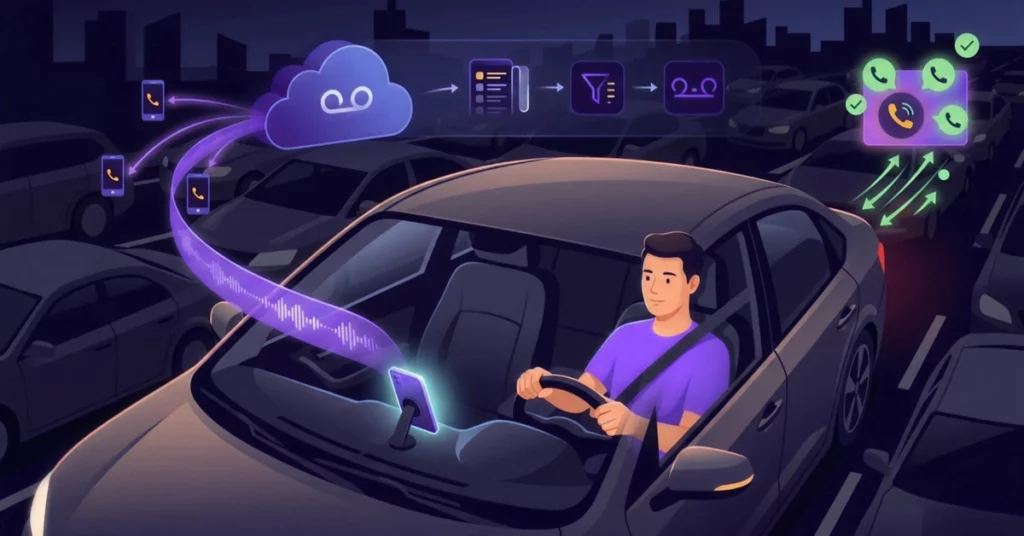
Your commute doesn’t have to be dead time. In fact, you can turn traffic jams into lead generation opportunities with the right strategy.
The Ringless Drop Method
Cold calling while driving is dangerous, distracting, and often results in poor call quality. Instead of risking an accident, you should use ringless voicemail technology to seed your list. This method allows you to deploy hundreds of voicemails to your prospects without ever having to hold the phone to your ear.
Pro Tip: Ringless drops only work on mobile devices. Use a carrier lookup tool to separate mobile numbers from landlines before launching your campaign to maximize delivery rates. 1Lookup is built by the same team as VoiceDrop.
Let the App Do the Work
By utilizing this “hands-free” approach, you work smarter, not harder. By the time you reach your destination, you will likely have 5-10 callbacks waiting for you. This effectively turns your commute into a prospecting session without the active effort of dialing.
Android vs. iOS: Limitations You Should Know
It is important to note that your operating system dictates what your dialer can do. Here are the technical differences you should be aware of.
Apple’s CallKit Integration
iPhone users benefit from Apple’s CallKit. This framework integrates VoIP calls directly into the native phone history, providing a seamless experience. It means calls from apps look and feel like standard phone calls.
For technical details, you can review the Apple CallKit developer documentation to understand how deep this integration goes.
Android’s Open Ecosystem
On the other hand, Android often offers greater flexibility. Specifically, it supports “overlay” widgets, such as a floating dialer button that sits atop other apps. This feature, which iPhone currently doesn’t support, enables faster multitasking between your CRM and dialer.
Is Cold Calling from a Mobile App Legal? (TCPA Compliance)
Using an app does not exempt you from federal laws. In fact, compliance is just as critical on mobile as it is on desktop.
The Do Not Call (DNC) Registry
You must strictly adhere to the Do Not Call list regulations. Even when dialing from a cell phone app, you are required to scrub your lists against the DNC registry to avoid heavy fines. Ignoring this can lead to severe penalties.
Always consult the FCC consumer guide on robocalls to ensure your mobile campaigns remain compliant.
Protecting Your Personal Number
Using your personal cell number for business outreach is risky and unprofessional. Fortunately, these apps protect your privacy by masking your personal number with a business line. This ensures that angry prospects cannot trace the call back to your private life.
How to Set Up Your Mobile Sales Workflow
Ready to get started? Here are the practical steps to launch your mobile calling strategy immediately.
Importing Contacts from CRM
First, never type numbers manually. You should always sync your lists from Salesforce or HubSpot directly to the app. This ensures data accuracy and saves you hours of data entry time.
Before syncing, ensure your data is clean. Run a bulk phone validation check to remove disconnected numbers and identify line types, so you don’t dial dead ends.
Configuring Voicemail Automation
Next, you need to prepare for the inevitable influx of voicemail. You should pre-record a generic, friendly message like “Sorry I missed you, I have a quick question…” so you can drop it with one tap.
This simple step automates your follow-up process and ensures that every dial results in a touchpoint, even if the call goes unanswered.
Conclusion
Stop Dialing. Start Dropping.
Your smartphone is the most powerful sales tool on the planet, but only if you stop using it like a rotary phone. Manual dialing is a slow death for your pipeline.
In 2026, the winners are the reps who use automation to do the heavy lifting. Don’t just make calls; force the phone to ring.
Ready to double your daily outreach? Get a Free Demo of VoiceDrop and turn your next commute into your most productive hour of the day.
FAQ’s
Can I use a cold calling app with my existing number?
Yes, most professional apps (like VoiceDrop or RingCentral) allow you to port your existing business number or mask your personal cell number with a business ID, ensuring a seamless transition for your clients.
Do these apps record calls on Android and iPhone?
Yes, most dedicated sales apps record calls automatically in the cloud. This bypasses the strict OS restrictions on native call recording, which is essential for ongoing training and legal compliance.
What is the best free cold calling app?
HubSpot Sales offers a robust free version for basic calling and logging. However, for high-volume automated campaigns that generate real ROI, a paid tool like VoiceDrop is highly recommended.
