
Add a ringless voicemail drop to any HubSpot workflow
VoiceDrop's native HubSpot app adds a voicemail action to HubSpot workflows, so a form fill or a list can drop a personal voicemail in your own cloned voice without ringing the phone.



A HubSpot voicemail drop leaves a message without ringing the phone.
A voicemail drop is a recorded message left in someone's voicemail box. With ringless voicemail it lands without the phone ringing, so the contact listens when they check their voicemail and calls back when it suits them. VoiceDrop is a ringless voicemail platform that sends these drops, and its HubSpot app lets a workflow decide who gets one and when.
Inside HubSpot the voicemail becomes one more workflow action next to your emails and tasks. A contact enrolls, the workflow reaches the VoiceDrop step, and the voicemail goes out in your AI voice clone with the contact's details read into the script. If you already have a recording, the pre-recorded action plays that file instead.
You can connect HubSpot to VoiceDrop in four ways.
| Way to connect | How it works | Code needed |
|---|---|---|
| Native HubSpot app | A voicemail action inside HubSpot workflows | None |
| Zapier | A HubSpot trigger such as New Form Submission starts a VoiceDrop action | None |
| Make | A scenario with filters and branches passes the contact to VoiceDrop | None |
| REST API | Your own code sends each voicemail and gets its status on a webhook | A developer |
Set up a HubSpot voicemail drop in six steps.
- 1
Get your VoiceDrop account ready.
Create a VoiceDrop account, add a voice clone, and verify the phone number your voicemails will come from. The HubSpot actions use both.
- 2
Install the VoiceDrop app from the HubSpot Marketplace.
Open the VoiceDrop app listing and click Install. You need admin access in HubSpot to install an app.
- 3
Approve the connection and log in to VoiceDrop.
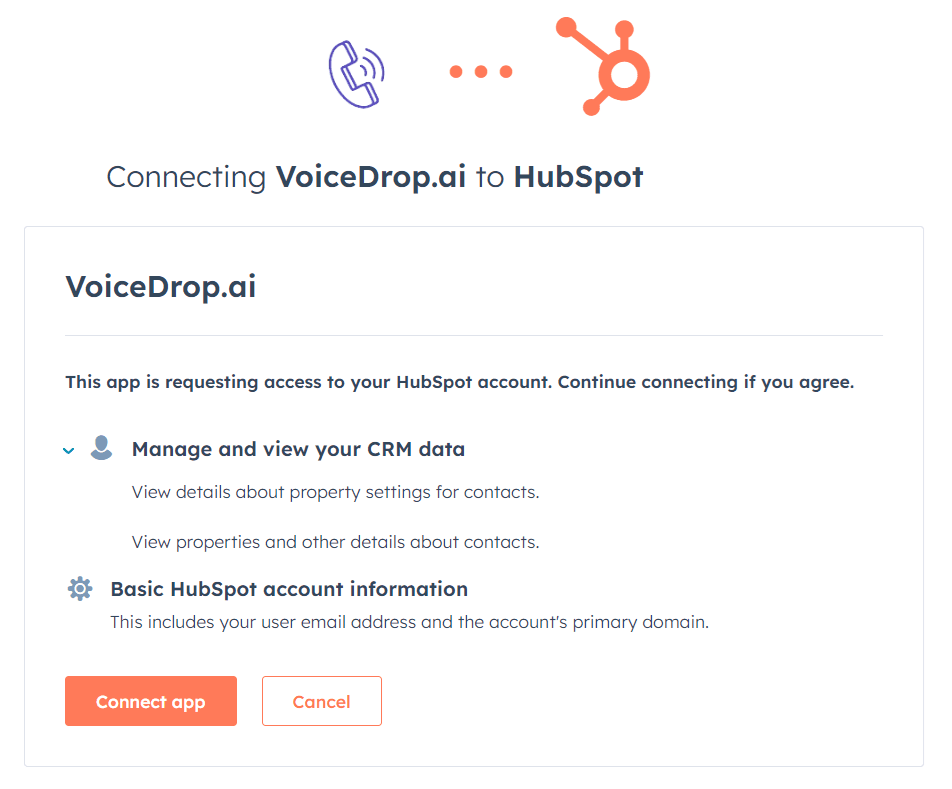
Review the permissions, click Connect app, and log in to VoiceDrop. If you are already logged in to VoiceDrop in the same browser, the accounts connect on their own.
- 4
Add the VoiceDrop action to a workflow.
In HubSpot, open Automation and then Workflows, pick a contact workflow, click + and choose the AI ringless voicemail action or the pre-recorded ringless voicemail action.
- 5
Write the script or point to your recording.
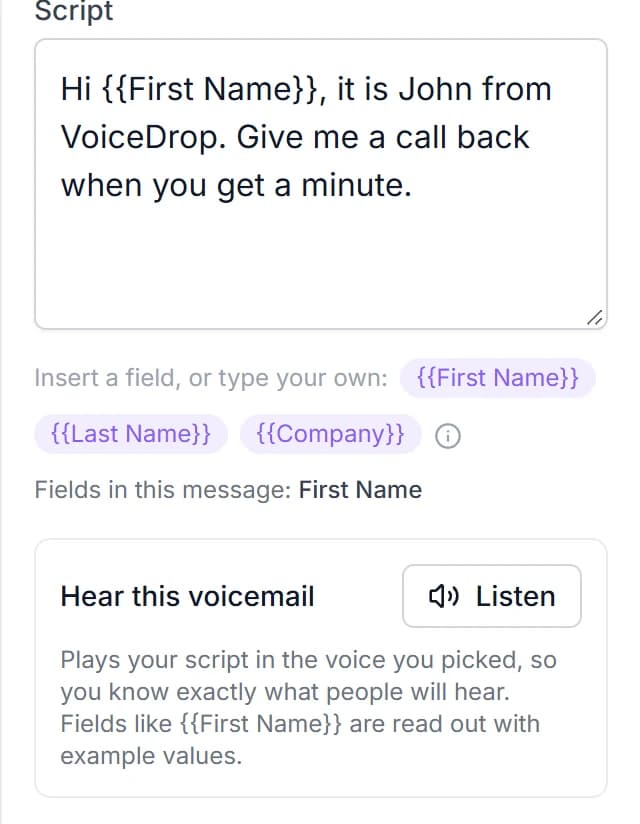
For an AI voicemail, write the script with HubSpot personalization tokens such as the first name and pick your voice clone. For a pre-recorded voicemail, paste the URL of your MP3 file. Then set the sender and recipient phone numbers.
- 6
Test it on yourself, then turn the workflow on.
Enroll a test contact with your own mobile number, listen to the voicemail, and turn the workflow on when it sounds right. The full install guide has screenshots of each step.
These HubSpot triggers make good voicemail drops.
A form submission gets a voicemail within minutes.
Enroll contacts who fill in your contact form, add a short delay, and drop a voicemail that points them to the email you just sent.
A list can hear one message in your voice.
Enroll everyone added to a list, such as webinar attendees, and thank them by voicemail with a reason to call back.
A drop that did not deliver can become a call task.
Use the delivery status the app writes to the contact to branch a follow-up workflow and give a rep a call task instead.
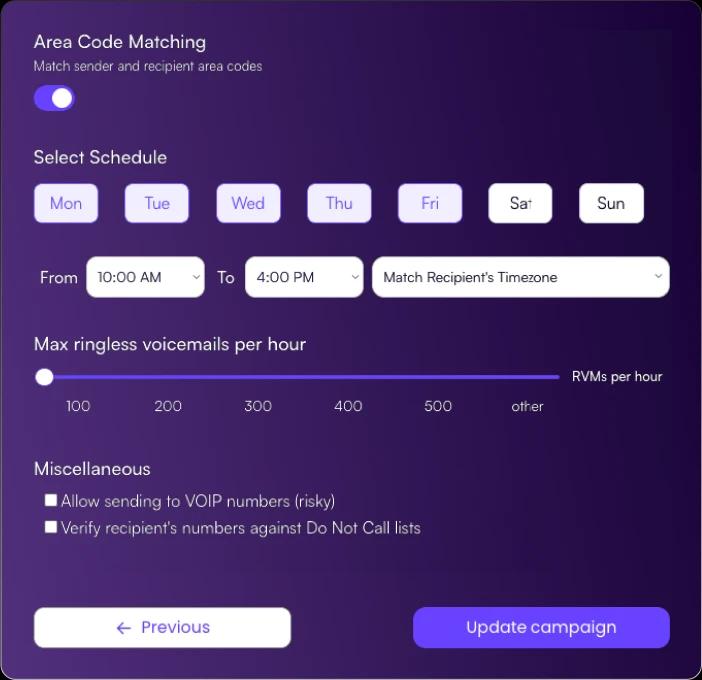
These are the screens you see while you set it up.
Delivery status comes back to the HubSpot contact.
After each voicemail, the VoiceDrop app writes the result onto the contact as three properties: voicedrop_last_status, voicedrop_last_sent_at and voicedrop_last_recording_url. Use them in lists, reports and other workflows, for example to send a second touch only to contacts whose voicemail was delivered.
Callbacks come to the number the voicemail came from, the one you verified. VoiceDrop's AI Inbound Agent can also answer callbacks, qualify the caller and save the best time to call back. See pricing before you plan your first campaign.
Here are answers to common HubSpot voicemail drop questions.
Add a voicemail step to your HubSpot workflows.
Start a free trial or book a demo, then send your first HubSpot voicemail drop to your own phone.