
Send ringless voicemail drops from GoHighLevel (LeadConnector)
Connect GoHighLevel, which shows up as LeadConnector in Zapier and app stores, to VoiceDrop through Zapier, Make or the REST API, and a pipeline move or any workflow step can drop a voicemail in your own cloned voice.


A GoHighLevel voicemail drop can speak in your own voice.
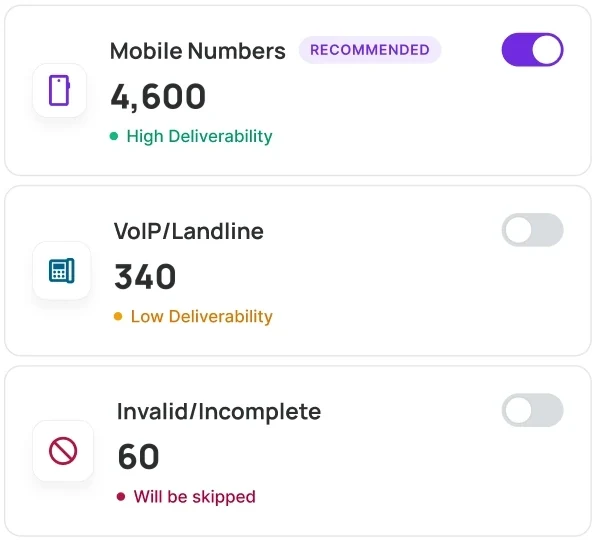
A voicemail drop leaves a recorded message in a contact's voicemail box, and with ringless voicemail the phone never rings. GoHighLevel can already send its own voicemail drops. Agencies and sales teams add VoiceDrop when they want each drop read by their own AI voice clone with the contact's name in it, with phone validation and do-not-call checks available before anything goes out.
GoHighLevel (LeadConnector) is one product: in Zapier and in app stores it appears as LeadConnector, so that is the app you pick when you build the connection. The GoHighLevel and VoiceDrop comparison covers when the built-in drop is enough.
You can connect GoHighLevel to VoiceDrop in three ways.
| Way to connect | How it works | Code needed |
|---|---|---|
| Zapier | The LeadConnector trigger Pipeline Stage Changed, or a workflow webhook, starts a VoiceDrop action | None |
| Make | A scenario with filters and branches passes the contact to VoiceDrop | None |
| REST API | Your own code sends each voicemail and gets its status on a webhook | A developer |
Set up a GoHighLevel voicemail drop in six steps.
- 1
Get your VoiceDrop account ready.
Create a VoiceDrop account, add a voice clone, and verify the phone number your voicemails will come from. Then copy your API key from the VoiceDrop dashboard.
- 2
Choose how GoHighLevel starts the Zap.
For pipeline moves, start the Zap with the LeadConnector trigger Pipeline Stage Changed. For any other GoHighLevel workflow trigger, such as a tag, a form or a booked appointment, start it with Webhooks by Zapier and copy its Catch Hook URL.
- 3
Send the contact from your GoHighLevel workflow.
On the webhook route, add a Webhook action to the GoHighLevel workflow and paste the Catch Hook URL, so every contact who reaches that step is passed to Zapier with their name and phone.
- 4
Add the VoiceDrop action to the Zap.
Choose the VoiceDrop Zapier app and the action Send an AI Voice RVM to have your voice clone read a script, or Send a Static Audio RVM to play a recording you already have (RVM is short for ringless voicemail). Connect VoiceDrop with your API key. To send GoHighLevel contacts through a scheduled campaign instead, use Add Prospects.
- 5
Map the phone numbers and write the script.
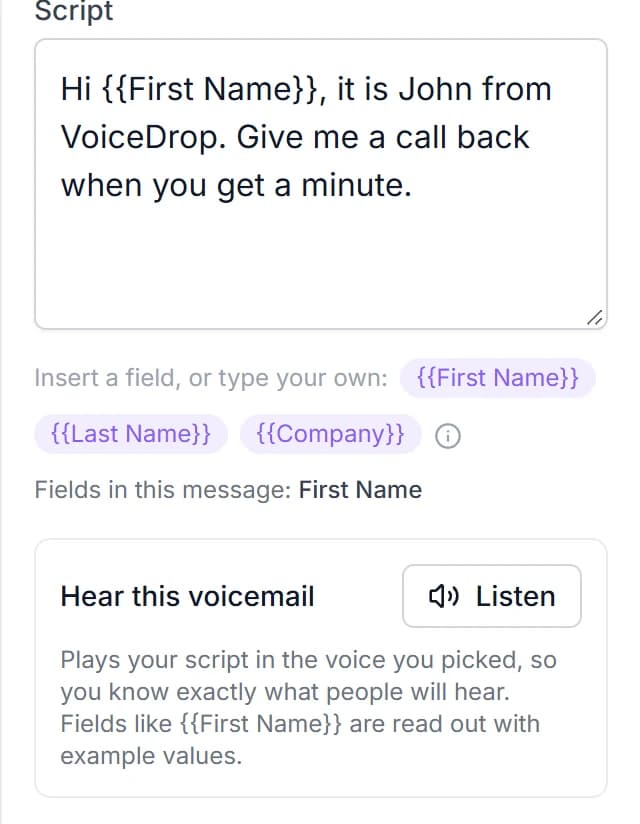
Map the contact's phone from GoHighLevel to Phone (To) and your verified number to Phone (From). Then write the script and insert the first name and any custom field from the GoHighLevel trigger, so each voicemail speaks to one person.
- 6
Test it on yourself, then turn it on.
Run the Zap on a test contact in GoHighLevel with your own mobile number, listen to the voicemail, and switch the Zap on when it sounds right.
These GoHighLevel triggers make good voicemail drops.
An opportunity that moves stage gets the next message.
Use Pipeline Stage Changed so a lead moved to a stage such as No Show hears a voicemail written for that moment.
A booked appointment gets a reminder in your voice.
Fire the workflow webhook from an Appointment Status trigger and drop a friendly reminder before the meeting.
A tag can start a reactivation drop.
Tag old leads you want back and let a Contact Tag trigger send them a voicemail that invites a reply.
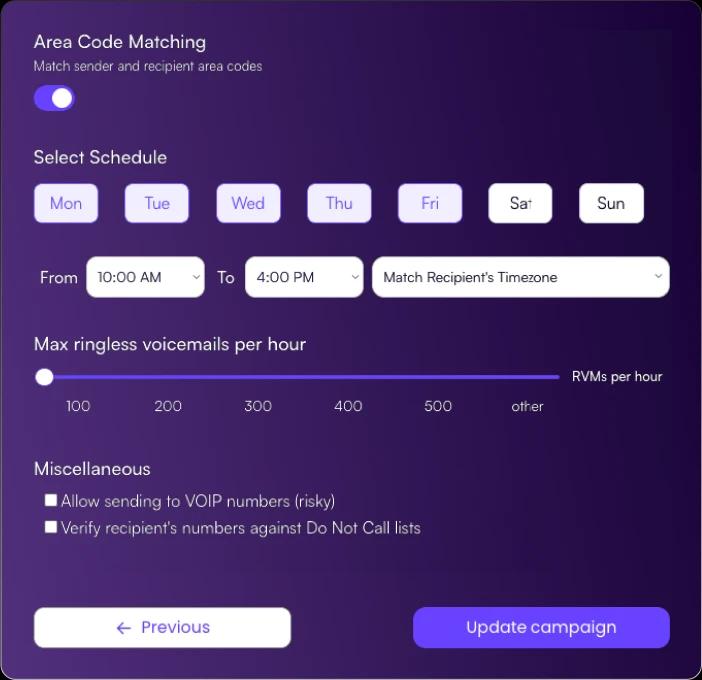
This is what the VoiceDrop side of a GoHighLevel voicemail drop looks like.
Delivery status and callbacks come back to you.
Both VoiceDrop voicemail actions in Zapier have a Send Status to Webhook field. Point it at a second Zap that catches the status and tags the contact with the LeadConnector action Add/Update Contact, so your team can see in GoHighLevel which contacts got a voicemail.
Callbacks come to the number the voicemail came from, the one you verified. VoiceDrop's AI Inbound Agent can also answer callbacks, qualify the caller and save the best time to call back. See pricing before you plan your first campaign.
Here are answers to common GoHighLevel voicemail drop questions.
Add your own voice to your GoHighLevel follow-up.
Start a free trial or book a demo, then send your first GoHighLevel voicemail drop to your own phone.