
The drip campaign runs for weeks. It stops the second they answer.
Drop a voicemail. Wait a day. Text the ones who went quiet. Build it once, and VoiceDrop walks every contact through it on their own.
Sequences is in early access. Request access from your dashboard.

Watch a drip campaign built from scratch in under 3 minutes
Five steps in the Sequences builder: create a sequence, add your first voicemail, wait and follow up, set your sending hours, and launch.
Sequences is in early access
Drip campaigns are built in Sequences, which is rolling out to a limited group of VoiceDrop customers. You request access from your dashboard, and the builder carries an Early access marker while it is in your account.
How a drip campaign with voicemail works
Three things, then it runs on its own. None of it needs a developer.
Your text message drip campaign opens with your own voice
Most drip campaigns open with a text or an email. This one opens with a voicemail that lands without the phone ringing, and texts only the people who did not answer it.
- Send Voicemail drops a recorded message without the phone ringing
- Send SMS goes out from your texting number
- Each of those branches on Delivered and Not delivered
- Wait for event branches on It happened and Ran out of time
Every drip campaign is built from seven steps
Pick one to watch what it does. The words under each are the product's own.
Send Voicemail
Drop a voicemail, no ring.
Drops a recorded voicemail straight into their voicemail box. Their phone does not ring. You pick the voice and write the script when you set the step up.
Send a text message.
Sends a text message from your texting number. You write the message when you set the step up.
Pause for a set time.
Holds the person here for as long as you choose, then moves them on to the next step. Nothing is sent while they wait.
Wait for a reply or call.
Hold here until the person replies, calls you back, or asks to stop. If nothing happens in the time you set, they carry on down the other branch.
Ask a yes or no question.
Checks one thing about the person, for example whether your message was delivered or whether they called you back, then sends them down the Yes branch or the No branch.
Test two or more versions.
Split people at random between two or more versions, so you can see which one works better. You choose what share each version gets.
Add them to your do-not-contact list.
Add this person to your do-not-contact list. They stop getting voicemails and texts from this sequence.
A real estate drip campaign tests two scripts on one list
Upload the expired listings, split them in half, and record two versions of the voicemail. Everyone who calls back leaves the flow, and you see which script brought more people in.
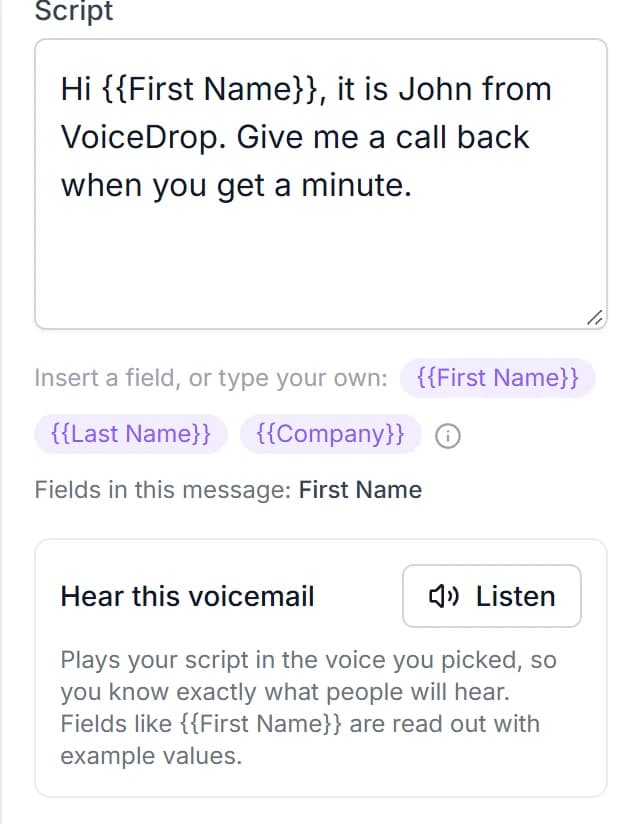
- Wrap any field name in double braces, for example {{First Name}} or {{City}}
- The panel lists the fields used in each message, so a typo cannot go out unnoticed
- An A/B split weights the branches, so the test runs on one list
Animated with sample numbers. Names and counts are made up.
Your SMS drip campaign opens with a voicemail and stops on a callback
- Seven steps: voicemail, text, wait, wait for a reply, condition, A/B split and never contact again
- Branches for Delivered, Not delivered, It happened, Ran out of time, Yes and No
- A/B two scripts against one list and compare the callbacks
- Merge fields in both voicemail scripts and text messages
- The chase stops the moment somebody calls you back
- Voicemails and texts leave from the same local number
Nobody hears from you at 3am
Sending hours run on each person’s own local time, worked out from their phone number. A 9am start means 9am in California, and 9am in Hawaii.
The sending rate has no off state. Every drip campaign is saved with a rate on it, capped by your account’s limit.
Here are answers to 7 questions about drip campaigns.
Build the follow-up once and let it run
Sequences is in early access. Request access from your dashboard, and start with $20 in free credits - about 200 messages.