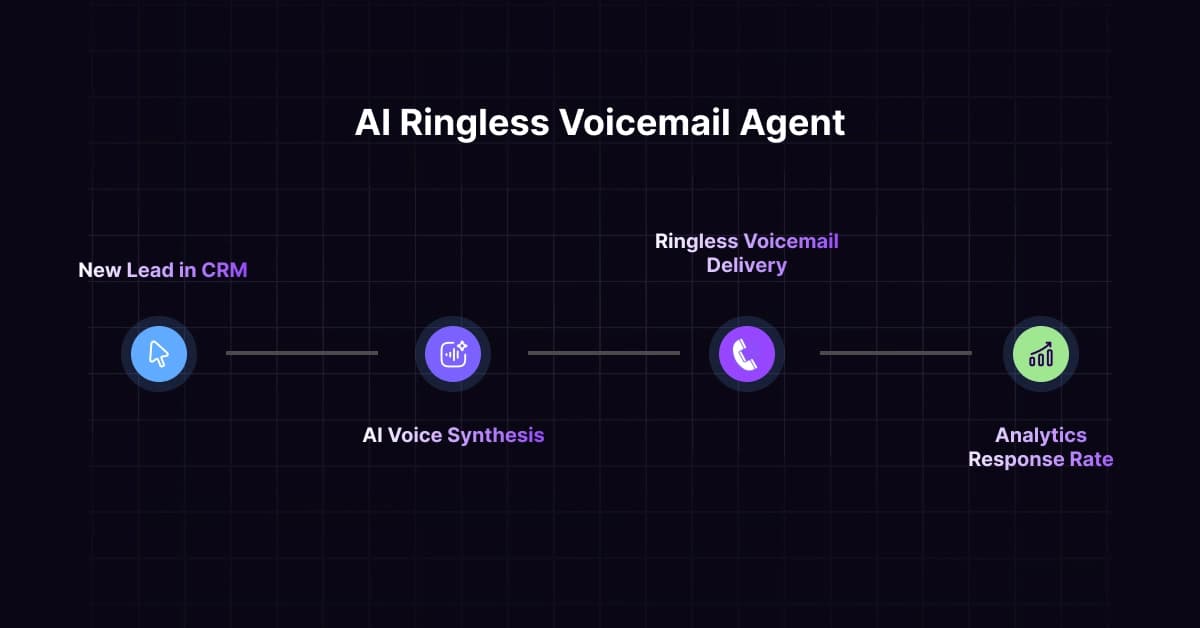
Discover how to build an AI ringless voicemail agent with n8n. Automate outreach, boost callbacks, and scale sales with our step-by-step guide.
Ringless voicemail, or RVM, is a new way to leave voicemails for other people without making their phone ring. It’s transforming the way companies talk to customers. It gets much better when you integrate AI voice technologies and automation tools.
VoiceDrop is one of the best platforms for sending these voicemails using AI. It can imitate anyone’s voice after hearing them talk for 30 to 60 seconds. This makes your messages sound natural and personable. With this technique, 3 to 10 percent of people call back. That’s a lot better than ordinary cold phoning, when less than 1% of people answer.
You may make a smart voicemail system that runs itself by linking VoiceDrop to n8n, which is a tool that automates processes. This technology can deliver thousands of personal messages per day. It knows when to send messages, what to say to certain people, and it interacts with the other tools you use for business.
Let us show you how to develop this automated system step by step. You may send personalized voicemails to a lot of people, set up automatic callbacks, and acquire more business prospects.
What’s the best part? Your messages will still sound natural and human, which is important for making true connections with customers.
VoiceDrop provides comprehensive API documentation that makes integration with automation platforms like n8n straightforward and powerful.
What is an AI Ringless Voicemail Agent?
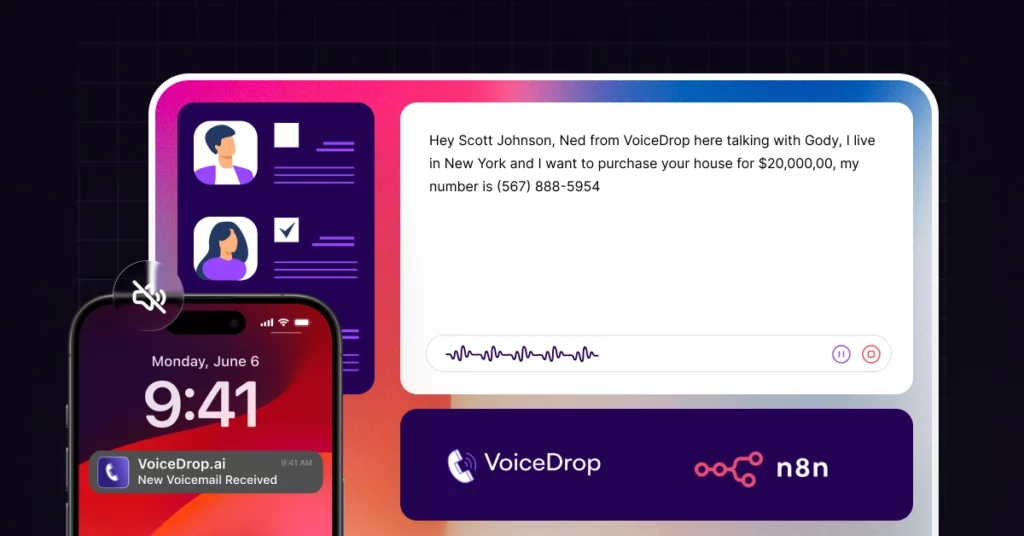
An AI Ringless Voicemail (RVM) Agent is an automated program that sends pre-recorded voice notes to voicemail boxes instead of real phone rings. VoiceDrop’s ringless voicemail technology works with both mobile and VoIP numbers. Multi-Attempt DeliveryTM and area code matching give it a 60–80% delivery rate.
What makes AI messaging unique is that it can be customized. VoiceDrop’s AI voice cloning can make a copy of anyone’s voice from a 30–60 second clip that sounds about 90% like the real thing. This means that each voicemail is made on demand using merge fields like name, company, and details, so each person who hears it feels like it was taped just for them.
As a result? Much higher rates of contact and replies than static, one-size-fits-all blasts.
Introduction to the n8n Platform
n8n is an open-source workflow automation platform that lets you link apps and services using a visual, node-based interface. For automating voicemails, n8n is the best way to connect VoiceDrop’s API to the business tools you already have. It can start voicemail campaigns when certain things happen, like when a new CRM entry or form is submitted.
n8n is perfect for making a voicemail agent. It can also change and improve contact data before sending it, and when calls happen, it will automatically update your systems. It has HTTP Request nodes that handle API calls to VoiceDrop, and it comes with built-in integrations that let you connect straight to popular CRMs, databases, and spreadsheets.
Why Use n8n to Build Your AI Voicemail Agent?
Use n8n for AI voicemail agents to mix AI with deterministic workflows, get more freedom with a visual, node-based editor and custom JavaScript, and stay in control by hosting the software yourself. It’s great for making AI agents that are dependable, scalable, and secure because it’s open-source, has a lot of integrations, and lets you add human-in-the-loop steps.
n8n can start and control conversational AI engagements when used with a ringless voicemail platform like VoiceDrop. This lets the AI agent answer calls, have conversations in natural language, gather information, and then start further activities in n8n processes, such as sending notifications, updating records, or transferring calls.
Traditional voicemail tools are manual and rigid. With n8n, sales, marketing, and lead-nurturing teams can launch multi-step, multi-channel campaigns that adapt on the fly, save hours of busywork, and monetize far more leads with clean data.
Step-by-Step Guide to Building Your AI Voicemail Agent
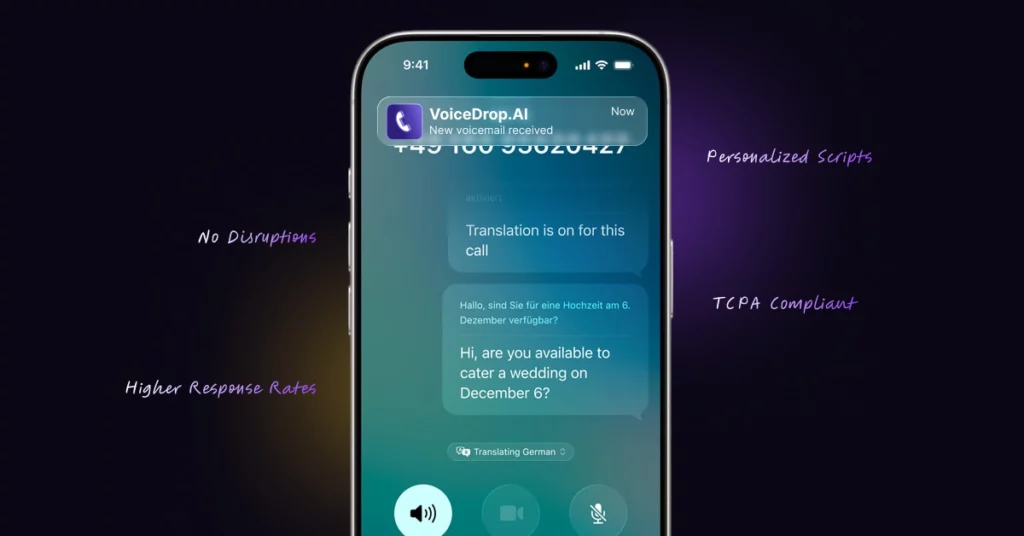
You’ll go from setup to live voicemails in six clear steps, integrating VoiceDrop’s AI voice cloning with n8n, orchestrating the whole flow.
Step 1: Setting Up Your n8n Environment
Before integrating with VoiceDrop, you need to establish your n8n instance. n8n offers multiple deployment options to suit different technical requirements and preferences. You can choose to host n8n yourself on your own servers. Use n8n’s cloud offering at n8n.io, or deploy through various cloud providers that support the platform.
Once your n8n instance is running, the next crucial step is configuring the credentials manager. This secure system allows you to store and manage all your API keys, including your VoiceDrop API credentials, CRM access tokens, and any other service integrations. Proper credential management ensures that your automated workflows can access the necessary services while maintaining security best practices.
Step 2: Configuring VoiceDrop with n8n
Integrating VoiceDrop with n8n begins with establishing the API connection. Within n8n’s node-based interface, you’ll use the HTTP Request node to connect to VoiceDrop’s API endpoints. Configure it with your VoiceDrop API credentials to enable communication between the platforms. Refer to the VoiceDrop API documentation for detailed endpoint specifications, authentication requirements, and request/response formats.
The configuration process involves setting up webhooks and API endpoints that will facilitate communication between the two platforms. n8n can trigger VoiceDrop actions based on various events, such as new lead creation, form submissions, or scheduled intervals. Similarly, VoiceDrop can send callback data and delivery status updates back to n8n for further processing and logging.
Step 3: Building Automated Workflows
VoiceDrop-n8n integration reaches its full potential when automated workflows respond to business events. Start by determining voicemail campaign triggers. New CRM leads, website form submissions, appointment no-shows, and analytics platform consumer behaviors are common triggers.
For each trigger, design a workflow that includes data enrichment steps before reaching VoiceDrop. This may require verifying your CRM for customer information, phone numbers, and do-not-call lists. You may integrate with almost any corporate data source with n8n’s broad node library.
The HTTP Request node calling VoiceDrop’s API should be configured with dynamic fields that pull information from previous steps in your workflow. You’ll make POST requests to VoiceDrop’s campaign endpoints with your personalized data. Create personalized scripts with client names, company information, recent interactions, and other data.
Step 4: Personalization and Script Management
VoiceDrop already lets you personalize it with merge fields. n8n makes this even better by letting you generate scripts dynamically based on detailed customer data. Instead of field replacements, utilize n8n to create customized messages that reference customer engagements, preferences, or behaviors.
Store voicemail script templates for diverse use situations in n8n template management systems. These templates can feature conditional logic that adapts messages to consumer characteristics or interaction situations.
Remember to keep messages under 30 seconds, include a clear call-to-action, build urgency, and repeat your contact information. Through workflow validation, n8n can enforce these principles.
Step 5: Campaign Execution and Management
After managing and testing routines, execution begins. n8n lets you schedule voicemails by time zone, business hours, and best calling times. Intelligent throttling prevents phone system overload and regulatory violations.
Using VoiceDrop’s API, n8n tracks voicemail deliveries during campaign execution. The platform handles success, failure, and intermediate status updates. Real-time monitoring allows proactive management and speedy problem resolution.
Step 6: Results Tracking and Analytics
The VoiceDrop-n8n connection builds a robust analytics environment that gives detailed campaign performance data. n8n stores details on each voicemail delivery, including timestamps, delivery status, and callback data.
You can create dashboards and reporting procedures that combine campaign performance metrics such as monitor delivery rates (60-80%), callback rates (3-10%), cost per callback, and marketing ROI. n8n may deliver performance reports via email or interact with data visualization tools.
Testing and Optimization
The most successful VoiceDrop implementations use n8n to create a cycle of continuous improvement. Implement feedback loops that capture results data and use it to refine your workflows, scripts, and targeting strategies.
To achieve better results, run A/B tests. The VoiceDrop data dashboard lets you see what works and what doesn’t. One thing at a time, test each part:
- Scripts: Write a 15-second message instead of a 30-second one. Compare a formal tone to a relaxed way of talking.
- Send Times: Look at the times of morning (10 AM) and afternoon (4 PM) sends to see when people call back more often.
- Voices: If you have more than one voice clone, see which one responds better.
Keep track of your progress. In VoiceDrop statistics, these are the important numbers to keep an eye on: delivery rates, callback percentages, and time to callback. 60–80% of ads that work get people to the website, and 3–10% get called back. If your numbers are smaller, you should change your script or the way you send the emails.
Keep getting better, little changes can have big effects. If your callback rate goes up by 1%, that’s twenty more talks when you’re leaving thousands of voicemails. Every week, try out one change and see how it works. Then, make another improvement.
Stay updated with both VoiceDrop and n8n platform updates, as new features and capabilities are regularly added that can enhance your automated voicemail system.
Common Challenges and How to Solve Them
No matter how well you plan, something can go wrong. Here are the most common problems and how to fix them easily:
- API rate limits or slow responses: Add timers and error handling nodes to your n8n flow-throttle requests to stay within API limits.
- Poor script quality: Refine prompt templates in your AI node. Shorter, to-the-point messages always work better.
- Incomplete CRM fields: Validate key merge fields early in your workflow, and add fallbacks for missing info.
- Low deliverability: Clean lists (remove landlines, duplicates, invalid numbers) and always use VoiceDrop’s compliance filters.
- Integration hiccups: Verify your HTTP Request node URLs match VoiceDrop’s API endpoints, check n8n execution logs for errors.
Conclusion & Next Steps
Businesses can use VoiceDrop’s advanced voice cloning and ringless voicemail and n8n’s automation technologies to create responsive communication systems that maximize client engagement. The seamless connectivity makes it possible to personalize in real time, get in-depth insights, and keep improving-all of which are necessary for modern customer communication to be successful.
If you’re ready to change the way you talk to people outside your company and use AI-powered voicemail automation, start by cloning your voice with VoiceDrop, integrating it with n8n, and designing your own 24/7 voicemail agent.
Ready to build your integration? Explore the VoiceDrop API documentation for complete technical details and start automating your voicemail outreach today. Try a demo, and experience personal AI-powered voicemails at scale!