
Compare the top sales outreach tools for remote teams to find the perfect solution for your distributed salesforce.
Managing a sales team that works from home has its own challenges. How do you make sure that reps in different time zones work together? How do you make sure that follow-ups are sent out on time?
Every day, remote sales leaders deal with these problems, and the incorrect tools make things even harder. Deals die when people don’t talk to each other. Hours are wasted on manual tasks. Data nightmares happen when systems aren’t connected.
But here’s the good news: using the right outreach tool can turn random remote selling into a well-organized process.
Why Remote Teams Need Specialized Sales Outreach Tools
In-office sales reps rarely have to deal with problems that remote sales teams do. When people work together in different time zones, they might miss follow-ups. Chat or email are used for communication, not quick desk trips. Tracking success without being able to watch in real time makes it hard to be accountable.
When reps work alone, outreach plans can fall apart. These holes are filled by specialized software. Automaton can take care of scaled-up time and personalization. Real-time data lets managers know what’s going on and what the results are.
With cloud-based access, every rep can use the most up-to-date routines and templates. Teams can build and improve rhythms together with collaborative processes. With the right tool, teams that work from far away can do amazing things.
Key Features to Look for in Remote-Friendly Sales Outreach Software
When looking for outreach tools, pay attention to features that give remote teams more power. Each of these features cuts down on human work and improves alignment over long distances. They work hand-in-hand to make online sales possible.
Email and Call Automation
By automating contact via email and phone, hundreds of steps can be saved each week. You can set off multiple steps at once when someone opens, clicks, or answers. Auto-follow-up tools handle follow-ups during the “office hours” of local reps in other time zones. Messages sound more human when they have personalization badges. Teams that work from home can consistently reach out to leads, get responses faster, and close more deals.
CRM and Third-Party Integrations
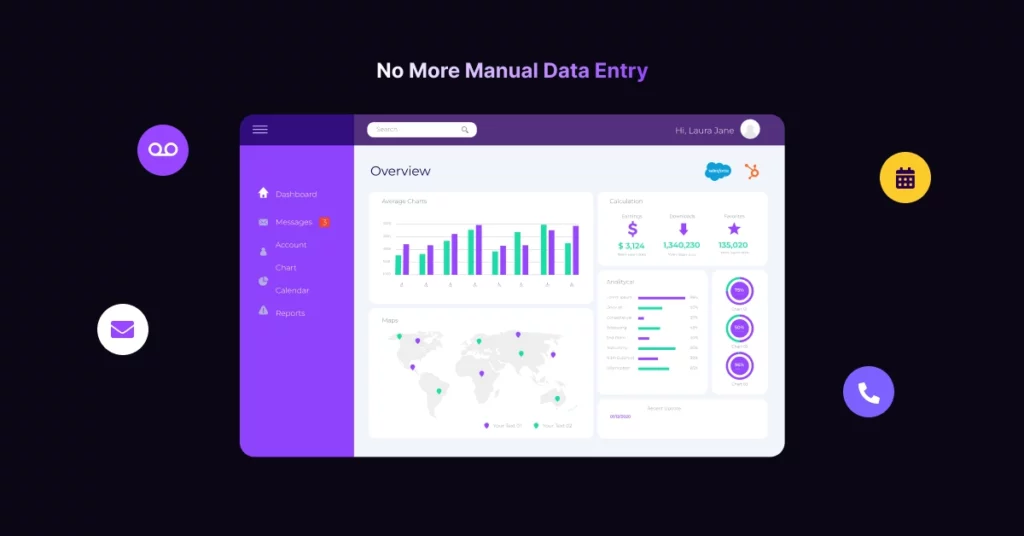
Having a tech stack that isn’t linked slows everyone down. When you connect your outreach tools to your CRM, every call, email, and meeting will be immediately logged. Top tools work with top CRMs like Salesforce, HubSpot, and others. This smooth flow of info keeps all stages of an opportunity up to date.
Remote managers can see clearly what’s going on with the process and what their teams are doing. With an integration, there are no more data layers or extra work to do because the work is already done on both platforms.
Analytics and Reporting for Remote Managers
Real-time analytics are the best thing for a boss who works from home. Looking for dashboards that you can interact with and that show data like email open rates, call volume, and reply percentages.
To find trends, you can drill down by rep, area, or campaign. You can fix problems before they hurt your targets by using detailed reporting to back up your coaching talks. It sends automatic alerts when targets are missed or deals get stuck. You can lead teams well, no matter where they sit, if you have clear data at your hands.
Collaboration and Role-Based Access
It’s not the same as working in groups to work apart. Everyone is always up to date thanks to tools like sharing snippet libraries, team inboxes, and comment threads. Managers can lock and unlock templates so that they can be edited, which keeps the image and message consistent.
With permission limits, admins can decide which roles can see or change things. This keeps private sequences safe and lets reps customize material. It becomes easier for people from different teams to work together on outreach tactics, which improves quality and alignment.
Best Sales Outreach Tools for Remote Teams
Compare top remote-friendly outreach platforms at a glance. Find out how they help with online sales and how they should be used.
VoiceDrop
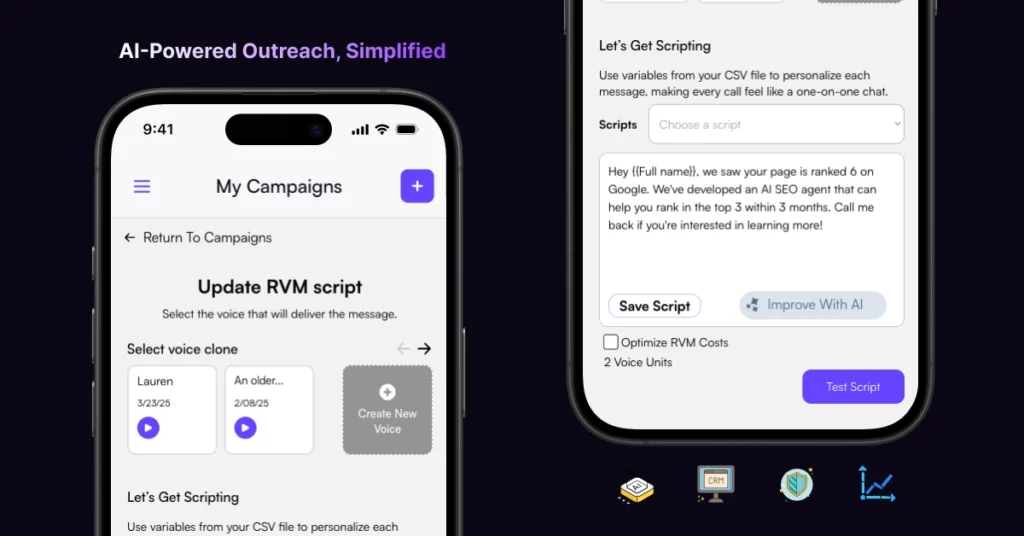
VoiceDrop is a sales outreach solution designed for asynchronous voicemail campaigns, with a focus on delivering high-touch, individualized voice messages at scale. It’s an excellent voicemail interaction without live cold calling, making it a top choice for remote and distributed sales teams.
Here are some key features:
- Ringless Voicemail Drops: Send pre-recorded audio messages directly to a prospect’s voicemail mailbox.
- High Deliverability: Advanced routing optimizes message placement, improving the possibility that messages end up in voicemail rather than being filtered.
- Easy Campaign Management: With a modern interface, users can create, plan, and manage high-volume sales voicemail campaigns from anywhere.
- Integrations: Works with common CRMs and sales interaction platforms to streamline lead workflow and ensure data synchronization.
- Pros: High deliverability, compliance features, async outreach
- Cons: Limited native email tools
- Pairs well with: a managed outbound agency like Prymatica that runs the cold email side while VoiceDrop handles the voicemail channel
- Price: Starting at $95 /month and so on.
Outreach.io

Outreach.io is a platform for businesses that comes with strong automation and analytics tools. Its multichannel routines use voice, email, social media, and direct mail all at the same time. AI guidance tracks how many reps reach out and gives them tips in real time. A deep connection with Salesforce makes sure that data flows smoothly. Every step of the sales cycle is tracked by screens that can be changed by managers who work from home.
- Pros: Strong features, AI-driven insights, and the ability to grow
- Cons: It’s pricey and takes a long time to learn.
Salesloft

Salesloft is great at ordered cadences and understanding what people are saying. Teams working from far away can make multi-step plans, keep track of who is engaged, and rate talks for coaching. It works with Microsoft Dynamics, Slack, Zoom, and Salesforce. Its easy-to-use interface helps new workers get up to speed quickly. It’s a good choice for mid-sized businesses.
- Pros: Good data, simple setup, and a good mix of calls and emails
- Cons: Voicemail doesn’t have as many options as niche tools
Mailshake

Mailshake offers an easy and inexpensive way to do things. It works on email automation and has analytics built in. Setting up a sequence is also very easy. Teams can start campaigns right away and keep track of who opens, clicks, and answers. Mailshake works with CRMs and Zapier to make processes more flexible. It’s good for small businesses and one-person businesses.
- Pros: It’s cheap, simple to use, and quick to set up.
- Cons: It doesn’t have strong automation or call tools.
PhoneBurner

The power dialer in PhoneBurner cuts down on the time it takes to make calls, so sales reps can talk to more prospects each hour. It lets you record calls, delete voicemails, and sync with your CRM. With permission controls and shared call lists, the app lets remote teams work together. It works great for teams that use calls a lot.
- Pros: It speeds up calls and gives you full call analytics.
- Cons: You can’t schedule emails.
Reply.io

Reply.io is a single tool that brings together email, calls, social media, and SMS. As you type, AI will suggest changes to your message and the subject line. Integrations come with Slack, HubSpot, and Salesforce. Plans for Reply start at $70 a month for each user. It helps teams that are growing and need multichannel power without having to pay business prices.
- Pros: AI-driven content, good multichannel mix
- Cons: Occasional deliverability hiccups
How to Choose the Right Tool for Your Remote Sales Team

It’s important to choose tools for a remote sales team that are useful, scalable, and easy to use. When you work from home, you may face problems with contact, time zones, and getting to your data in real time. Here are the most important things to think about:
- First, you should figure out what your sales team needs. Do you want to get more leads, handle your relationships with customers (CRM), or close deals? Knowing what your team does every day and what bothers them will help you choose the best tools to make their work easier.
- Tools should be simple and easy to understand for remote teams that don’t have access to IT help right away. Look for tools that are easy to learn and have a lot of resources to help you get started, like tutorials or customer service.
- To avoid data silos, your tools should be able to work together without any problems. A CRM that works with email, videoconferencing, and tracking tools, for instance, can save time and cut down on mistakes.
- As remote teams work from different places, tools need to be able to be used on a variety of devices, such as a desktop computer, a tablet, and a smartphone. They also need to offer cloud-based solutions for real-time changes.
- It is very important to keep private customer information safe. Pick tools that follow data protection rules (like GDPR or CCPA) and have features like encryption and safe entry controls. This is where choosing reliable CCPA software, such as solutions from Usercentrics, can streamline compliance efforts.
- Many teams have to work with limited funds. Choose tools with flexible prices that can grow with your team so you don’t have to keep moving things around.
Sales Outreach Tool Use Cases in Remote Teams
Remote sales reps without office indications and routines need sales outreach tools to organize and boost productivity. Outreach automation and personalization at scale are key use cases.
For example, in a tech startup, sales representatives recorded personalized voicemails addressing specific pain points relevant to each prospect. They followed up with an email referencing the voicemail for additional context. Within three months, the startup achieved a 30% increase in response rates.
Another example, real estate agents recorded personalized voicemails that included market insights, recent property listings, and an invitation to discuss the current real estate landscape, tailoring messages to the recipient’s interests. The agency experienced a 40% increase in callbacks from voicemail recipients.
In one more case, a SaaS company saw a 25% increase in demo requests following the voicemail outreach campaign. Many prospects mentioned feeling valued, leading to significant conversions into long-term customers.
These case studies illustrate the effectiveness of voicemail outreach across various industries.
Empower Your Remote Team with the Right Outreach Tool
Choosing the right tool for sales outreach can change how you do remote work. Choose tools that can automate tasks, let you work together, provide strong data, and easily connect with other programs.
VoiceDrop is the best voicemail service if you need a specific one. It has features like ringless voicemail, async campaigns, and compliance that let remote teams reach out to more prospects without bothering them.
Check out the channels, budget, and size of your team, and then try out your top choices. Are you ready to make sending sales emails from afar easier? Get a demo and give your team the best tool they need to do well in 2025 and beyond.
