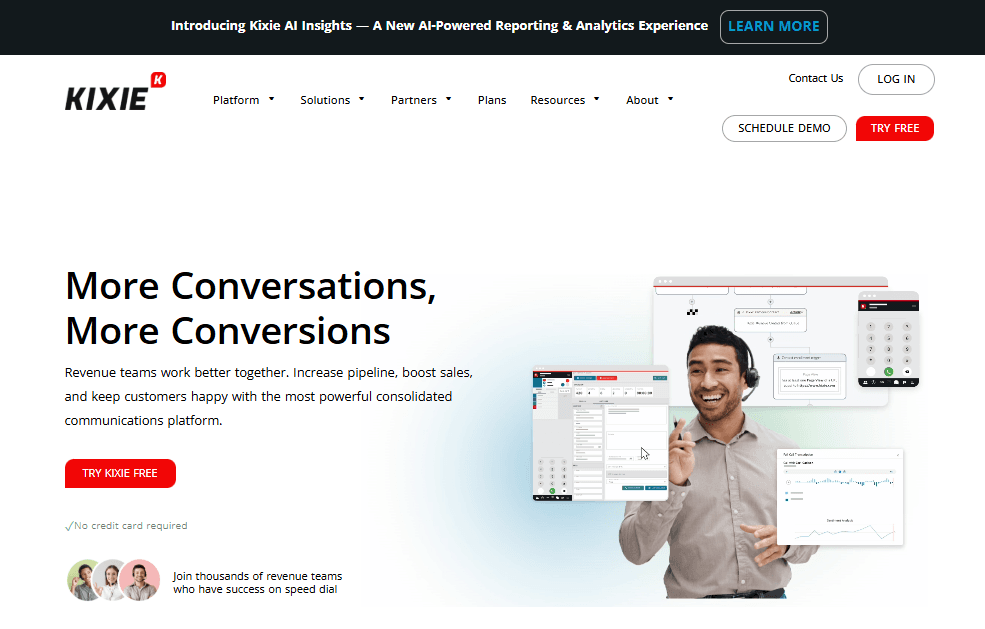
If you’ve been shopping around for a sales engagement or power-dialing tool lately, chances are Kixie has popped up on your radar. When comparing options and evaluating Kixie pricing, it’s easy to see why it’s been one of the go-to platforms for inside sales teams for years, especially for reps who want fast calling, seamless CRM automation, and integrated SMS.
However, when evaluating Kixie pricing, one issue becomes immediately obvious: Kixie does not disclose its pricing publicly at all. There are no listed plan prices, no per-user rates, and no official cost breakdown available on its website. To get exact numbers, teams are required to contact sales directly.
With more AI-powered dialers and outreach tools entering the market every month, many of them offering transparent, self-serve pricing, this lack of visibility raises an important question:
Is Kixie still worth the price in 2025, especially when the price isn’t upfront?
In this guide, we’ll break down everything included in each Kixie plan, what makes them different, and whether the platform matches the needs of your team. We’ll also look at how Kixie compares to newer competitors that take a more transparent approach to pricing.
What You’ll Get With Kixie
No matter which plan you pick, every Kixie user gets access to the platform’s foundational features:
- Business phone system (VoIP)
- CRM integration (HubSpot, Salesforce, Zoho, Pipedrive, and more)
- Automations with click-to-call and click-to-text
- SMS templates
- Voicemail drop
- Unlimited minutes for calls within the US/Canada
- Live call coaching
- US-based support
Built as a sales-first calling platform, Kixie focuses on helping teams move faster on outbound outreach, improve connect rates, and automate follow-ups.
Kixie Pricing Plans Overview
To keep things straightforward, the platform offers 3 primary pricing plans designed for different needs.
- Professional
- Single-Line PowerDialer
- Multi-Line PowerDialer
Most external estimates place Kixie’s pricing somewhere between $35 and $95 per user per month, depending on the plan and selected add-ons. Because these numbers are not publicly verified by Kixie, teams should treat them as approximate rather than guaranteed.
For buyers trying to budget, compare tools, or evaluate ROI quickly, this lack of transparency can create unnecessary friction early in the decision-making process.
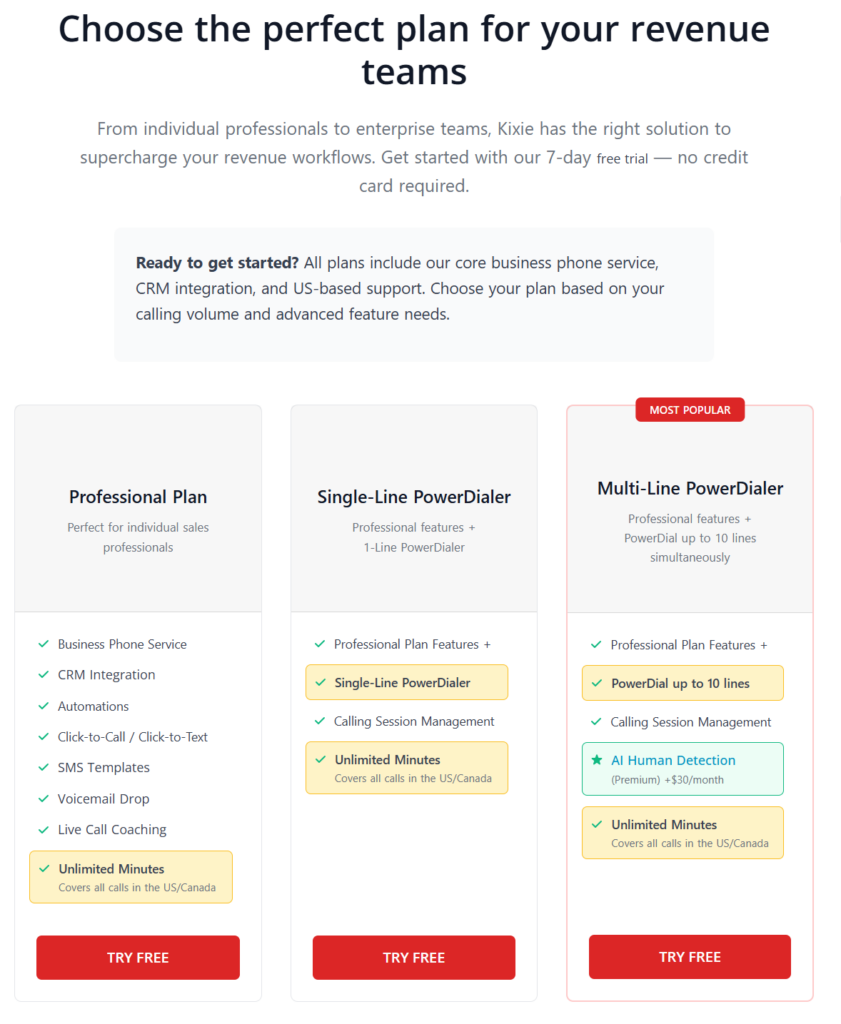
These are designed to scale from individual sales reps all the way up to high-volume outbound teams hitting hundreds of dials per day.
Let’s go into each plan.
The Professional Plan
Price: N/A
Free trial: 7-day free trial
Features included in the plan:
- Business Phone Service
- CRM Integration
- Automations
- Click-to-Call / Click-to-Text
- SMS Templates
- Voicemail Drop
- Live Call Coaching
- Unlimited Minutes (covers all calls in the US/Canada)
This plan works well for solo reps, account executives, and small teams who balance outbound calls with inbound conversations, follow ups, and demos.
If your sales process is more relationship-focused and less about racing through call lists, this plan feels comfortable and practical. You still get automation, SMS, voicemail drops, and strong CRM integration, so your workflow stays organized without adding unnecessary complexity.
The Single-Line PowerDialer Plan
Price: N/A
Free trial: 7-day free trial
Features included in the plan:
- Everything in Professional plan
- Single-Line PowerDialer
- Calling Session Management
The Single Line PowerDialer plan makes sense when outbound calling becomes a daily habit rather than something you do occasionally. It fits SDRs and BDRs who spend dedicated blocks of time calling and want to move faster without feeling overwhelmed.
The Multi-Line PowerDialer Plan
Price: N/A
Free trial: 7-day free trial
Features included in the plan:
- Everything in Professional plan
- PowerDial up to 10 lines
- AI Human Detection (+$30/month)
It works best for high volume sales teams, lead generation agencies, real estate teams, and insurance sales where reaching more people directly impacts results. Great for teams focused on speed, volume, and efficiency.
Available Add-Ons
Some features aren’t included in the base plans and must be purchased separately:
ConnectionBoost
Improves call connection quality and reduces dropped calls, especially useful if your team makes calls internationally or from less stable networks.
For teams calling across the US or Canada, or dialing at high volume, this add-on can help keep conversations smooth and reliable.
Conversation Intelligence
Conversation Intelligence can give deeper visibility into what actually happens on sales calls. It uses AI to analyze conversations, generate transcripts, and surface insights around talk time, keywords, objections, and call outcomes.
DNC (Do Not Call) Compliance
The DNC Compliance add-on automatically checks numbers against applicable Do Not Call registries, helping prevent restricted calls from going out in the first place.
By removing manual list checks and reducing compliance risk, this feature gives teams peace of mind while keeping outbound operations running smoothly
Pros & Cons of Kixie in 2025
Pros
Kixie still holds up extremely well in the outbound calling world. Notable strengths:
- Unlimited calling minutes in the US and Canada, which highlights on the website as a cost-saving benefit for teams making large volumes of outbound calls.
- CRM integrations with built-in automation, positioned by Kixie as a way to reduce manual follow-ups and keep sales activity centralized.
- PowerDialer options that scale with team size, from single-line dialing to multi-line setups designed for higher outbound volume.
- Simple onboarding and ease of use, with Kixie emphasizing quick setup and minimal ramp time for new reps.
- Optional expansion through add-ons, such as Conversation Intelligence, which Kixie markets as tools for coaching, insights, and performance tracking.
- Call quality reliability, which Kixie promotes as a key advantage compared to some other VoIP-based sales tools.
Cons
- Pricing is not fully visible upfront, so teams typically need to speak with sales to understand the exact cost.
- Several advanced features are not included by default and require additional spend as add-ons.
- Multi-line dialing may feel too aggressive for some industries, especially those with lower answer rates or stricter compliance expectations.
- Not ideal for teams that rely more on inbound calling than outbound
The best alternative for Kixie in terms of AI voice agent and ringless voicemails
VoiceDrop is built specifically for sales teams, cold outreach specialists, lead-gen agencies, recruiters, and businesses that want to reach new prospects with scalable, automated voice campaigns and ringless voicemails.
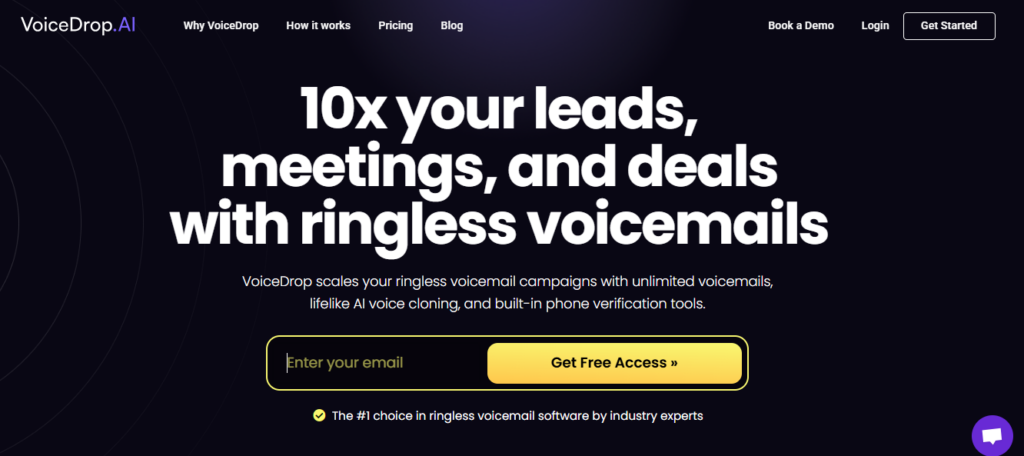
Starting at $95 per month, VoiceDrop lets you send up to 1,000 ringless voicemails each month. The ENTERPRISE plan also guarantees the best pricing in the market.
Features of VoiceDrop include:
- Use a phone number you already own
- 10+ active campaigns
- Voice Clone seat(s)
- Rotate phone numbers in your campaign
- Use any phone number you own to send out the RVM
- API, Zapier & Make Integration access
- Voice Units Roll-over
- Multilingual support
- Multi-Attempt Delivery™
- Intelligent Voice Scaling™
You’ll get all features included in other plans, plus a 7-day free trial to see why VoiceDrop is considered the top choice for ringless voicemail software by industry experts, and how it stands out in real-world use cases.
Key Takeaways
- Kixie does not disclose its pricing publicly. There are no official plan prices listed on the website, and teams must contact sales to get exact costs. This makes upfront budgeting and comparison difficult.
- All publicly available pricing figures are estimates, not confirmed rates. Most third-party sources place Kixie somewhere between $35 and $95 per user per month, depending on the plan and add-ons, but these numbers are not verified by Kixie itself.
- Pricing transparency is Kixie’s biggest drawback. While the platform offers solid outbound calling features, the lack of transparent pricing creates friction early in the buying process, especially compared to newer tools that publish clear, self-serve plans.
- Add-ons can significantly increase total cost. Features like AI Human Detection, Conversation Intelligence, and compliance tools are not included by default, meaning the final price often ends up higher than initial estimates.
Add-ons can significantly increase total cost. Features like AI Human Detection, Conversation Intelligence, and compliance tools are not included by default, meaning the final price often ends up higher than initial estimates.
Kixie can still make sense for outbound-heavy teams, but only for those comfortable entering a sales conversation before understanding total spend. Teams that prioritize clear pricing and fast comparisons may find this approach outdated
FAQ on Kixie Pricing
Is Kixie free?
No, Kixie doesn’t offer a free plan. All customers choose from its paid tiers, but you can try the platform with a 7-day free trial (no credit card needed).
What is Kixie used for?
Kixie is primarily used by sales teams for power dialing, outbound calling, SMS outreach, and CRM-linked automations. It’s built to help reps connect with more prospects, make faster calls, and streamline follow-ups directly inside their CRM.
Does Kixie charge extra for outbound calls or phone numbers?
Kixie includes unlimited calling minutes within the US and Canada across all plans, which removes the usual per-minute charges you see with many VoIP tools.
However, certain things may incur additional costs, such as:
- Purchasing new phone numbers
- International calling
- Add-ons like AI Human Detection or Conversation Intelligence
So while core calling is covered, teams should still budget for optional features depending on their workflow.
Is there a setup fee or onboarding cost?
For most teams, onboarding is included at no extra charge, especially if you’re coming in on the Professional or Single-Line PowerDialer plan.
Larger organizations or teams purchasing advanced add-ons (like Conversation Intelligence or compliance features) may receive customized onboarding, which can come with additional cost depending on complexity