
Send a ringless voicemail drop to every new Follow Up Boss lead
Connect Follow Up Boss to VoiceDrop through Zapier, Make or the REST API, and a new lead, a tag or a stage change can drop a voicemail in the agent's own cloned voice moments after it happens.


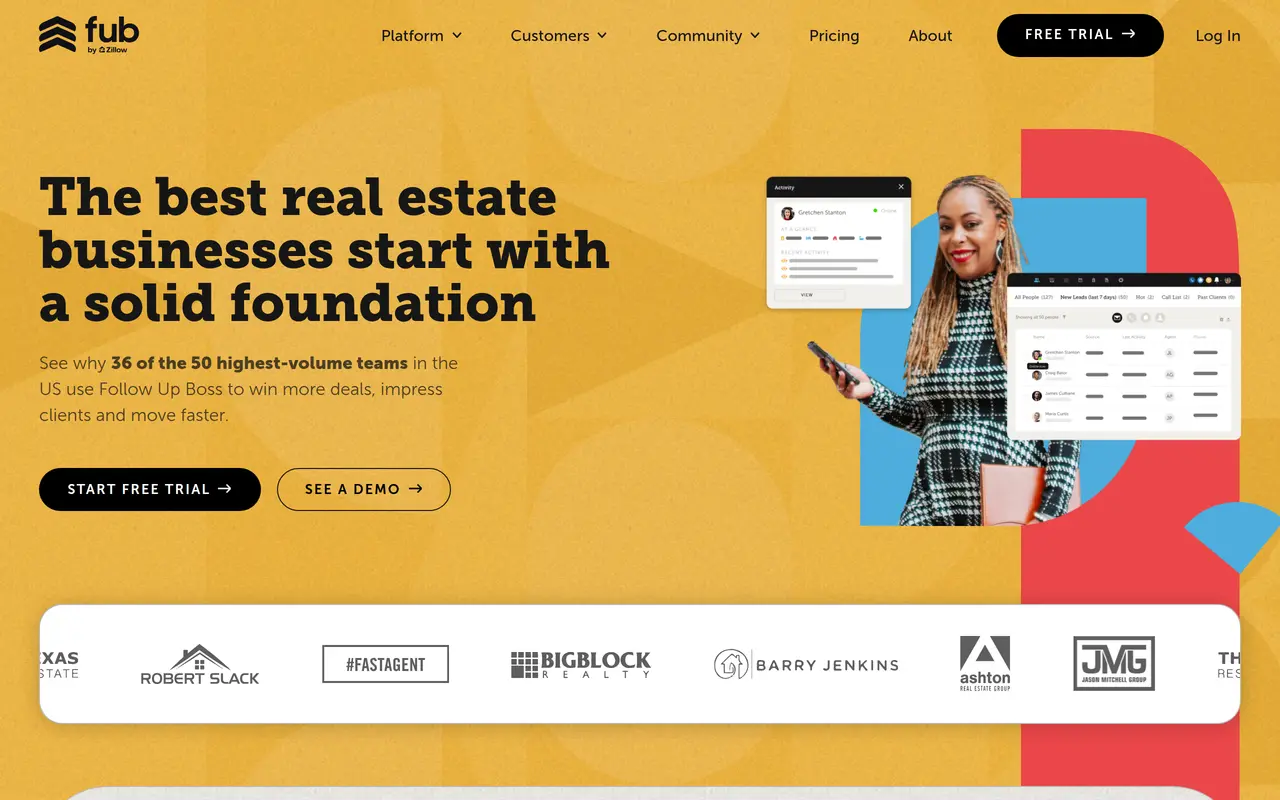
A Follow Up Boss voicemail drop answers a new lead while it is still warm.
A voicemail drop leaves a recorded message in a contact's voicemail box. VoiceDrop sends it as ringless voicemail, so the lead's phone does not ring and they hear the message when they check their voicemail.
Real estate teams use it for speed to lead: the inquiry lands in Follow Up Boss, Zapier passes it to VoiceDrop, and the lead hears a personal message in the agent's AI voice clone before anyone has picked up the phone. Zapier even lists a ready-made Zap that sends an AI voice voicemail when a tag is added to a Follow Up Boss contact. More ideas for agents are on the real estate page.
You can connect Follow Up Boss to VoiceDrop in three ways.
| Way to connect | How it works | Code needed |
|---|---|---|
| Zapier | A Follow Up Boss trigger such as New Contact starts a VoiceDrop action | None |
| Make | A scenario with filters and branches passes the contact to VoiceDrop | None |
| REST API | Your own code sends each voicemail and gets its status on a webhook | A developer |
Set up a Follow Up Boss voicemail drop in six steps.
- 1
Get your VoiceDrop account ready.
Create a VoiceDrop account, add a voice clone, and verify the phone number your voicemails will come from. Then copy your API key from the VoiceDrop dashboard.
- 2
Create a Zap with Follow Up Boss as the trigger.
In Zapier, choose Follow Up Boss and an event such as New Contact, Tag Added to Contact or Person Stage Updated, then log in to Follow Up Boss.
- 3
Keep the drop to the leads that should get it.
Add a Zapier filter on the lead's source, stage or tags, so only the leads you choose continue to the voicemail.
- 4
Add the VoiceDrop action to the Zap.
Choose the VoiceDrop Zapier app and the action Send an AI Voice RVM to have your voice clone read a script, or Send a Static Audio RVM to play a recording you already have (RVM is short for ringless voicemail). Connect VoiceDrop with your API key. To send Follow Up Boss contacts through a scheduled campaign instead, use Add Prospects.
- 5
Map the phone numbers and write the script.
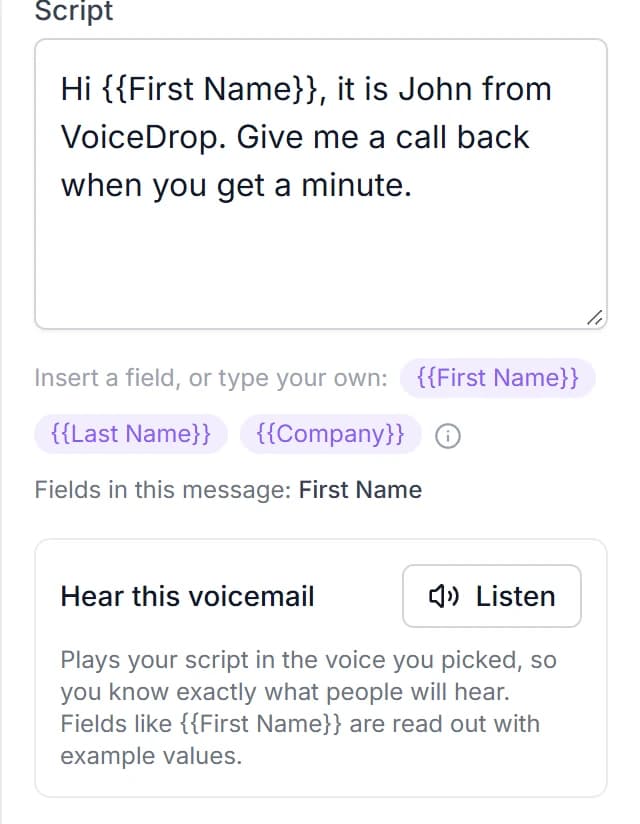
Map the contact's phone from Follow Up Boss to Phone (To) and your verified number to Phone (From). Then write the script and insert the lead's first name from the Follow Up Boss trigger, so each voicemail speaks to one person.
- 6
Test it on yourself, then turn it on.
Run the Zap on a test contact with your own mobile number, listen to the voicemail, and switch the Zap on when it sounds right.
These Follow Up Boss triggers make good voicemail drops.
A new lead hears the agent's voice first.
Use New Contact so every new inquiry gets a short voicemail from its agent that invites a callback.
A tag sends one voicemail to a whole group.
Use Tag Added to Contact, so tagging everyone from an open house sends them a thank-you voicemail.
A stage change keeps nurture leads warm.
Use Person Stage Updated, so a lead moved to a nurture stage gets a check-in voicemail instead of silence.
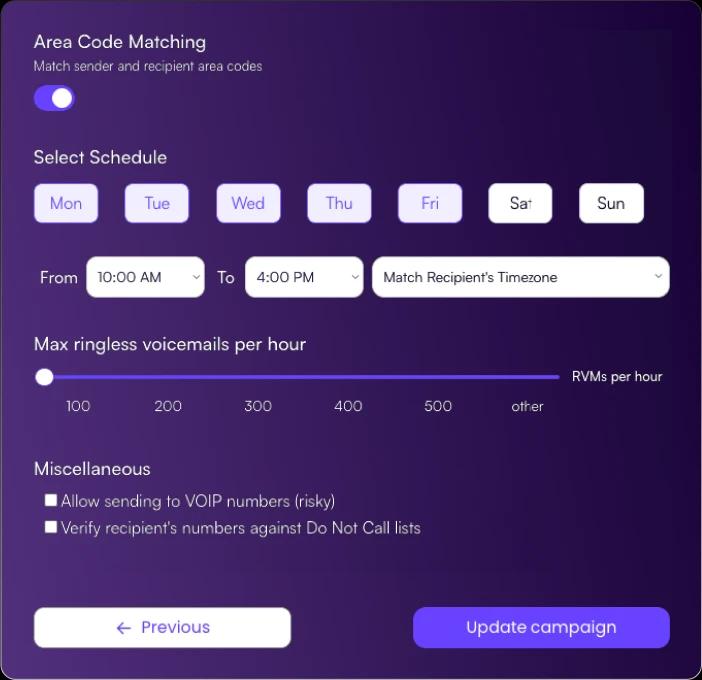
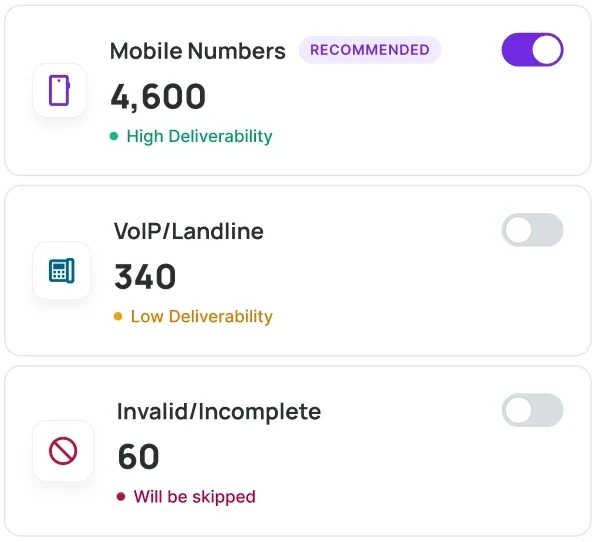
This is what the VoiceDrop side of a Follow Up Boss voicemail drop looks like.
Callbacks reach the agent, and the result can reach Follow Up Boss.
Both VoiceDrop voicemail actions in Zapier have a Send Status to Webhook field. Point it at a second Zap that catches the status and adds a note to the contact with the Follow Up Boss action Create Note, so your team can see in Follow Up Boss which contacts got a voicemail.
Callbacks come to the number the voicemail came from, the one you verified. VoiceDrop's AI Inbound Agent can also answer callbacks, qualify the caller and save the best time to call back. See pricing before you plan your first campaign.
Here are answers to common Follow Up Boss voicemail drop questions.
Add a voicemail drop to your Follow Up Boss leads.
Start a free trial or book a demo, then send your first Follow Up Boss voicemail drop to your own phone.