
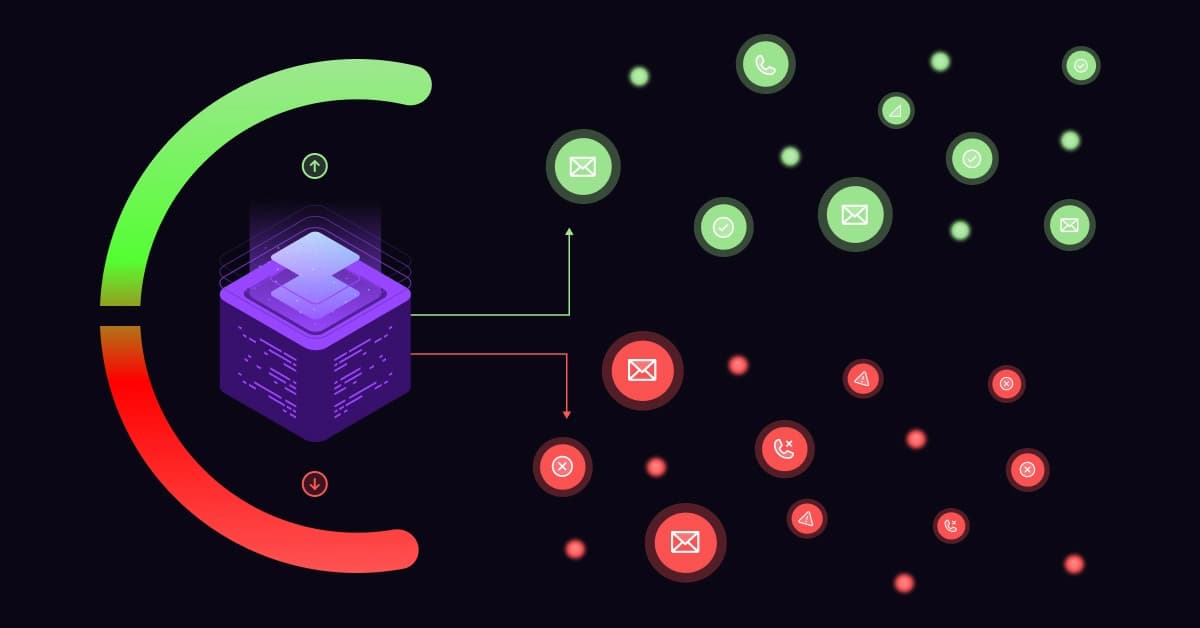
You’ve crafted the perfect subject line. You’ve paid for the leads. The automation is set up. You hit “Send”… and silence. Imagine buying a list of 10,000 contacts, only to have 2,000 bounce instantly.
This doesn’t just waste budget on those 2,000 dead leads. You are actively destroying your ability to reach the 8,000 valid ones. In email marketing, your “Sender Reputation” is your credit score. If you ignore it, you become invisible.
In the world of email marketing, your “Sender Reputation” is your digital credit score. If it drops because you keep emailing invalid addresses, Internet Service Providers (ISPs) like Google and Outlook will treat you like a spammer.
Once that happens, even your best emails will bypass the inbox and go straight to the junk folder. If you aren’t monitoring this, you are effectively invisible.
What is an Email Validation Service?
Think of an Email Validation Service as a digital bouncer for your marketing campaigns.
It is a specialized technology that audits your list to identify invalid, risky, or non-existent addresses before you ever hit send. It performs a silent check, like a “ping”, without the prospect ever knowing.
Most tools categorize your data into three critical buckets:
- Valid: Safe to email.
- Invalid: Dead address (Guaranteed Hard Bounce).
- Risky: “Catch-all” or temporary addresses that require caution.
The Difference Between “Verification” and “Validation”
While often used interchangeably, there is a technical nuance between these two terms.
- Verification is a surface-level check. It asks: Is the syntax correct? (e.g., does it have an “@” symbol and a valid domain extension?).
- Validation goes deeper. It asks: Does a user actually exist at this address? It confirms if the mailbox is active and able to receive messages.
Why Manual Checking is Impossible
You might be tempted to “test” a list by sending a few emails yourself. This is a mistake. You cannot manually check 5,000 emails. It’s impossible. Worse, if you try to “test” a list by sending emails to see if they bounce, you are spamming.
If you send 100 test emails and 20 bounce, you have just told Google that you are a low-quality sender. You need a tool to handle this handshake silently.
Need a Quick Fix? If you have a specific suspicious email and want to check it immediately without risking your reputation, run a free validity check on 1Lookup’s email verifier to get an instant status. 1Lookup is built by the same team as VoiceDrop.
The Hidden Dangers of “Dirty” Data (Why You Need This)
Ignoring list hygiene doesn’t just result in a few undelivered emails; it triggers a cascade of technical penalties that can paralyze your marketing efforts.
1. The “Hard Bounce” Nightmare A Hard Bounce isn’t just a rejection; it’s a strike against your domain. If your bounce rate hits just 2%, major providers like Gmail and Outlook assume you are spamming. They will start throttling your campaigns, pushing even your good emails into the junk folder.
2. The “Spam Trap” Landmine This is the most dangerous threat to your business. Spam Traps are secret email addresses owned by security groups (like Spamhaus) specifically to catch lazy marketers.
These addresses are never used for real communication. If you email one, it proves you scraped data or bought a dirty list. One hit can blacklist your domain instantly.
- Resource: Spamhaus Resource Center
The Risk of Disposable “Burner” Emails
Many users sign up for lead magnets using “10-minute mail” or disposable accounts to get your free ebook without giving you their real data. These emails will self-destruct shortly after sign-up.
While they might not trigger a hard bounce immediately, they destroy your engagement metrics (Open Rate and Click-Through Rate), which signals to ISPs that your content is irrelevant.
How Email Validation Works (The Technical Process)
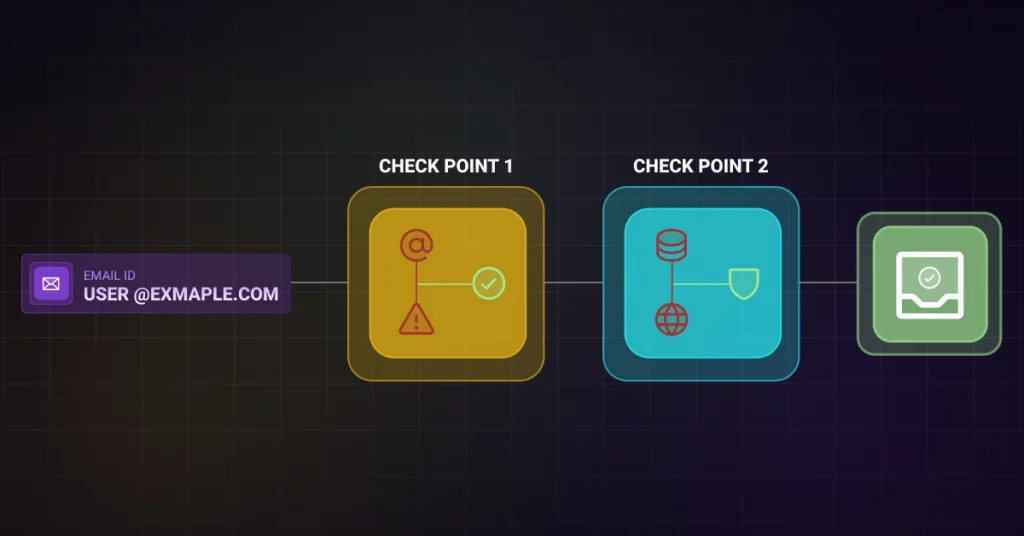
For those who want to look “under the hood,” here is how a validation tool cleans your list without sending a single email.
Don’t Guess: You can view the technical backend, including carrier and DNS details of any contact, by using the 1Lookup free search tool.
Syntax and Formatting Scan
This is the first line of defense. The tool scans for obvious typos and formatting errors, such as missing “@” symbols, invalid characters, or misspellings like “john@gmai.com” (missing the ‘l’).
DNS and MX Record Check
Next, the tool queries the Domain Name System (DNS). It checks if the domain name actually exists and if it has a valid Mail Exchange (MX) record set up. If a domain has no MX record, it cannot receive email, and the tool flags it immediately.
Step 3: The SMTP Handshake (The “Ping”). This is the most advanced step. The validation tool connects to the recipient’s mail server and initiates a conversation (using the EHLO command).
It asks: “Does this user exist?”
- 250 OK: User exists.
- 550 User Unknown: Address is dead.
The Magic: The tool disconnects the session immediately after receiving the code, before sending any email content. It validates the address without the user ever receiving a notification.
When to Validate: Real-Time API vs. Bulk Upload
Depending on your business model, there are two primary ways to deploy validation services.
Bulk Cleaning (List Scrubbing)
This method is best for old databases or lists you have just purchased/acquired. You upload a CSV file of thousands of contacts, wait a few minutes for the system to process them, and download a clean file. It is recommended to perform a bulk clean at least quarterly to account for data decay.
Real-Time API (Point of Entry)
This is the best preventative measure for inbound leads. By connecting a validation API to your website’s signup forms, you can block typos and fake emails as the user types them. This keeps bad data from ever entering your CRM in the first place.
For seamless integration with your existing CRM or lead capture forms, you should explore VoiceDrop Integrations to automate this process.
Top Email Validation Services Comparison (2026)
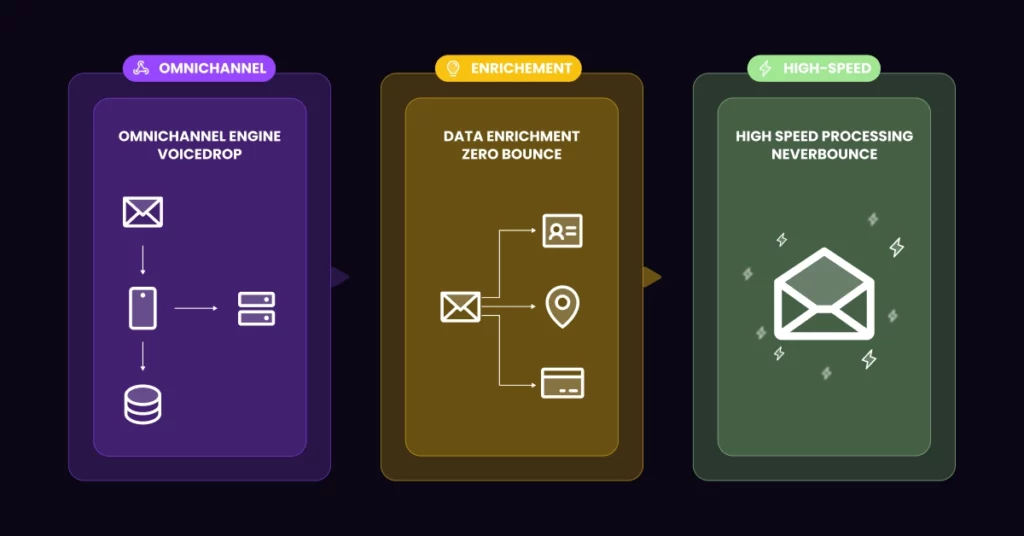
Not all tools are created equal. Here is how the market leaders stack up.
VoiceDrop (Best for Omnichannel Sales)
Most sales teams don’t just email; they call. VoiceDrop stands out because it offers the ability to clean both Email and Phone data. This ensures your sales team has a unified, healthy contact database, preventing them from wasting time on dead emails or disconnected phone numbers.
- Book a Demo to see how VoiceDrop cleans data across multiple channels.
ZeroBounce (Deep Data)
ZeroBounce is a strong contender known for its data appending features. Beyond just validating the email, it can often add missing information like the prospect’s name or location.
NeverBounce (Speed)
NeverBounce is known for its raw processing speed, making it a good choice for enterprise companies that need to process massive lists of millions of emails quickly.
Best Practices for List Hygiene
Software is essential, but it must be paired with the right strategy.
Implement Double Opt-In
This is the gold standard for list building. When a user signs up, send them a confirmation link that they must click to activate their subscription. This guarantees that the email is valid and that the user genuinely wants to hear from you.
The “Sunset Policy”
Don’t hold onto leads forever. If a subscriber hasn’t opened an email in 6 months, they are dead weight. Stop emailing them. Continuing to email unengaged users hurts your overall engagement rates and can degrade your reputation.
Adhering to Sender Guidelines
In 2026, technical authentication is mandatory. Google and Yahoo now require strict adherence to protocols like SPF, DKIM, and DMARC.
Validation is only one part of the puzzle; your domain must be authenticated. For a detailed breakdown of these requirements, refer to the Google Sender Guidelines.
Legal Compliance: CAN-SPAM and GDPR
Cleaning your lists isn’t just about protecting your profit margins; it is about following the law. Sending emails to purchased, unverified, or non-consenting lists can violate major anti-spam laws.
In the US, you must provide a clear way to opt out and ensure your data is accurate. Failing to maintain a clean list can lead to legal complications. Always ensure you are following the rules outlined in the CAN-SPAM Act Compliance Guide.
Conclusion: Clean Data is Your Competitive Edge
In an era where AI-driven spam filters are smarter than ever, only the cleanest lists survive. You cannot afford to guess. Every invalid email you send is a strike against your reputation.
Stop “Spraying and Praying.”
In an era of AI-driven spam filters, only the cleanest lists survive. Every invalid email you send is a vote against your own reputation.
Start auditing your data today. Whether you use a bulk upload to clean an old list or an API to secure your signup forms, the goal is the same: Protect your revenue by protecting your reputation.
FAQ’s
What is a “Catch-All” server?
A “Catch-All” (or Accept-All) server is configured to accept all emails sent to that domain, regardless of whether the specific username exists.
These are risky for marketers because the server often reports the email as “Valid” initially, only to bounce the message later or bury it in a silent folder.
How often should I clean my email list?
You should clean your list at least every 3 months. B2B data decays at a rate of roughly 22% per year due to people changing jobs, companies going out of business, or domains expiring.
Can email validation prevent 100% of bounces?
No tool can guarantee 0% bounces. “Soft bounces” can still occur if a recipient’s mailbox is full or their server is temporarily down. However, a good validation service will remove 99% of Hard Bounces, which are the ones that damage your reputation.
