
Modern Customer Relationship Management (CRM) platforms have fundamentally shifted how sales organizations function. According to industry benchmarks, sales representatives often spend less than 35% of their working hours actively engaging with prospects.
The capacity to manage pipelines efficiently without getting bogged down in administrative tasks is often the deciding factor between exceeding targets and missing quotas.
If you are currently evaluating alternatives to Close, you will find a crowded market of platforms offering robust automation, flexible pricing structures, and diverse feature sets.
Whether your objective is deep marketing integration, enterprise-grade customization, or a more visual sales pipeline, the right solution can significantly elevate your revenue operations.
Let’s explore the leading contenders and analyze how they compare in helping you reach your sales objectives.
An Overview of Close and Its Functionality
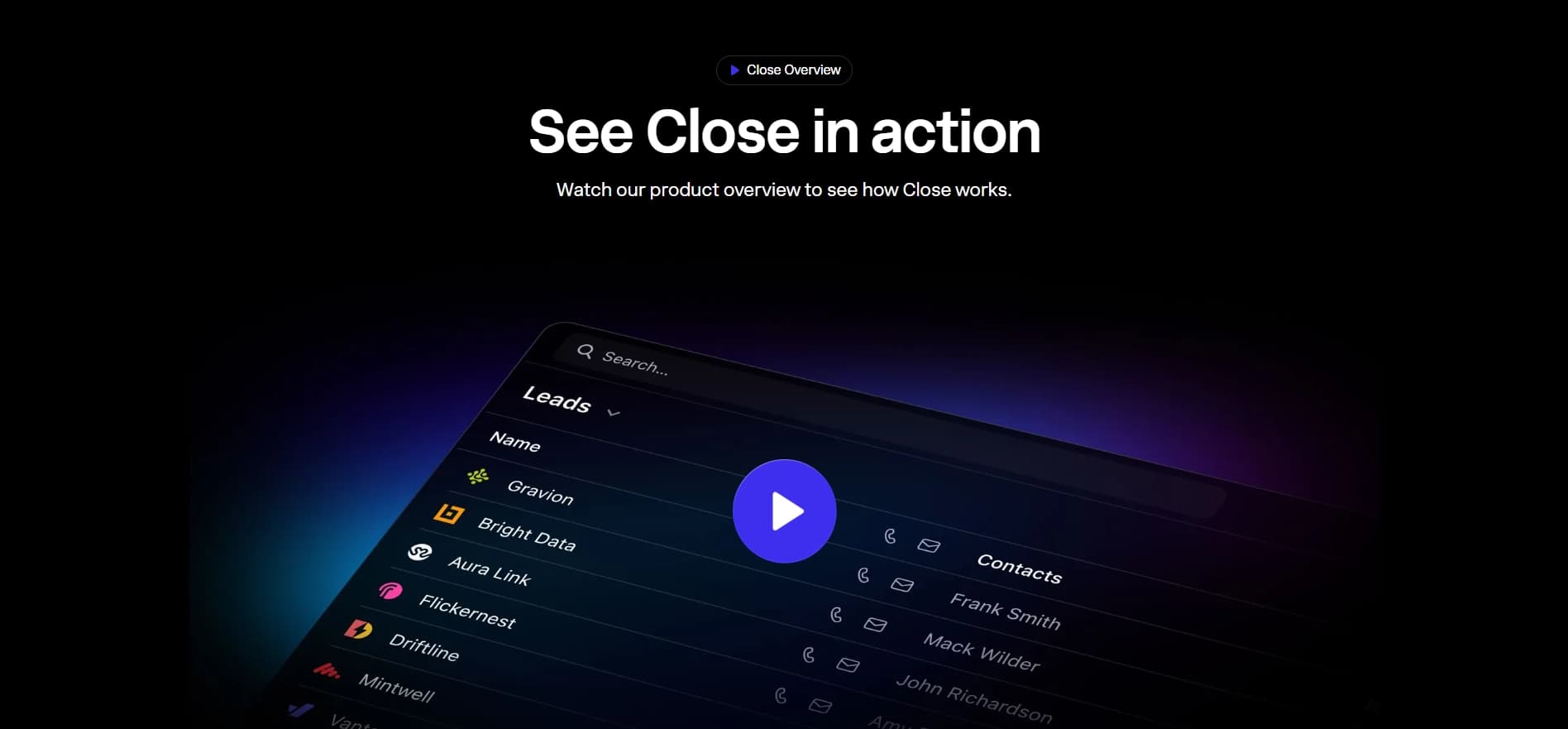
Close is a high-velocity CRM designed primarily for inside sales teams, enabling reps to double their outreach volume through built-in calling and automation.
This powerful platform enables teams to manage relationships quickly, bypassing the manual data entry often associated with legacy CRMs.
With capabilities such as integrated VoIP calling, SMS sequences, and predictive dialing, this tool is invaluable for organizations pursuing aggressive outbound strategies and streamlined communication.
Before making the switch, if you want a deeper dive into the platform’s pros, cons, and actual user experiences, take a look at our comprehensive Close CRM Review.
Reasons to Explore Close Competitors
While Close is a formidable tool for outreach-heavy teams, it may not align with every company’s infrastructure. You might require a solution with a native “forever free” tier, deeper marketing automation capabilities, or a wider ecosystem of third-party integrations.
Certain platforms offer broader organizational tools, such as project management features, extensive inbound marketing hubs, and advanced field sales support, making them the ideal solution for businesses looking to unify their entire customer journey.
Reviewing these options is crucial to ensure you select the technology stack that best fits your growth trajectory.
Budget is also a major factor for growing teams. If you want to see exactly how much you are currently spending or what you might save by switching, our complete Close CRM Pricing breakdownhighlights all the tier costs and hidden fees.
Top Close Alternatives
When investigating alternatives to Close, verify that the options offer comparable communication features or enhanced CRM capabilities that match your specific sales motion.
The following are some of the top platforms to consider:
VoiceDrop
Meet VoiceDrop: A powerful platform designed to accelerate revenue growth by streamlining your sales outreach and communication. Move beyond traditional CRM tools. VoiceDrop helps you manage your entire sales funnel while maximizing engagement through automated calls, messages, and follow-ups.
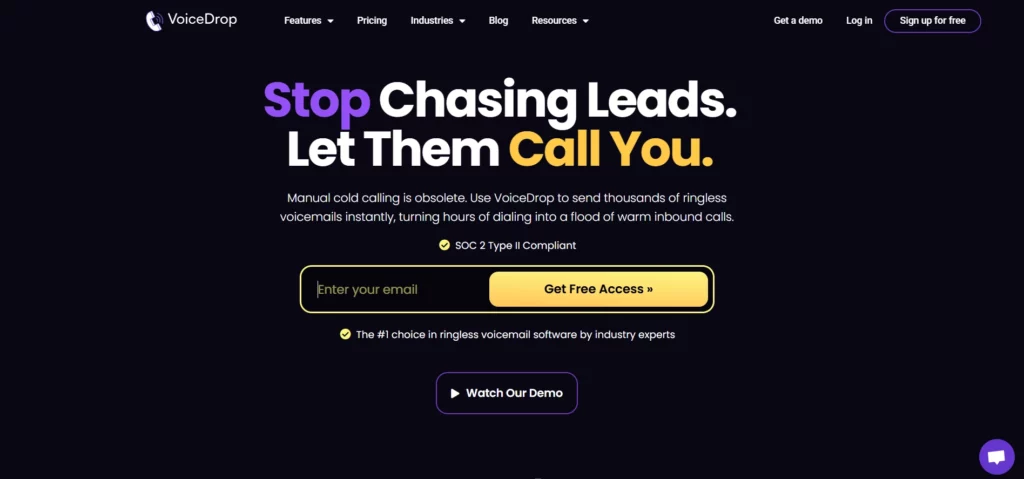
The platform’s intuitive interface gives a clear view of every prospect and interaction, ensuring timely communication that drives higher conversion rates. VoiceDrop integrates seamlessly with your existing sales and marketing tools, making it easy to maintain context across all channels.
VoiceDrop’s flexible setup makes it ideal for businesses of any size, from startups to scaling teams, helping you organize and optimize your sales process efficiently without high upfront costs.
Features
- Automated Outreach Sequences: Schedule and automate voice messages, emails, and follow-ups, tracking all interactions in real time. Save time while maintaining personalized communication at scale.
- AI-Powered Insights: Voicedrop provides smart reporting and analytics that highlight trends in prospect engagement, helping you refine your outreach strategy for maximum impact.
- Multi-Channel Communication: Reach prospects via phone, email, and text, all from a single platform without juggling multiple apps or spreadsheets.
- Unified Prospect View: Keep all your sales data and communications in one place, ensuring every team member has full context on leads, deals, and engagement history.
- Ease of Use: With a clean, modern interface, Voicedrop is simple to adopt, meaning your team can start using it effectively almost immediately.
Pricing
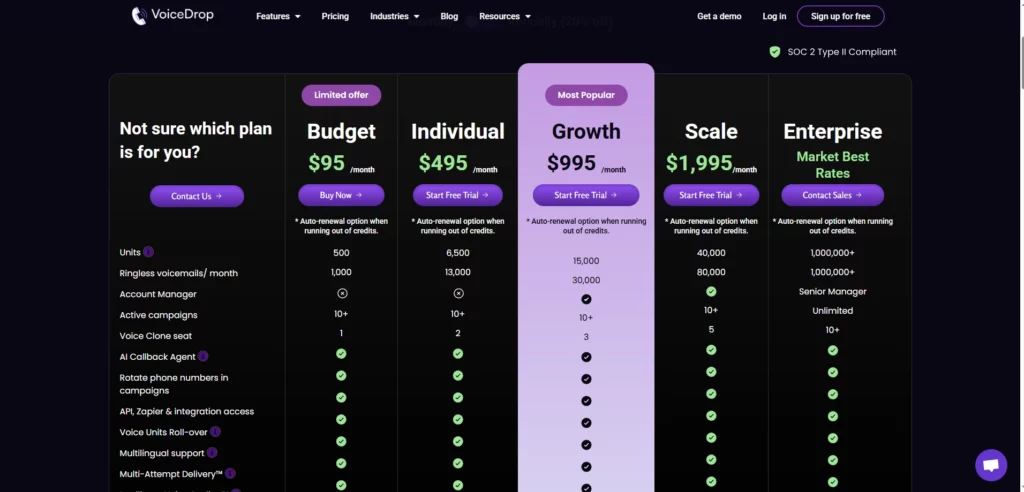
Voicedrop offers scalable pricing to fit businesses of all sizes. Whether you’re starting with a small team or scaling to enterprise-level operations, Voicedrop’s packages allow you to pay for what you need while gaining access to powerful features that grow with your business.
Pros
- All-in-One Communication: Streamlines voice, email, and text outreach for better engagement.
- Automated Yet Personalized: Save time without sacrificing personalization.
- Data-Driven Insights: Optimize outreach with actionable analytics.
- Easy to Adopt: Minimal learning curve means your team can be productive quickly.
- Scalable Plans: Grow your tech stack as your revenue grows.
Pipedrive
Pipedrive is a deal-driven customer relationship management solution designed by salespeople, for salespeople, that visualizes your sales process to ensure critical activities are never missed.
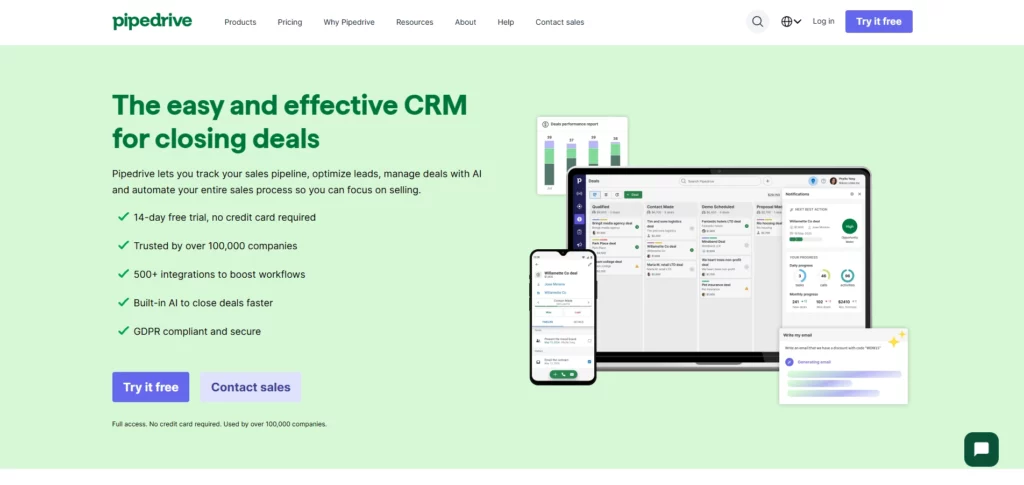
It enables users to focus on the actions that drive deals to close, using a kanban-style pipeline view with features such as activity reminders, email synchronization, and smart contact data to manage or expand sales pipelines most efficiently.
Features:
- Visual Sales Pipeline: Manage deals via a drag-and-drop interface for maximum clarity.
- Activity-Based Selling: Focuses on scheduling and completing calls and emails to keep momentum.
- AI Sales Assistant: Tracks performance and suggests specific tips to improve results, acting as an automated coach within your CRM.
- Open API & Marketplace: Easily integrates with hundreds of third-party apps for a customized workflow.
Pricing
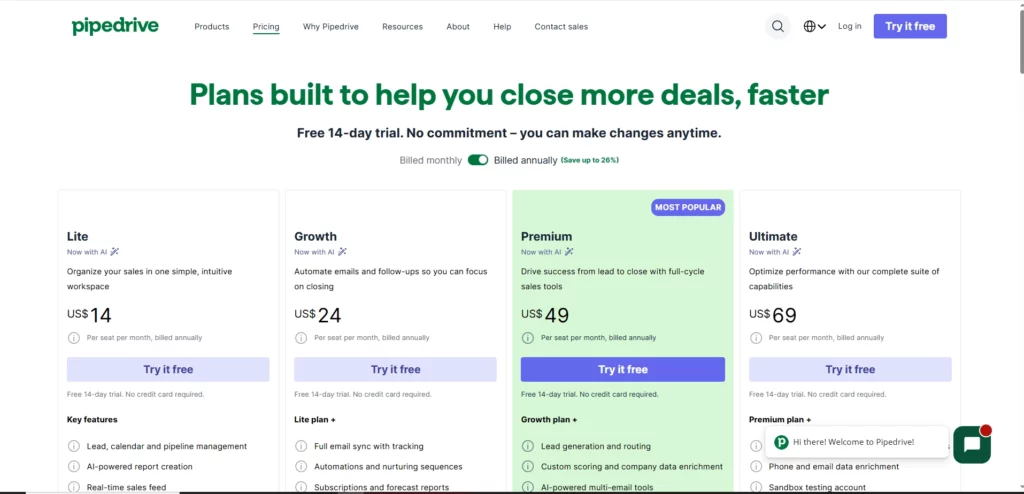
Pipedrive utilizes a tiered subscription model, suitable for small to medium businesses. A 14-day free trial is available to test the platform.
Pros & Cons
Pros:
- Enhances focus through a clutter-free, visual pipeline layout.
- Highly customizable, specifically for sales workflows rather than general contact management.
- Rapid setup allows teams to be operational in hours, not weeks.
Cons:
- Lacks the built-in marketing automation features found in larger suites.
- Separate billing for some add-ons, like the LeadBooster extension, can increase costs.
Freshsales
Freshsales is an efficient sales force automation solution with tools for high-growth sales teams seeking context-driven sales.
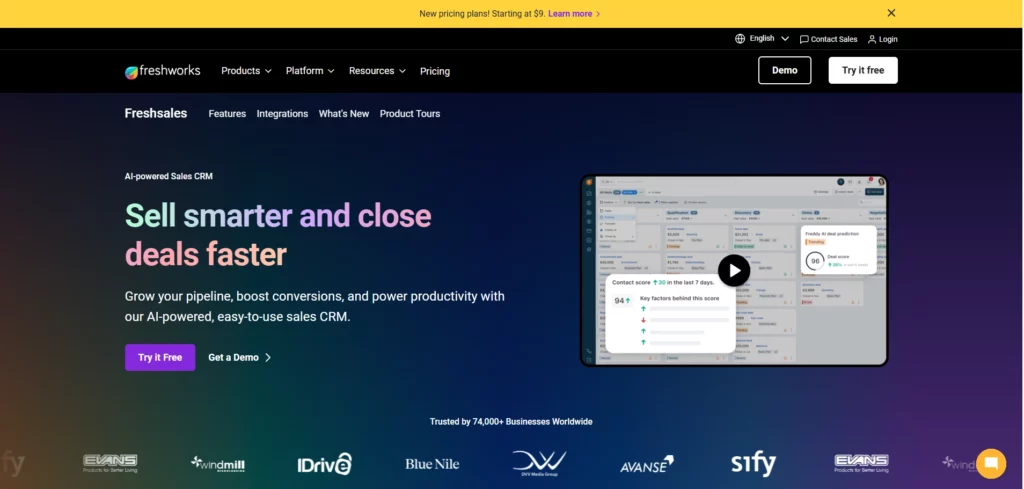
This is ideal for businesses running rapid sales cycles that need 360-degree customer views and instant communication capabilities, such as built-in phone and chat.
Features:
- Freddy AI: Leverage artificial intelligence for deal insights and forecasting to predict revenue accurately.
- Built-in Phone: Make calls directly from the CRM without needing a separate telephony integration.
- Sales Sequences: Create automated campaigns to nurture prospects who aren’t ready to buy immediately.
- Behavioral Segmentation: Deep segmentation based on how leads interact with your website or app ensures every pitch is timely.
- Multi-Currency & Language: Manage global operations and diverse teams with advanced localization features.
Pricing
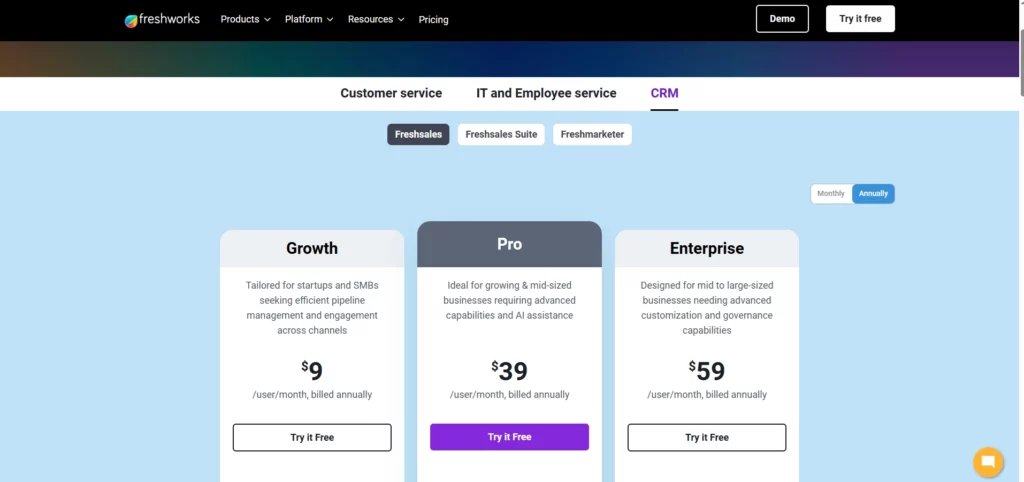
Freshsales starts at approximately $9 per user/month for their Growth plan, making it a competitive option for scaling startups.
Pros & Cons
Pros:
- Clean, modern interface that requires little to no training.
- Native communication tools (Phone, Chat, Email) reduce context switching.
- Strong AI capabilities are included in higher tiers for lead scoring.
Cons:
- Reporting capabilities can feel limited compared to enterprise giants.
- Customer support response times can vary during peak hours.
Zoho CRM
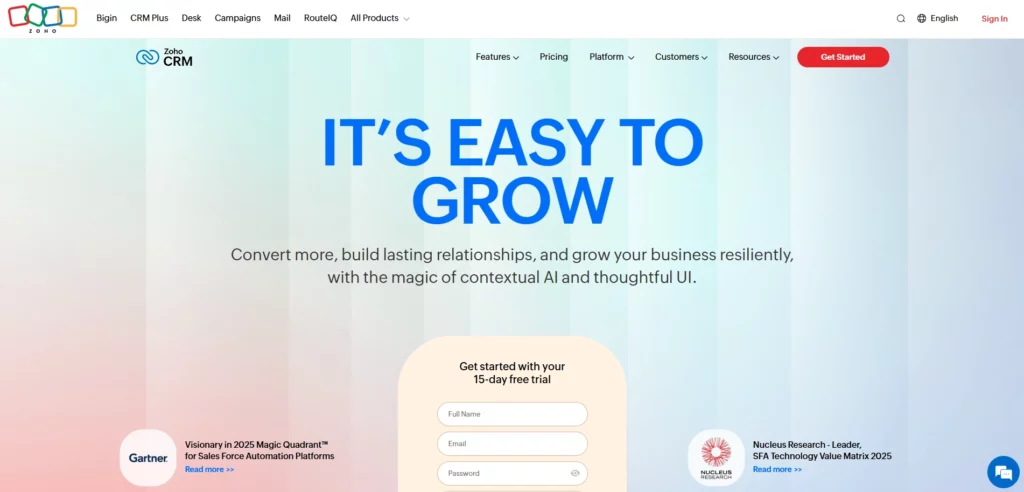
Zoho CRM is an omnichannel cloud platform for small to large business owners looking to reduce costs, organize operations, and automate routine tasks. It combines sales, marketing, and support into a single interface.
Features:
- Canvas Design Studio: A unique drag-and-drop editor to redesign the CRM interface to match your specific brand aesthetic and workflow.
- Omnichannel Communication: Connect via email, phone, social media, and live chat to nurture leads wherever they are.
- Zia AI: An intelligent assistant that can predict sales trends, suggest the best times to contact, and detect anomalies.
- Blueprint: Build and automate sales processes to ensure compliance and consistency across the team.
- Workflow Automation: Automate complex business rules such as lead assignment or deal updates to save time.
Pricing
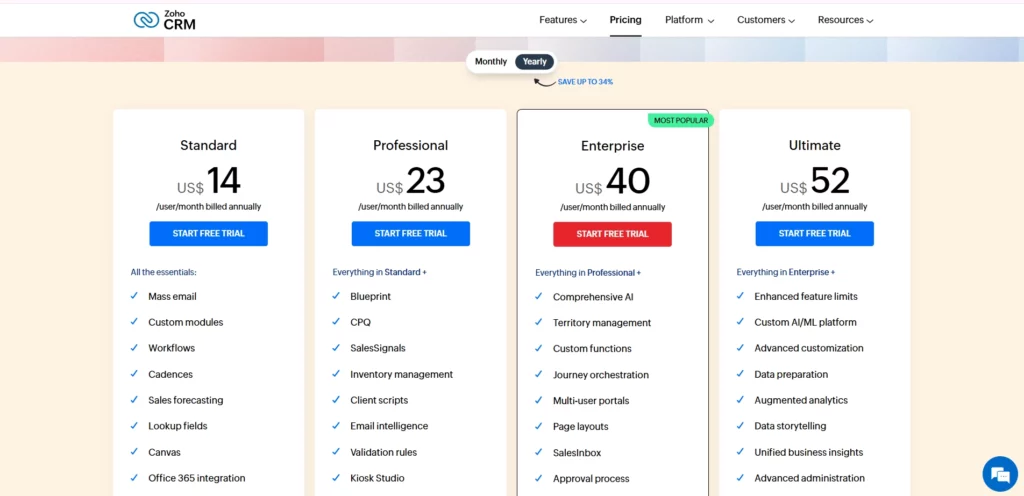
Starting at $14 per user/month, Zoho CRM is an exceptional value for businesses looking for a comprehensive management tool on a strict budget.
Pros & Cons
Pros:
- Unbeatable feature-to-price ratio in the market.
- Part of a massive suite (Zoho One), allowing for easy expansion into finance or HR tools.
- Highly customizable automation capabilities for complex processes.
Cons:
- The user interface can feel cluttered or dated compared to newer competitors.
- Initial setup and customization can have a steeper learning curve.
Salesforce Sales Cloud
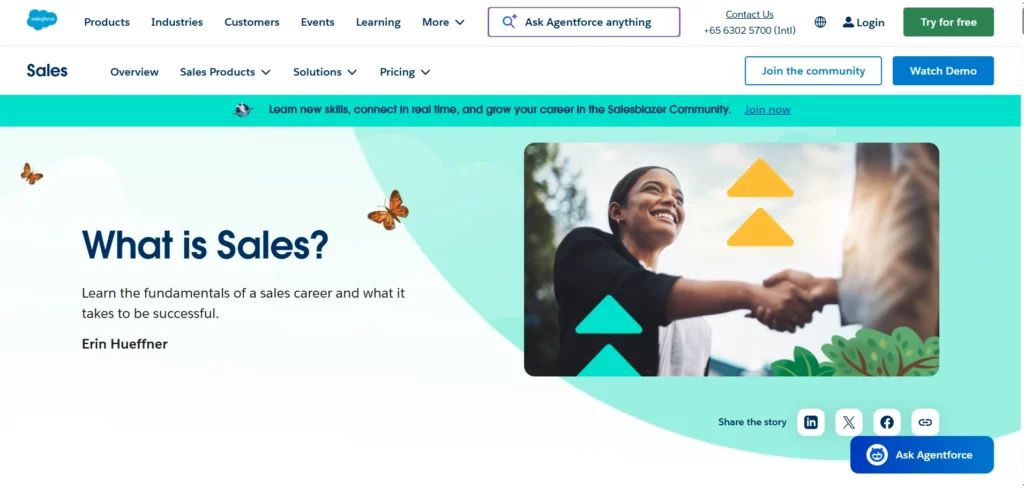
Salesforce Sales Cloud is a comprehensive enterprise platform that helps organizations expand their market dominance by providing the world’s most customizable CRM software.
It integrates seamlessly into virtually any existing workflow through thousands of AppExchange partners, customizable APIs, and cloud-based solutions.
Salesforce is designed to help organizations manage complex sales cycles, nurture enterprise leads, and increase retention rates through deep data analysis.
Features
- Opportunity Management: Enables users to view a detailed timeline of customer activity and competition to close deals faster.
- Lead Management: Track leads from click to close and optimize campaigns across every channel.
- Workflow & Approvals: Powerful visual workflow design to automate internal business approvals and processes.
- Seamless Integration: The AppExchange ecosystem offers the widest range of integrations compatible with your workflow.
Pricing
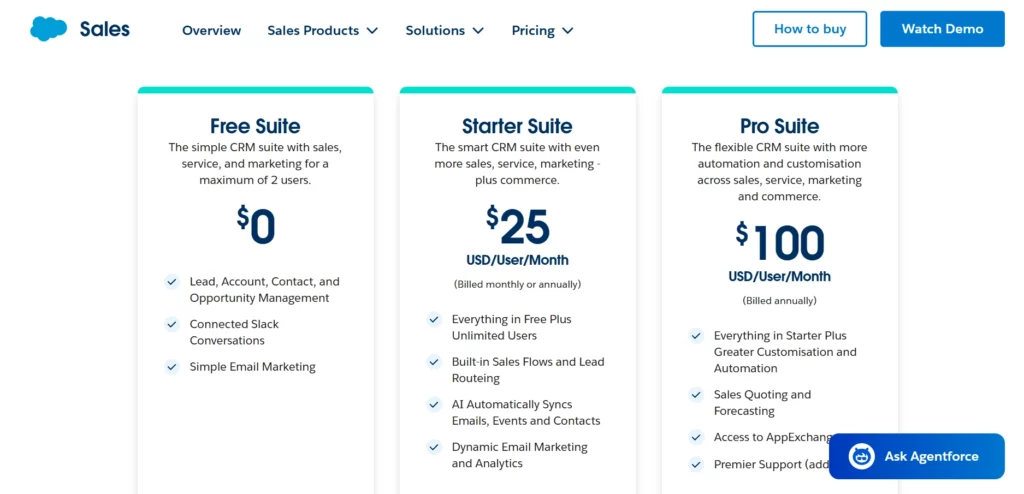
Salesforce starts at $25 per user/month for their Essentials plan, but costs scale significantly for Professional and Enterprise editions needed by larger teams.
Pros & Cons
Pros:
- Infinite scalability for growing from a startup to a Fortune 500 company.
- Unmatched customization options for bespoke business logic.
- Aims to provide a complete view of the customer across every department.
Cons:
- Implementation often requires dedicated administrators or external consultants.
- It can be overkill and expensive for small teams just needing simple pipeline tracking.
Monday.com CRM
Monday.com CRM is a flexible work operating system designed to meet almost all the organizational needs businesses have to engage with their leads and projects.
It enables smooth sales-cycle management through colorful boards, automations, and dashboards.
Features
- Customizable Boards: Manage leads and deals with columns that fit your specific data needs, including status and timelines.
- Automation Recipes: Set up “if this, then that” rules to route leads and notify team members effectively.
- Centralized Communication: Sync emails and log calls within the item card to keep history in one place.
- Visual Dashboards: This system automatically aggregates data into high-level overviews for tracking KPIs and goals as per preference.
- Project Transition: Seamlessly move a “Closed Won” deal into a project management board for onboarding.
Pricing
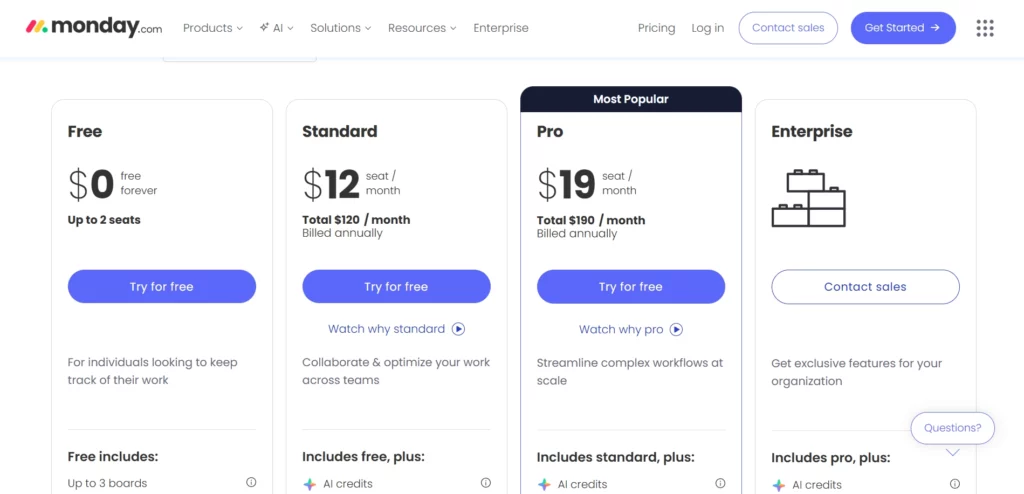
Monday.com CRM offers various plans starting around $12 per user/month, making it a versatile option for businesses focusing on workflow customization.
Pros & Cons
Pros:
- The interface includes highly visual features such as color-coded statuses and timeline views.
- High flexibility allows it to double as a project management tool.
- Automation setup is visual and intuitive for non-technical users.
Cons:
- The platform may feel less like a “traditional” CRM for sales purists.
- Some standard CRM features (such as CPQ) may require workarounds or third-party apps.
How to Select the Best Alternative for Your Requirements
Always consider several key factors when choosing the best alternative to Close to ensure the platform meets your specific needs. These factors include cost, scalability, and the range of integrations offered.
Cost is essential to ensure the service balances affordability with the depth of features required.
It’s also important to evaluate how well the platform supports your sales process, engages prospects, and how easy it is for your team to adopt.
The benefits should align with your business objectives, such as seamless outbound communication, automated follow-ups, or advanced reporting.
Clarifying Your Needs
Before selecting an alternative, define your requirements clearly. Are you looking for robust outbound calling capabilities, or do you need additional features like automated lead nurturing and multi-channel engagement?
Understanding your goals helps you choose a platform that fits your budget while boosting efficiency and revenue.
Based on these factors, Voicedrop stands out as an excellent choice for businesses seeking a comprehensive, scalable, and user-friendly solution.
With its powerful automation features, multi-channel outreach, and easy integration setup, Voicedrop effectively streamlines and modernizes your sales process.
Get started today to see how it can elevate your sales strategy.
FAQ’s:
What is a high-velocity CRM, and how does it work?
A high-velocity CRM is software designed to help inside sales teams interact with more leads in less time. Unlike traditional database CRMs, it prioritizes features like power dialing, automated email sequences, and rapid lead qualification to increase daily throughput.
Why should I switch from Close to an alternative?
You might switch if you need a free entry-level plan (which Close lacks), better inbound marketing integration (like HubSpot), or more visual project management styles (like Pipedrive or Monday.com) that Close doesn’t specialize in.
Can I try out alternatives to Close before committing to a paid plan?
Yes, most top alternatives like HubSpot, Pipedrive, and Freshsales offer free trials or free-forever tiers so you can test their pipeline management and communication tools before paying.
How does the ease of use compare between Close and its alternatives?
Close is known for a unified “inbox” workflow, but alternatives like Pipedrive offer visual “kanban” interfaces that many visual learners find more intuitive, especially for managing complex deal stages.
