
Have you ever checked your voicemail and noticed the code “86”? Have you wondered what 86 means on voicemail? This code can be confusing for both callers and businesses, as it indicates a specific status or issue within the voicemail system.
Typically, “86” signals that a message could not be delivered due to network issues, call restrictions, or account-specific settings. For businesses that rely on seamless communication, noticing this code frequently can point to problems with phone system configurations, carrier restrictions, or even user errors. For callers, understanding that this is not a personal rejection but a technical signal can save time and reduce frustration.
Let’s understand what “86” means within telecommunication systems. Explore the common interpretations of these missed message codes to address potential issues quickly.
Understanding Voicemail Codes
Voicemail codes act as quick shortcuts that help individuals and businesses manage messages efficiently. Instead of listening to long automated prompts, users can move through voicemail menus faster and with less effort. As a result, communication becomes smoother and less time-consuming.
Generally, voicemail systems use two main types of codes. First, carrier access codes, such as dialing *86 or long-pressing 1, connect users directly to their voicemail inbox. Additionally, in-menu navigation keys allow quick actions once inside the system. For instance, users can press 9 to save a message, 7 to delete it, or other keys to block unwanted callers. Because of this setup, voicemail management feels more direct and user-friendly.
For businesses, understanding these codes plays an important role in daily operations. Employees can respond to multiple messages quickly without waiting through every prompt. Consequently, teams handle calls more efficiently and maintain better communication flow. By using voicemail commands properly, organizations save time and stay organized.
The Meaning of 86 on Voicemail
The number “86” can mean different things depending on the phone network or device. Rather than functioning like common voicemail commands, 86 usually works as a system-level or legacy code. In earlier landline and cellular networks, providers used it for call routing or call completion purposes.
Today, most modern voicemail systems associate 86 with voicemail access. Many carriers use *86 as a direct shortcut to the voicemail inbox. Because of this, seeing or dialing 86 does not signal a missed or deleted message. Instead, 86 simply provides fast access to stored voicemails.
Overall, the role of 86 supports efficient message management. Whether users want to retrieve messages, control call handling, or reduce unwanted interruptions, understanding this code helps them navigate voicemail systems with confidence. In turn, both individuals and businesses can keep communication clear, organized, and easy to manage.
Why You Might See 86 on Your Voicemail
You might notice “86” on your voicemail screen or in a text alert for a few important reasons. Most often, it indicates how the call was handled or how the network guides you to your messages.
A common reason is that your mobile provider, especially older or legacy carriers, uses *86 as the system code to access voicemail. When a new message comes in, the system may show “Call *86” or just “86” alongside your voicemail notification, prompting you to dial the code to listen to your messages.
Possible reasons you see “86” include:
- System Access Code: It is the direct access number for your mailbox, prompting you to retrieve a new message.
- Carrier Signaling: It is a raw network signal relayed by your telecommunication systems to indicate a new message.
- Voicemail App Malfunction: A voicemail troubleshooting issue or temporary bug in a third-party app may incorrectly display “86” instead of a visual icon.
- Feature Conflicts: Sometimes, using features like conditional call forwarding or call management system tools can cause the system to default back to the raw code for voicemail access.
You must understand the voicemail platform differences between iPhone, Android, and various business phone systems to correctly interpret the code on your device.
How Voicemail Systems Handle Calls and Messages
The voicemail system handles incoming calls through a standard, sequential workflow. First, the call management system detects a missed call. If the user doesn’t answer within a set number of rings, the call is automatically routed to the voicemail server. On the server, the caller can record a message. Once the message is complete, the server timestamps it, attempts a quality check, and generates a notification.
This is where codes like 86 come into play. The system uses internal codes like 86 to signal certain call outcomes. Instead of simply relying on a digital icon, which may fail on older telecommunication systems, the system sends a raw network code to the device. This code tells the phone to display a voicemail notification icon.
If the phone system is unable to translate this code into a visual cue, it sometimes displays the code itself, such as “86.” In essence, 86 is often a behind-the-scenes instruction that accidentally becomes visible to the end-user. For businesses, integrating this data correctly into a management platform is essential.
You can manage this workflow more efficiently using tools that integrate voicemail data with other services, like a Missive ringless voicemail integration.
Implications for Callers and Businesses
Seeing the code “86” has different implications for individual users versus businesses, especially regarding missed calls and setting response priorities. For businesses, knowing “What does 86 mean on voicemail?” is crucial for operational efficiency and proper business call follow-up.

For Individual Callers
For individual callers, seeing “86” is usually a voicemail alert sign that a message has arrived. Since the number 86 often refers to the voicemail access number, it simply means: listen to your messages. This might indicate a missed call, a message from an unlisted number, or a voicemail alert that bypassed the phone’s visual interface.
Individuals should check their voicemail immediately by dialing the access code to ensure they do not miss an important message. If you want to leave a message without triggering a call, you can learn about how to leave a voicemail without calling directly.
For Businesses
For businesses, interpreting 86 in call logs or notifications is a matter of call management system efficiency. If your team is relying on these raw codes, it suggests your internal phone system may be outdated or lacking integration with modern tools. This can lead to significant delays in business call follow-up and operational inefficiency.
Modern automated voicemail messages and voicemail alert platforms should automatically translate these codes into clear, actionable data logged directly in a CRM. Businesses should use platforms like VoiceDrop, which bypass these confusing codes entirely by offering clean, centralized tracking of all inbound and outbound messages.
Common Misconceptions About 86
The code “86” is subject to frequent misunderstandings because its meaning is not universal. These misconceptions stem from the variability in telecommunication systems and voicemail platform differences between carriers and manufacturers.
Thinking It Means a Blocked Call
Explain why some users assume 86 indicates a blocked number. This belief often arises because the term “86” outside of the phone world means to reject or discard. When a caller sees a code associated with a missed call, they often assume rejection. However, the code’s appearance is rarely directly related to a user manually blocking a number. In cases of blocked calls, most mobile voicemail systems simply do not allow the call to route to voicemail at all, or they provide a dedicated system message that is clearer than a simple numeric code.
Assuming the Message Was Deleted
Another misconception is that 86 signifies a deleted voicemail. Users sometimes see the code after deleting a message and believe it is a confirmation code. Clarify that the correct interpretation depends on the voicemail platform or notification system. The code is primarily associated with message arrival or retrieval, not deletion. Deletion commands are usually indicated by other single-digit codes within the voicemail menu.
Believing It’s the Same Across All Carriers
Highlight that 86 codes can differ significantly between iPhone, Android, and business phone systems. On a Verizon phone, *86 is often the access code. On an AT&T or T-Mobile phone, a different code might be used. Similarly, a business VoIP system can assign “86” to mean an internal transfer or a queue status. This huge variation in voicemail platform differences makes it impossible to rely on a single, universal meaning. Advise readers to always refer to their specific voicemail provider for accurate meanings and avoid assuming consistency.
How to Handle Messages Marked with 86
The most important step for both individuals and businesses is to take immediate action when seeing the “86” voicemail alerts. This ensures no critical information or potential business call follow-up is missed.
For individuals, simply dialing *86 or pressing and holding the “1” key should take you directly to your Voicemail system. Listen to the message and decide whether to return the call. For businesses, the process must be automated. Your call management system should flag these messages and immediately log a follow-up task.
You can use platforms that automate mass voice messaging and integrate the results directly into your CRM. This automation ensures every lead or customer who calls receives a timely response, even when the original system code was unclear. Use an automation solution which is the best practice for businesses that cleans up these raw codes and creates clear, actionable to-do lists for your team.
Troubleshooting Voicemail Issues
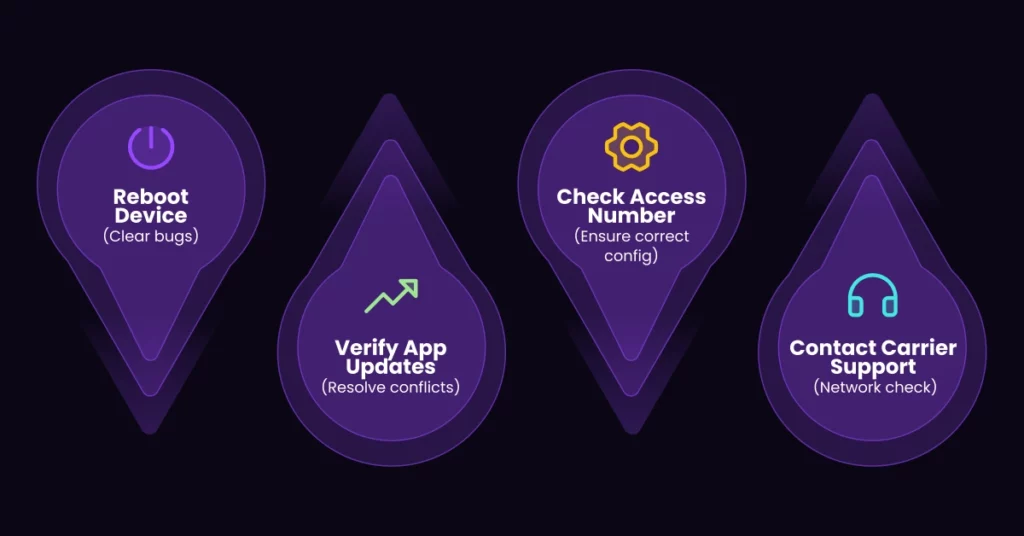
If you frequently see confusing missed message codes or experience persistent “86” alerts that do not lead to a message, you may need voicemail troubleshooting.
Here are key steps to fix misread or misinterpreted voicemail codes:
- Reboot Your Device: A simple power cycle often clears temporary network or application bugs causing display errors.
- Verify Voicemail Number: Ensure your phone is configured with the correct number to access the voicemail system.
- Check App Updates: If you use a third-party voicemail app, make sure it is updated to the latest version to resolve compatibility issues with network codes.
- Contact Carrier Support: If the problem persists, you must contact carrier support. They can check network-specific configurations and ensure your voicemail notifications are being sent correctly.
This proactive voicemail troubleshooting helps maintain clear communication channels, which is essential for personal reliability and business call follow-up.
Final Thoughts
What does 86 mean on voicemail? The answer is that it primarily means “access your voicemail” on many telecommunication systems. The numeric code “86” is a cryptic indicator for a new voicemail alert or a prompt to dial your retrieval number. It is rarely a missed message code indicating a blocked or deleted call.
For individuals, recognizing this code saves time and ensures you hear all your messages. For businesses, relying on raw codes like “86” is inefficient and outdated. Businesses can use modern solutions like Ringless Voicemail via VoiceDrop to manage calls efficiently. These platforms bypass confusing voicemail platform differences by providing clean, integrated call management system logs, ensuring no important messages are missed while maintaining compliance. Effective business call follow-up requires clarity and automation.
Ready to stop confusing codes and start streamlining your customer follow-up? Upgrade your call management system to a compliant, efficient platform.
Click here to schedule a demo and see how VoiceDrop provides clear, automated voicemail solutions for your business.
FAQ’s
1. Does 86 indicate a blocked caller?
Not necessarily. While some users may think it signals a blocked call, its interpretation varies by device and carrier. It is most often the access code for the voicemail system.
2. Is 86 the same on all phone systems?
The meaning of 86 can differ between iPhone, Android, and business telecommunication systems. Always check your specific provider documentation for the accurate meaning.
3. How should I handle a message marked with 86?
Review your voicemail carefully by dialing the access code immediately. Follow up on missed calls to ensure that no important voicemail notifications are overlooked.
4. Can businesses rely on 86 for tracking missed calls?
Businesses should not rely solely on raw code. They should use compliant tools like ringless voicemail via VoiceDrop for a more reliable call management system, tracking, and business call follow-up.
5. What is the history of the number 86?
The phrase “86” has historical roots in restaurants, where it meant to discard or reject an item or person. This contributes to the misconception that it means a call was blocked or deleted.