
Build automated follow-up systems sales that never sleep with automation tools that nurture leads through every stage.
Are your sales leads going cold? Does your team spend hours doing follow-ups by hand and not get much done? It’s important to be on time and consistent in the fast-paced world of sales. If you don’t connect with a lead at the right time, it could mean the difference between a closed deal and a lost opportunity.
The problem is clear: how can you keep in touch with each lead in a personal and persistent way without making your sales team too busy? Automation is the key to solving the problem. The way sales teams work is changing because of automated follow-up systems. These automated follow-up email sequence systems help them keep in touch with leads, save time, and eventually increase conversion rates by a large amount.
Explores how you can use these powerful automation tools to turn cold leads into loyal customers.
What Are Automated Follow-Up Systems for Sales Teams?
Software or workflows that are set up to automatically send a number of messages to leads over time are called automated follow-up systems for sales teams. These messages can be sent by email, text message, or even effective sales voicemails that have already been made.
The method works based o n set triggers or time intervals. With this method, salespeople don’t have to keep track of and carry out each touchpoint by hand. For instance, a system can be set up to send a welcome email right away after a lead fills out a contact form, and then another email two days later if they don’t reply.
These methods directly fix a number of issues that sales teams keep having. These systems are very helpful for nurturing leads, moving prospects through the sales funnel from initial interest to final purchase. Automation is freeing up the sales team to do more important things instead of doing the same things over and over again.
Key Benefits of Using Automated Follow-Up Systems in Sales
The value proposition of automating your sales follow-ups is compelling. Here are the benefits of why top-performing sales teams are increasingly adopting automation as a core part of their strategy.
Save Time and Reduce Manual Tasks
One of the best things about an automated follow-up method is that you can see right away how much time it saves. Salespeople often spend hours every day doing the same things over and over again, like writing the same emails, keeping track of contacts in a CRM, and setting reminders for themselves to follow up next. This time would be better spent on more important things, like having meaningful talks with qualified prospects or showing off your products.
Improve Lead Conversion Rates
Stats show that consistent and constant follow-up increases the chances of turning a lead into a customer. This is where technology changes everything. Because it’s automated, every lead is followed up on a set number of times, including people who may have missed earlier texts or weren’t ready to commit at the first contact. Keep in touch to stay at the top of the lead’s thoughts, so when they’re ready to make a choice, they’ll remember your company.
Ensure Timely and Consistent Communication
When it comes to sales, speed is very important. A quick answer to a question can greatly improve the chances of turning that lead into a customer. An automated follow-up system takes care of this by making sure texts are always sent at the right time.
For example, to cut down on people who don’t show up for a practice, an automated reminder can be sent 24 hours ahead of time. To keep the momentum going, a follow-up email can be set to go out right after a plan is sent.
Enhance Customer Experience with Personalization
Modern automatic follow-up systems are made to make personalization possible on a large scale. With dynamic fields and segmentation, automated messages can be changed so that they feel important and unique to each person who receives them.
If you want to customize the message, you can get information straight from your CRM or contact database. For instance, the lead’s first name, company name, and work title can be included in an automated email to make it feel like the sender knows them right away.
Gain Better Tracking and Analytics
To make strategic choices, you need data, and automated follow-up systems give you a lot of it. These tools keep track of important metrics like email open rates, click-through rates, and answer rates. These metrics give you a deep understanding of how well your outreach efforts are doing. You can also get the most engagement and conversions from your messaging, timing, and targeting by constantly looking at performance data.
Core Features to Look for in an Automated Follow-Up Tool
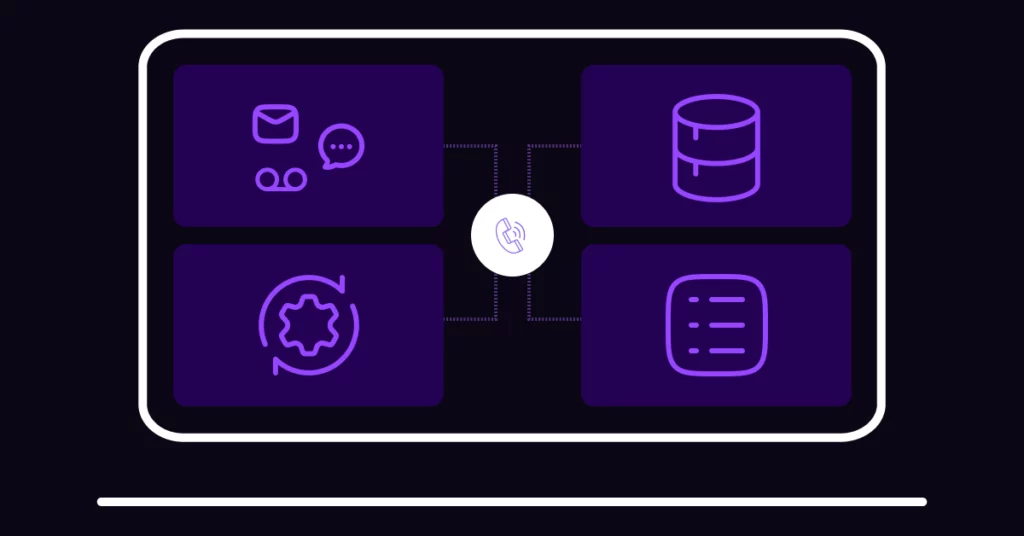
Not every automatic follow-up tool is the same, and picking the right one is very important for success. The best tool for your business should fit your sales method, team size, and goals. Look at some prominent features that are essential for any modern sales automation approach to work well.
Multi-Channel Outreach
Buyers today use a lot of different venues, so a good follow-up plan needs to meet them where they are. Email alone isn’t enough anymore because people react differently to different ways of communicating. So, a strong automatic follow-up tool should let you reach out to leads through multiple channels, such as email, phone calls, SMS text messages, and even social media sites like LinkedIn.
Some platforms even work with services that let you add an outreach voicemail drop to your series. This gives it a more personal touch without you having to make a call. You can make a more thorough outreach program, get people’s attention, and get them involved.
Workflow Builder and Trigger Automation
Building and running processes is what any automation tool is all about. What you should look for is a visual workflow builder, which makes planning your follow-up steps much easier. A drag-and-drop layout is common in these builders. This makes it easy to see and build the whole customer journey, from the first touchpoint to the last. It is simple for anyone, even for non-technical users, to make complex automation processes that work well.
CRM Integration
Your follow-up system needs to work well with your CRM tool to be truly useful. This connection is very important if you want to keep a single source of truth for all of your customer data. This will cut down on the need for manual data entry and the chance of making mistakes. When you connect your automation tool to your CRM, data moves between the two systems without any problems. This is why features like a native, less annoying CRM integration can be incredibly valuable for streamlined operations.
Lead Scoring and Segmentation
Lead scoring and segmentation work together to let you put leads into different lists based on things they have in common. You could divide leads into groups based on their field, job title, company size, or where they are in the sales funnel.
When you combine lead scoring and segmentation, you can send messages that are very specific and successful. You can put leads with lower scores in a long-term nurturing campaign and leads with higher scores in a more aggressive, personalized follow-up sequence. This way, your efforts are always directed to the areas where they will have the most effect.
A/B Testing and Reporting Features
An automatic follow-up tool needs to have A/B testing and strong reporting features. A/B testing lets you try out different parts of your approach to see which ones work best. For example, compare two email subject lines to see which one gets more opens, or you could compare two calls to action to see which one gets more clicks. This kind of testing gives you real information that you can use to shape your plan.
Top Tools for Sales Follow-Up Automation in 2025
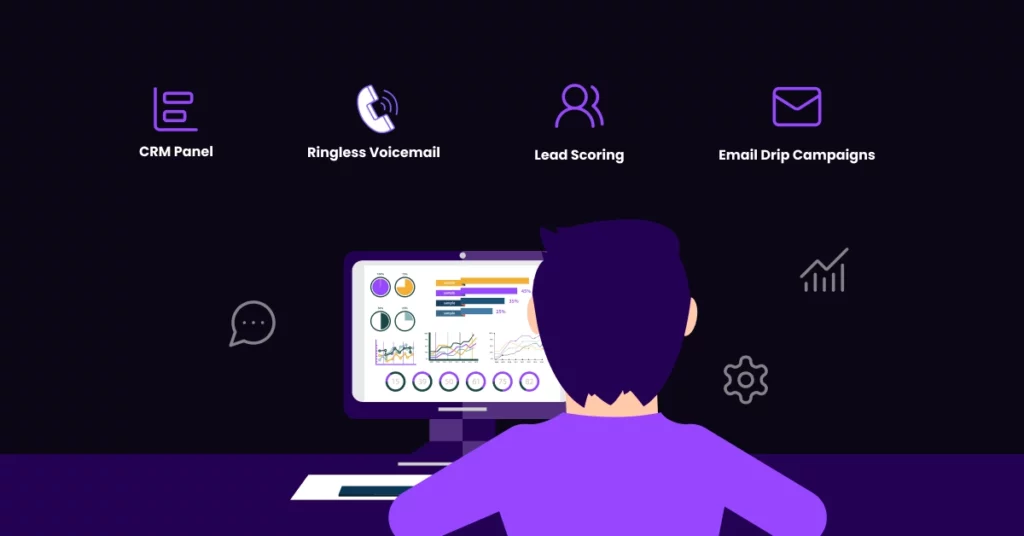
When we look at the state of sales technology in 2025, a few platforms stand out because they can simplify and improve the follow-up process. The best tool for your team will rely on what they need, how big their team is, and how they make sales. Here are some of the best tools that modern sales teams trust.
VoiceDrop
VoiceDrop is a unique tool that lets you set up automated follow-ups in a way that feels familiar. It lets users record a voicemail message ahead of time and then send it straight to a lead’s voicemail box, so the lead’s phone doesn’t even ring. A “ringless voicemail drop,” as this new idea is called, is a great way to add a personal touch to your mass contact. It works great for getting cold leads interested again or adding a human touchpoint for important accounts, which makes it an important tool for any sales team.
HubSpot Sales Hub
HubSpot Sales Hub has a lot of important automatic benefits. It has a workflow builder that you can customize, which lets you make complex email sequences and handle tasks automatically. The app gives you a lot of information about how engaged your contacts are, and you can take action based on how a lead responds to your emails or visits your website. It works so well with marketing tools; it’s also great for teams that want to make their marketing and sales work together to give customers a better experience.
Outreach
Outreach is a powerful platform for engaging with sales that was made for big sales teams and businesses at the enterprise level. It’s made to handle a lot of marketing and complicated sales cycles. People like the tool because it has powerful analytics and works well with Salesforce.
It has AI-driven sequences that can help you find the best message and timing for better engagement. It allows real multichannel outreach through email, phone, and social media, so teams can run complex campaigns that work together. Outreach is one of the best options for business teams that need power and the ability to grow.
Reply.io
Reply.io is a tool for sales automation and engagement that works well for contacting people via cold emails and running campaigns across multiple channels. Many sales development agents (SDRs) and teams that want to get new business by actively seeking it out choose it. There are many features on the platform that are meant to make outreach activities more efficient and effective.
Its advanced email sequencing lets you make highly personalized and automated follow-up efforts. It is great at multichannel workflows because it lets users mix email, LinkedIn conversations, SMS messages, and phone calls into a single, smooth flow. This makes it a powerful tool for getting people to reply and set up meetings.
Lemlist
Lemlist is a favorite among SDRs and small to medium-sized sales teams. The tool is based on the idea that personalization is the best way to get someone to answer in a crowded inbox. It also lets you send video emails and comes with a set of email “warm-up” tools that will help your emails get to the right address and be delivered. It’s great that Lemlist lets teams put creativity and personalization at the top of their list of automatic follow-ups.
Close CRM
Close is an all-in-one CRM that has been specifically designed for the needs of inside sales teams. Its main goal is to give salespeople all the tools they need in one place, so they don’t have to use third-party apps for basic tasks like chatting and calling. It is a great choice for teams that want to automate their follow-ups without having to deal with a bunch of different tools.
Close CRM also has great reporting and analytics tools that make it easy to see how your team is doing and how healthy your sales flow is. It has a great package for inside sales teams that want a streamlined, high-efficiency option.
How to Set Up an Automated Follow-Up System – Step-by-Step
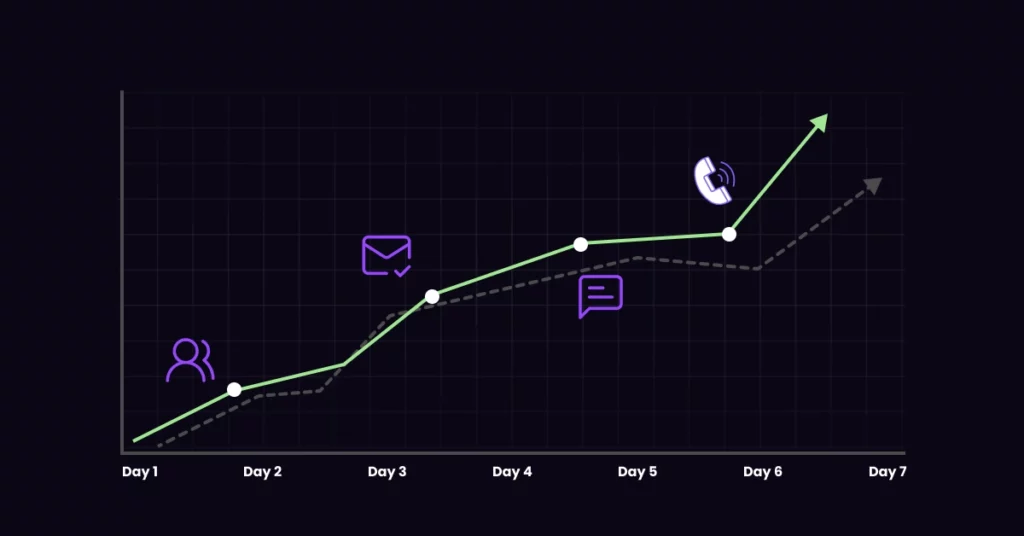
While setting up an automated follow-up system might seem difficult. Any sales team can get from thought to action by breaking it down into a clear, step-by-step process.
Define Your Sales Funnel and Lead Stages
You need to know exactly what your customer does before you can automate anything. Step one is to make a sales funnel plan. This will show you the different stages a lead goes through from the first time they contact you to the time the deal is closed.
Some steps that you could use are:
- New Lead
- Contacted
- Qualified
- Proposal Sent
- Negotiation
- Closed (Won or Lost)
A lead in the “Qualified” stage should get very different messages from a new lead who just entered your funnel. This basic step makes sure that your automation is always useful.
Map Out Follow-Up Touchpoints
The next step is to plan the specific touchpoints for each stage. This involves deciding on the timing, frequency, and channels you will use to communicate with leads. For example, for a “New Lead” stage, you might design a 5-step follow-up sequence that takes place over 10 days. This could look something like this:
- Day 1: Automated welcome email.
- Day 3: Automated follow-up email with a link to a relevant case study.
- Day 5: Automated LinkedIn connection request.
- Day 7: Automated SMS message.
- Day 10: Automated final follow-up email.
By mapping out these touchpoint flows for each stage of your funnel, you create a comprehensive and strategic plan for your follow-up communication.
Choose the Right Tool and Set Triggers
Now that you have your plan, it’s time to pick the right technology to make it happen. Pick a tool that fits the size of your team, the way you sell, and your budget. Also, make sure it has the features you need, like the ability to reach out through multiple channels and integrate with your CRM.
Once you’ve chosen a tool, the next step is to set up the right triggers so that it can carry out your plan. For instance, you could set a trigger to start your welcome process whenever a lead fills out a contact form. Send a follow-up email if “no reply after 3 days.” These triggers are what make the system dynamic and flexible.
Personalize Messaging at Each Stage
Personalization should not be lost in the name of automation. If you want your follow-up method to work, you need to make sure that your messages are relevant to the lead’s stage in the sales funnel, how they act, and their demographic information. To make the message sound more personal, at the very least, use the lead’s name and company. For more advanced personalization, use things they’ve done in the past, like a white paper they got or a webinar they went to. The message should feel like it was written just for the recipient, even though it is sent automatically.
Test, Analyze, and Refine Workflows
To get the best results, you need to commit to a process of always getting better. This means that you should try, analyze, and improve your workflows on a regular basis using data from real-world use. For each step in your sequences, pay close attention to important data like the number of opens, clicks, and replies. Try out different subject lines, messages, and calls to action with A/B testing to see what works best for your community.
Best Practices for Sales Follow-Up Automation
Setting up an automatic follow-up system is a big step toward making sales more efficient and effective. These tips will help you find the best mix between being efficient and showing empathy.
Don’t Over-Automate – Keep the Human Touch
Teams often make the mistake of depending too much on automation, which can make their communication sound robotic and impersonal. Automation should be used to make interactions between people better, not to replace them completely. Even though automated processes are great for reaching out and nurturing leads at first, it’s important to know when to add a personal touch.
Use Data to Personalize at Scale
Using data to make your outreach feel personal and relevant is key to making automation work well. An automated email might say something like, “I saw that you work in manufacturing, and I thought you might be interested in this case study on how we helped a similar company solve [specific problem].” This level of data-driven personalization at scale is what makes a great follow-up system different from a simple email blaster.
Time Follow-Ups Strategically
The best time to follow up can make a huge difference in how well they work. When you send a message can make the difference between getting a response and being forgotten. Sending follow-ups at logical points in the customer journey, like right after a demo, a few days after sending a proposal, or after a time of inactivity, is one way to plan your timing.
A lot of current automation tools have features that can help you get the most out of your time. Depending on the time zone of the recipient, you can plan when to send a message, making sure it gets to them on time.
Segment Leads Based on Behavior
It’s important that your messages are tailored to each lead’s needs and amount of interest. That’s why behavior-based classification is such an important best practice. It involves putting your leads into groups based on what they do, like which emails they open, which links they click, and which website pages they read.
For example, leads who have only opened one welcome email could be put in a gentle, long-term nurturing process. Leads who have seen your pricing page and demo could be put into a more direct, action-oriented sequence.
Review Sequences Regularly
The world of sales is always changing, so a follow-up plan that works well now might not work as well in a few months. That’s why it’s important to check on the progress of your automated routines often, at least once a month. For each step of your sequence, you need to go into your analytics and look closely at measures like open rates, reply rates, and bounce rates. Always making things better will keep your automatic follow-up system a useful tool for your sales team for a long time.
Common Mistakes to Avoid When Automating Sales Follow-Ups
Automated follow-up systems have a lot of promise, but people often make mistakes that make them less useful. These mistakes can cause you to lose leads, upset prospects, and end up with low conversion rates.
- Making follow-up routines that are too aggressive or too long. Too many messages in a short amount of time can make you look desperate, and your emails will be marked as spam very quickly.
- Not personalizing texts is another common mistake. A one-size-fits-all email is simple to spot and even simpler to delete. To fix this, use your automation tool’s dynamic tags and classification features.
- Forget to stop automation after a lead replies. This can hurt your image. Receiving an automatic follow-up after they have already replied is the most annoying thing that can happen to a prospect.
- A lot of teams make the mistake of not going over and improving their routines on a regular basis. It’s not possible to “set it and forget it” with an automatic system. You need to look at your performance data on a daily basis and make changes to get the best results.
Ready to Automate Your Follow-Ups? Start Small and Scale Fast
Automating your sales follow-up doesn’t have to be hard to get started with. It’s important to start small, make sure the idea works, and then gradually become bigger. You can work your way up to more complex, multi-channel processes as you get better at the process.
VoiceDrop is a great way to start automating your life. It gives you an easy and effective way to send many pre-recorded voicemails, so you can keep the human touch while saving hours of work. You can build a world-class automatic follow-up system that gets real results for your business by doing things in small steps like this. Get a demo now!
