
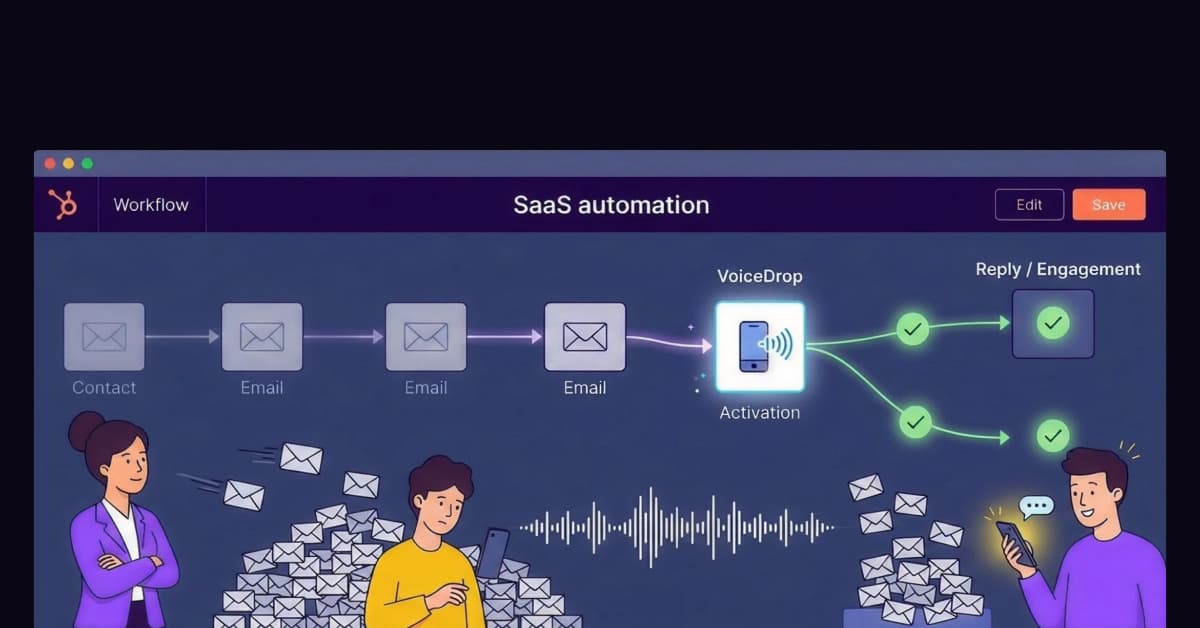
Your sales team is facing the “Automation Paradox.” You have more tools than ever, yet getting a prospect to reply has never been harder. While HubSpot workflow automation allows you to enroll thousands of contacts into sequences instantly, this convenience is backfiring.
When everyone uses the same automation to send the same emails, buyers tune out. To win in 2026, you must interrupt the pattern.
You need to insert a human voice into your digital sequence. By adding a “Voice Drop” node to your HubSpot workflows, you can engage unresponsive leads without adding a single minute of manual labor.
The “Inbox Zero” Crisis: Why Email-Only Workflows Fail
Relying 100% on email is dangerous for your ROI. Although email is the backbone of modern business communication, it is suffering from oversaturation.
The “Promo Tab” Graveyard
Even if your copy is perfect, technology is working against you. Gmail and Outlook use sophisticated algorithms to shove marketing emails, even personalized ones, into the “Promotions” or “Other” folders.
Pattern Recognition
Your prospects aren’t ignoring you; they literally aren’t seeing you. Your HubSpot workflow might be firing perfectly, but if the message lands in the graveyard of the “Promotions” tab, your effort is wasted. Declining email engagement stats prove that relying on a single channel is no longer a strategy; it’s a liability.
What is a Voicemail Drop Step?
The solution to email fatigue is the Voicemail Drop Step. Ideally, this should be a standard action in every sales sequence. However, it is important to clarify that this is not a “Robocall.”
The Mechanism (Ringless Technology)
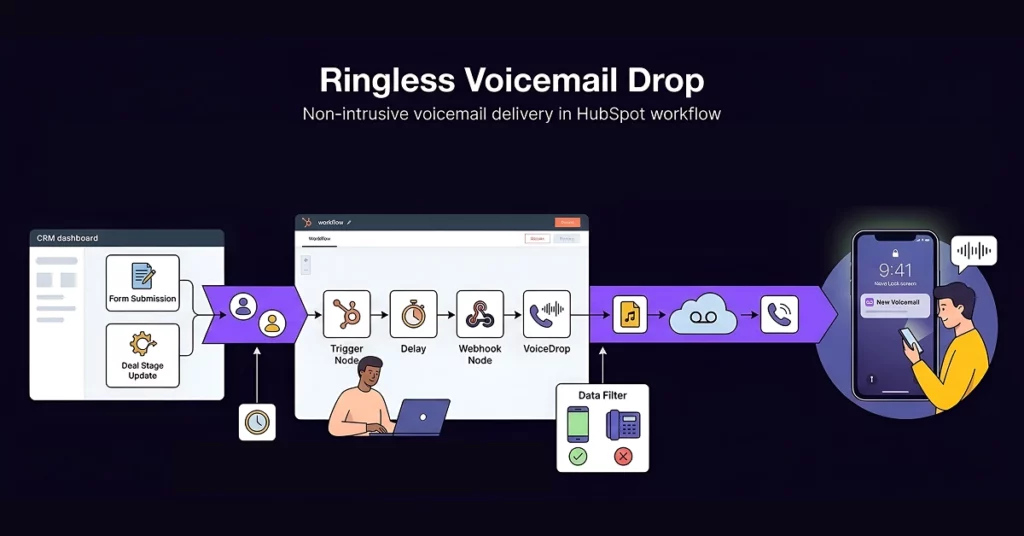
This technology inserts a pre-recorded audio file directly into the carrier’s voicemail server, bypassing the cellular network entirely. The phone does not ring. You don’t annoy the prospect or interrupt their dinner.
The “Hybrid” Experience
Instead, they see a “New Voicemail” notification on their lock screen. This creates a “Hybrid” experience: The prospect believes a human just called them personally, while your sales rep didn’t have to lift a finger. Read more on How Ringless Voicemail Works.
The Technical Setup: How to Integrate Voice into HubSpot
Integrating voice into your CRM might sound complex, but it is actually straightforward. Here is the simplified “How-To” for setting up your first voice node.
Step 1: The Enrollment Trigger
First, you start inside your HubSpot portal. You must set a specific enrollment trigger that defines who gets the call. For example, you might set the trigger to “Form Submission = Contact Us” for new leads, or “Deal Stage = Decision Maker Bought In” for lower-funnel prospects.
Automation only works if your data is clean. Ringless voicemails fail on landlines. Before you enroll contacts in this workflow, you must verify their device type. Use the 1Lookup phone validation API to verify whether a number is a mobile or landline instantly. 1Lookup is built by the same team as VoiceDrop. This ensures 100% deliverability and prevents your workflow from stalling on invalid numbers.
Step 2: The Webhook or Integration Action
Since HubSpot doesn’t have a native “Send Voicemail” button, you will need to use an external connection. Specifically, you use the “Send a Webhook” action within the workflow or a Zapier integration to “ping” VoiceDrop. This signal tells the system to deploy the audio file to the contact’s phone number. For detailed instructions, you can refer to the official documentation on using webhooks in HubSpot workflows.
Step 3: The Delay & Execution
Finally, timing is everything. You should advise adding a small “Delay” (e.g., 2 to 5 minutes) after the trigger and before the drop. This ensures the action feels natural rather than instant and robotic. Once the delay is set, the system handles the rest. You can view our integration guides to see exactly how to map these fields.
3 High-Impact Workflows to Automate Today
Don’t just build random automations; build revenue-generating assets. Here are three distinct strategies you can deploy immediately.
1. The “Speed-to-Lead” Response
- The Trigger: A new lead submits a “Contact Us” form.
- The Action: Set a 5-minute delay, then trigger a voicemail: “Hey, it’s [Name], I saw you just requested info. I sent you an email with the details. Please check it out.”
- The Result: This forces the lead to open the email you just sent, tripling your open rates.
Pro Tip: Missing Phone Numbers? If a lead only provides an email, don’t let the workflow die. Integrate 1Lookup to enrich your inbound leads automatically. The tool finds accurate mobile numbers in real-time based on the email, allowing you to trigger that voicemail even if the form didn’t ask for a number.
2. The “Stalled Deal” Nudge
- Trigger: Deal Stage has not changed in 14 days.
- Strategy: Drop a casual voicemail: “Hey, just thinking about our conversation last week. Did you have any questions on the proposal?”
- Why it works: It is far less aggressive than a “Just checking in” email and feels significantly more personal to the buyer.
3. The “Post-Webinar” Thank You
- Trigger: Contact is added to the “Attended Webinar” list.
- Strategy: A bulk voicemail drop from the CEO thanking them for attending and offering a bonus resource.
- Why it works: It builds immense authority and makes every attendee feel special and seen.
The Psychology: Why Voice “Interrupts” the Pattern
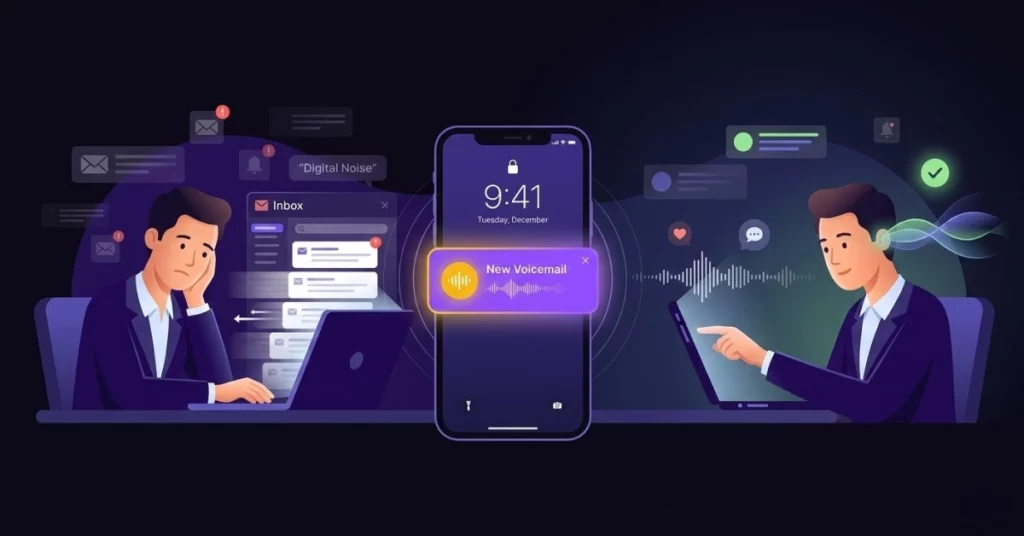
Why does a voicemail work when an email fails? The answer lies in behavioral science.
The Curiosity Gap
You can swipe away an email subject line in a microsecond. You cannot do the same with a voicemail. When a prospect sees a “New Voicemail” notification, curiosity compels them to listen. They have to know who it is and what they want. The friction required to listen ensures your message is actually heard, not just scanned.
Tone and Trust
Text is easily misinterpreted or ignored. Conversely, voice conveys warmth, urgency, and professionalism that text simply cannot match. A friendly tone can disarm a defensive prospect instantly, paving the way for a real conversation.
Best Practices for Scripting Your Drops
To succeed, you must ensure your recording sounds natural. If you sound like a script-reading robot, the strategy will fail.
Keep it Vague (The “Hey It’s Me” Technique)
Do not pitch your product in the voicemail. Instead, use the “Hey, it’s me” technique. Say something like: “Hey, this is John from [Company], I have a quick question about your inquiry. Call me back or check your email.”
Reference the Email
Always use the voicemail to drive traffic back to your email. You should say, “I just sent you the pricing guide. Let me know if you got it.” This creates an omnichannel loop in which voice supports email and email supports voice.
Compliance and Safety Constraints
While automation is powerful, we must address the legal landscape.
TCPA and DNC Lists
Safety is paramount in sales outreach. You must remind your team that even automated voicemails must respect the Do Not Call registry. Fortunately, VoiceDrop has built-in scrubbing features to help manage this. Always review TCPA compliance rules to ensure your campaigns are safe and compliant.
Smart Time-Zone Protection
Additionally, you must respect the prospect’s personal time. Do not set up a HubSpot workflow that drops a voicemail at 3:00 AM. You should use HubSpot’s “Time of Day” settings or VoiceDrop’s “Smart Delivery” windows to ensure drops occur only during business hours.
Conclusion
Automation is powerful, but “Humanized Automation” is profitable. If you want to fix your HubSpot ROI, stop hiding behind text templates. Start using your voice at scale. By integrating a voicemail drop step, you create a pattern interrupt that captures attention and drives action.
Stop losing your best leads to spam. Add Voice to your HubSpot Workflows and experience the difference today.
FAQs
Can I personalize the audio for every contact?
No, the audio file itself is pre-recorded. However, the timing is personalized based on the user’s specific action. The best strategy is to record a message generic enough to apply to everyone in that specific stage (e.g., “Hey, I saw you downloaded our guide”).
Will this work with HubSpot Free CRM?
HubSpot Workflows are typically available in the Professional or Enterprise tier. However, on lower tiers you can often bridge the gap with a VoiceDrop Zap, or with a Make scenario when you want filters and branching, so a form submission still triggers the drop.
How do I track the results?
You can track “Call Backs” to your dedicated number. More importantly, you should track the increase in Email Open Rates regarding the emails sent immediately after the voicemail drop, as this is often the primary goal.
