
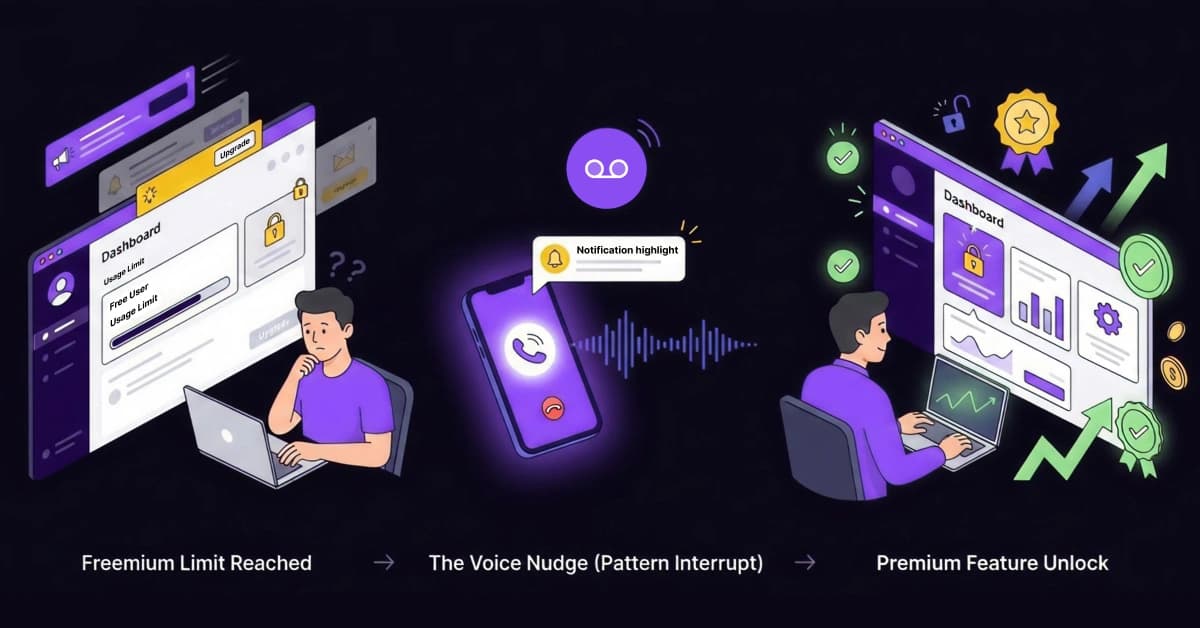
Did you see this? A voicemail just landed on your free user’s phone, highlighting a Pro feature exactly when they hit their usage limit.
This isn’t magic; it is the escape route from the “Freemium Trap.” You have successfully acquired the traffic. You have thousands of active users. Yet, your monetization is stagnant.
Your growth strategy is likely facing a silent killer: Banner Blindness. Users ignore your “Upgrade Now” buttons, and email open rates are plummeting. You don’t need a bigger sales team to fix this. In this guide, we will show you how to use automated voice nudges to highlight specific features and drive upgrades on autopilot.
Why Email Automation is Losing the Upsell Battle
For years, email was king. Today, “Inbox Blindness” has dethroned it. Free users are conditioned to archive marketing emails without opening them, especially generic “Newsletter” style upgrade prompts. If your upsell strategy relies solely on email, you are shouting into a void.
The Lack of Urgency in Text
Emails feel passive. When a user sees a subject line about upgrading, they subconsciously decide to “get to it later.” In the SaaS world, “later” means “never.”
Voice creates immediate curiosity. A “Missed Call” notification feels like a personalized service alert rather than a marketing blast. Humans are wired to prioritize voice communication. This shift in medium instantly moves your message from the “Promotions” tab to the top of their mind.
Contextual Selling vs. Cold Selling
Timing is everything. Standard upsell emails are often sent based on a random time delay (e.g., “Day 3 Drip”).
A “Feature Highlight” call is different. It is triggered by behavior. You call them because they just clicked a locked feature. This isn’t selling; you are helping them solve a roadblock they’re facing. Master the art of cross-selling to understand why relevance is the biggest driver of revenue.
The Strategy: What is a “Feature Highlight” Call?
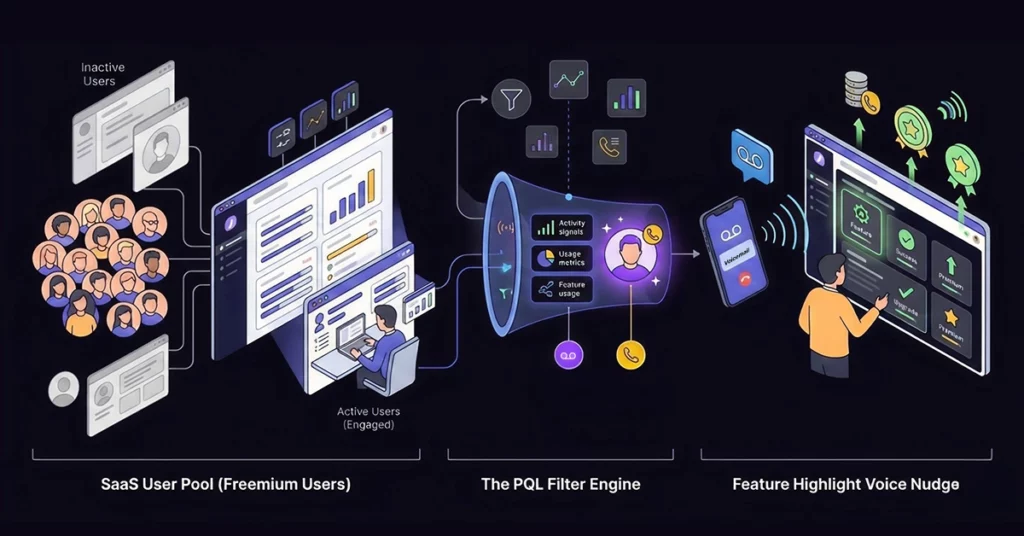
Let’s clarify the strategy. This is NOT a cold sales call. Cold calling implies contacting a stranger. This is a warm “nudge” triggered by action. The user knows your brand and is currently using it.
Moving from MQLs to PQLs (Product Qualified Leads)
You must distinguish between casual users and PQLs. Product Qualified Leads (PQLs) are users who have used the product enough to see value but have hit a limit.
Only target these high-intent users. Do not waste resources calling someone who signed up yesterday and hasn’t logged in since. Focusing on engaged users significantly increases your ROI. Compare your current metrics against industry Product-Led Growth Benchmarks to identify the gap.
- Strategy Insight: Over 60% of free users sign up with just an email, leaving you with a massive blind spot. You cannot call a user if you don’t have their number. To execute this strategy, you must first unlock the missing phone numbers hiding in your CRM. Enrich Your Free User Data with 1Lookup to ensure your message actually lands. 1Lookup is built by the same team as VoiceDrop.
Implementing the Workflow with VoiceDrop
Setting up this automated safety net is manageable. Here is your step-by-step guide to automating revenue.
Identifying the Trigger Events
Determine which actions signal “Intent to Buy.” Here are the specific triggers that should fire a call:
- The Curiosity Trigger: The user clicked a “Locked” feature or grayed-out button.
- The Friction Trigger: The user hit their usage limit (e.g., “0 credits remaining”).
- The Fan Trigger: The user logged in 5 times over 2 days, indicating heavy reliance on the tool.
Data Enrichment: Finding the Phone Number
You will likely face a hurdle here: many free users don’t provide a phone number at signup. If you rely only on signup data, you miss 50% of your opportunities.
Use enrichment tools to find the business number associated with their signup domain. This ensures the voice drop reaches a decision-maker. Always enrich B2B Data accurately before launching the campaign to avoid bouncing.
Automating the Voice Drop Connection
Once you have the data and the trigger, speed is essential. Connect VoiceDrop to your CRM (like HubSpot or Salesforce). When the trigger happens, the integration automatically sends a pre-recorded message about that specific feature within 1 hour.
Immediate follow-up captures the user’s attention while the problem is fresh. Use VoiceDrop Integrations to bridge your software and your outreach effortlessly.
The “Feature Highlight” Scripts & Templates
Knowing what to say is half the battle. Use these actionable templates to copy and paste, then start converting immediately.
The “Limit Breaker” Script
Scenario: User hits a usage cap. This script positions the upsell as a celebration of their success rather than a penalty.
- “Hey [Name], it’s [Your Name] from [Company]. Saw you hit your monthly upload limit. Congrats on the growth! I wanted to see if you wanted a quick bump to the next tier, so you don’t have to wait until next month. Let me know.”
The “Curiosity” Script (Locked Feature)
Scenario: User clicks a greyed-out feature. This offers education rather than a hard sell. It assumes they are interested and offers a helping hand.
- “Hi [Name], I saw you were checking out our Advanced Analytics tab. It’s actually my favorite feature for tracking ROI. If you want a quick demo of how it works before you commit to the upgrade, just text me back.”
The “Power User” Check-in
Scenario: User logs in frequently (high engagement) but remains on the free tier. This script establishes a human connection. It breaks the barrier between “faceless software” and “customer success,” making the user feel like a VIP even before they pay.
- “Hi [Name], noticed you’ve been logging in every day this week. Just wanted to introduce myself as your account manager. If you have any questions about the pro features, I’m here to help.”
Handling the Response: What Happens Next?
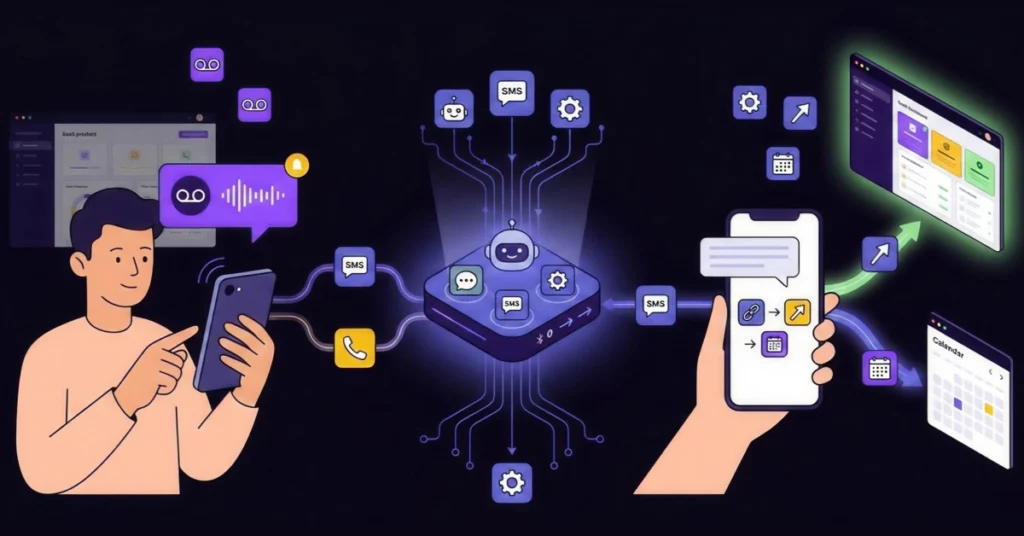
Since Ringless Voicemail drops a message without ringing the phone, the user experience is non-intrusive. However, you must be ready for the response. Users might call back or text back immediately.
You should advise your team to set up an SMS auto-response. If a user texts back, the system can instantly provide a link to the upgrade page or a calendar link for a demo. This keeps the momentum going without requiring manual typing for every reply.
Measuring the Lift in Conversion
Finally, you must track the data to ensure the strategy delivers results.
Tracking Upgrade % vs. Control Group
To prove the value, suggest running a scientific test. Send standard emails to Group A and trigger VoiceDrops for Group B. Compare the conversion rates between the two groups to measure the “Lift.” You will likely see a significant spike in Group B.
Calculating ROI on Automation Costs
Furthermore, you should analyze the financial efficiency. Compare the low cost of sending a voicemail (often pennies) with the high value of a Premium subscription (recurring revenue). The return on investment is usually substantial. You can See Pricing to calculate exactly how affordable this insurance policy is for your revenue.
Conclusion: Don’t Just Sell, Educate
The best way to convert freemium users is to help them succeed, not just ask for their credit card. By highlighting features they are actively trying to use, you position yourself as a partner in their growth, not a salesperson in their way.
Don’t let silence cost you revenue. Use VoiceDrop to turn your free users into your best-paying customers while you sleep.
Ready to automate your upsells? Book a Demo today.
FAQ’s
Will calling free users annoy them?
Not if the context is right. If you call to “help” them unlock a feature they just tried to use, that is considered service. Conversely, if you call randomly to beg for money, it is annoying. Context is the key differentiator.
Can I customize the voice message for different features?
Yes. You can record separate messages for different triggers (e.g., one audio file for “Analytics Feature” and another for “User Limit Reached”) and map them in the VoiceDrop dashboard.
Is this compliant with privacy laws?
Yes, as long as you have a business relationship (they are a registered user) and you adhere to TCPA/GDPR guidelines regarding consent. Always check your local regulations to ensure full compliance.
